Giriş
Logitech G603 mouse wheel encoder replacement.
The encoder is a Logitech 210-001795. It's possible the PCB color on replacements is different than what's inside the G603.
Neye ihtiyacın var
-
-
-
Remove magnetic top cover, batteries, and wireless receiver (if currently stored inside the mouse)
 FixBot'a Sor
-
-
-
Carefully remove the feet to reveal the 4 screws holding the top and bottom shells together
-
NOTE: These feet can be removed carefully enough to be reused. Only the top and bottom feet need to be removed, not the one around the sensor
-
-
-
Use Phillips #00 to remove the four bottom screws
-
-
-
-
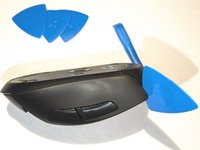
Start at the top above the left and right click and slowly work your way around the shells until they are separated
-
Be careful not to damage the power connector or ribbon cable going from the top shell's boards/battery to the bottom shell's board
-
-
-
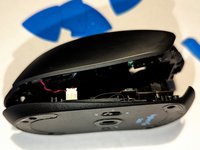
Start with the red and black power cable and gently pull it out
-
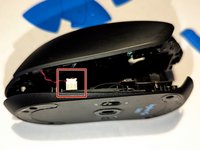
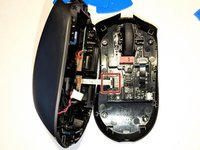
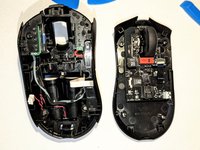
Once power cable is removed, you should be able to unfold the two halves and unplug the white ribbon cable
-
-
-
Gently pull out the black ribbon cable connecting the encoder board to the main board
-
-
-
Remove the Phillips #00 screws holding the encoder board in place
-
-
-
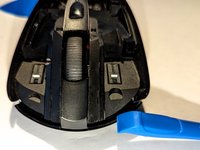
Remove the encoder board from the bottom shell
-
Gently remove the wheel from the older encoder board
-
NOTE: The old wheel can be reused in the replacement encoder board
-
-






To reassemble your device, follow these instructions in reverse order.
İptal et: Bu kılavuzu tamamlamadım.
Bir başkası bu kılavuzu tamamladı.

1Rehber Yorum
In my case, cleaning the encoder plate in an ultrasonic bath did the trick.
