Ana içeriğe geç
Onarım Topluluğuna Katılın - Hesap Oluşturun

Logitech K480 Keycap Replacement

Neye ihtiyacın var
  1. Logitech K480 Keycap Replacement, Back Cover: adım 1, 1 resimden 1.
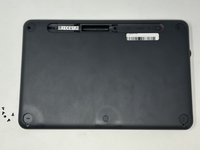
    • Flip the keyboard over.

  2. Logitech K480 Keycap Replacement: adım 2, 3 resimden 1. Logitech K480 Keycap Replacement: adım 2, 3 resimden 2. Logitech K480 Keycap Replacement: adım 2, 3 resimden 3.
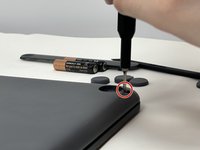
    • Remove the four rubber feet with a spudger.

  3. Logitech K480 Keycap Replacement: adım 3, 3 resimden 1. Logitech K480 Keycap Replacement: adım 3, 3 resimden 2. Logitech K480 Keycap Replacement: adım 3, 3 resimden 3.
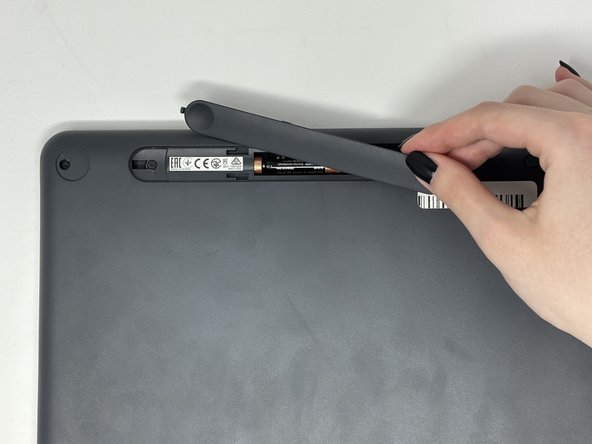
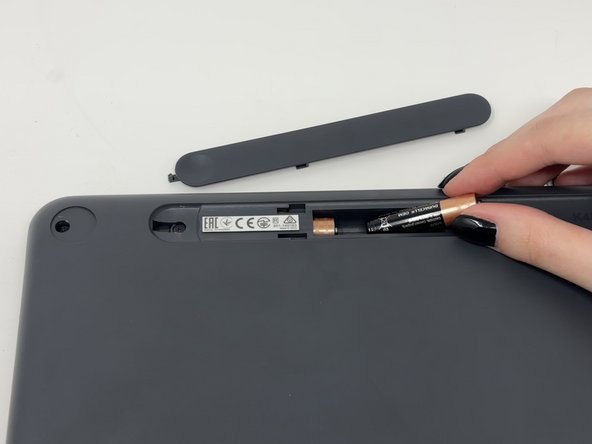
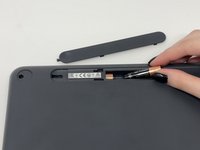
    • Slide open battery panel.

    • Remove the batteries.

  4. Logitech K480 Keycap Replacement: adım 4, 2 resimden 1. Logitech K480 Keycap Replacement: adım 4, 2 resimden 2.
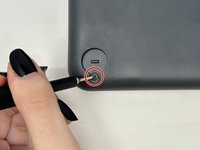
    • Remove the three 4 mm screws under the rubber feet using a Phillips #0 screwdriver.

  5. Logitech K480 Keycap Replacement: adım 5, 2 resimden 1. Logitech K480 Keycap Replacement: adım 5, 2 resimden 2.
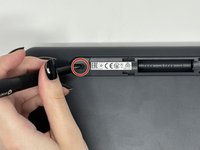
    • Remove the two 4 mm screws from beneath the battery cover using a Phillips #0 screwdriver.

  6. Logitech K480 Keycap Replacement: adım 6, 3 resimden 1. Logitech K480 Keycap Replacement: adım 6, 3 resimden 2. Logitech K480 Keycap Replacement: adım 6, 3 resimden 3.
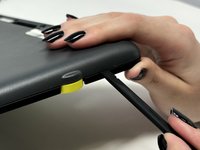
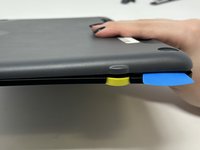
    • Starting by the dial, slide the spudger between the front and back panels until it lifts and snaps.

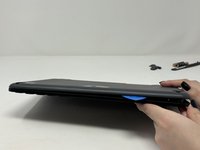
    • Slide a blue pick in to keep the pieces apart while you work on other areas.

    • Continue prying along the edges until you have enough opened that you can pull both pieces apart gently with your hands.

    • The loud snaps are the clips that hold the pieces together. They're not breaking and you do not need to be alarmed.

  7. Logitech K480 Keycap Replacement, Metal Plate: adım 7, 3 resimden 1. Logitech K480 Keycap Replacement, Metal Plate: adım 7, 3 resimden 2. Logitech K480 Keycap Replacement, Metal Plate: adım 7, 3 resimden 3.
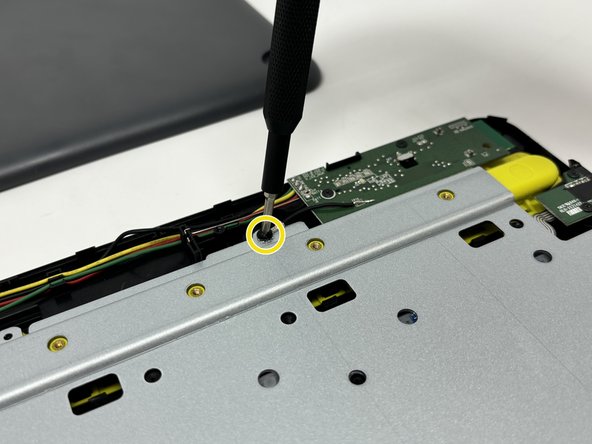
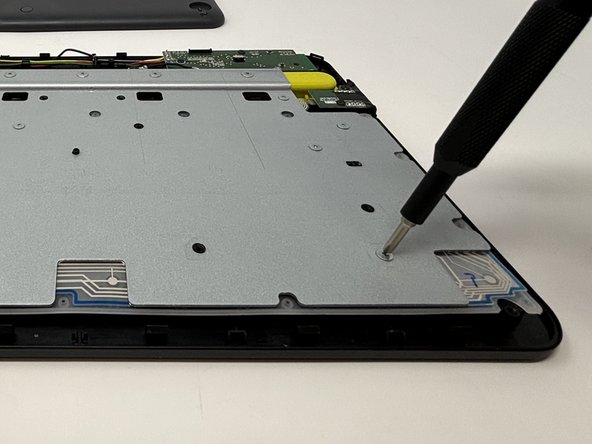
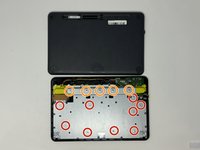
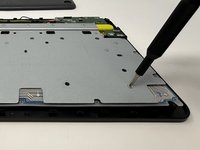
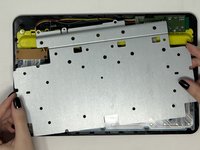
    • Remove the eight 3 mm screws using a Phillips #00 screwdriver

    • Remove the five 2 mm silver screws from the metal plate using a Phillips #00 screwdriver.

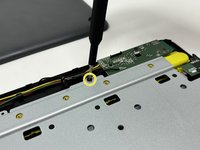
    • Remove the single 4 mm black screw by the motherboard using a Phillips #00 screwdriver.

  8. Logitech K480 Keycap Replacement: adım 8, 2 resimden 1. Logitech K480 Keycap Replacement: adım 8, 2 resimden 2.
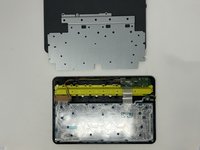
    • Lift up and remove the metal plate.

  9. Logitech K480 Keycap Replacement, Keycap: adım 9, 1 resimden 1.
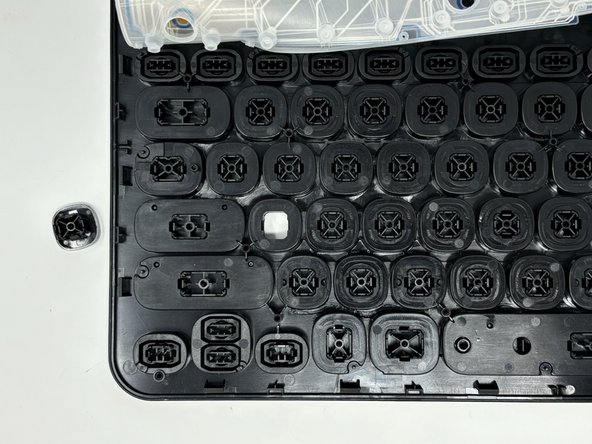
    • Flip the flex circuit and rubber dome sheet over.

  10. Logitech K480 Keycap Replacement: adım 10, 3 resimden 1. Logitech K480 Keycap Replacement: adım 10, 3 resimden 2. Logitech K480 Keycap Replacement: adım 10, 3 resimden 3.
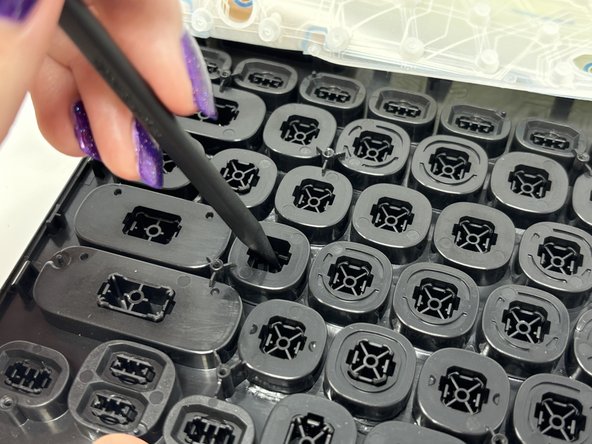
    • Using the spudger, gently press on the underside of the key and pop it out.

Sonuç

To reassemble your device, follow these instructions in reverse order.

Madison

Üyelik tarihi: 09/04/24

688 İtibar

4 adet Kılavuz yazıldı

0Kılavuz Yorumları

Yorum Ekle

İstatistikleri Görüntüle:

Son 24 Saat: 0

Son 7 gün: 12

Son 30 gün: 60

Her zaman: 630