Ana içeriğe geç
Onarım Topluluğuna Katılın - Hesap Oluşturun

Logitech MX Keys Feet Replacement

Neye ihtiyacın var

  1. Logitech MX Keys Feet Replacement, Prepare your keyboard for disassembly: adım 1, 3 resimden 1. Logitech MX Keys Feet Replacement, Prepare your keyboard for disassembly: adım 1, 3 resimden 2. Logitech MX Keys Feet Replacement, Prepare your keyboard for disassembly: adım 1, 3 resimden 3.
    • Slide the keyboard's power switch into the OFF position.

    • A red indicator should be visible beneath the switch.

    • Unplug all cables from your keyboard.

    • Lay your keyboard down with the feet facing up on a clean work surface.

    • If your work surface may scratch the keyboard, place a soft towel under it.

  2. Logitech MX Keys Feet Replacement, Remove the feet: adım 2, 2 resimden 1. Logitech MX Keys Feet Replacement, Remove the feet: adım 2, 2 resimden 2.
    • Heat an iOpener and lay it on the top left foot for one minute.

    • Alternatively, you can use a hair dryer on the Low heat setting to soften the adhesive.

    • If you're using a hair dryer, only heat the feet a few seconds at a time or you may warp the plastic.

  3. Logitech MX Keys Feet Replacement: adım 3, 3 resimden 1. Logitech MX Keys Feet Replacement: adım 3, 3 resimden 2. Logitech MX Keys Feet Replacement: adım 3, 3 resimden 3.
    • The foot should come up without much force. If it feels stuck, apply more heat and try again.

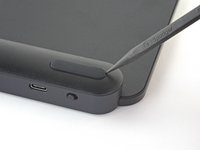
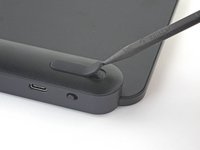
    • Insert the point of a spudger under an end of the foot.

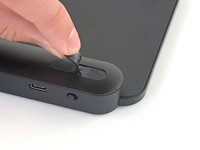
    • Push the spudger underneath the foot and lift until you can grip it with your fingers.

    • Peel the foot up and remove it.

    • Repeat the process to remove the remaining feet.

    • If you're replacing the battery, you only need to remove the feet along the top edge.

  4. Logitech MX Keys Feet Replacement, Reassembly information: adım 4, 2 resimden 1. Logitech MX Keys Feet Replacement, Reassembly information: adım 4, 2 resimden 2.
    Bu adımda kullanılan alet:
    Tesa 61395 Tape
    $2.95
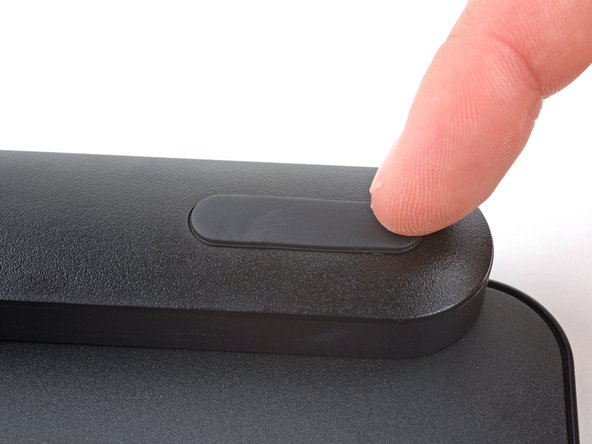
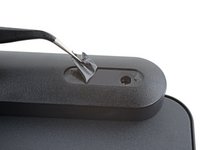
    • To install the feet during reassembly:

    • Use a pair of angled tweezers to peel up and remove all the plastic film from the foot recesses.

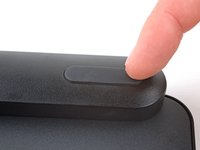
    • If you're installing new feet, remove them from their backing and firmly press them into place.

    • If you're reusing the feet, use a strip of double-sided tape to secure them in their recesses.

Sonuç

Repair didn’t go as planned? Try some basic troubleshooting, or ask our Answers community for help.

2 farklı kişi bu kılavuzu tamamladı.

Spencer Day

Üyelik tarihi: 09/14/22

182.885 İtibar

1.165 adet Kılavuz yazıldı

Ekip

iFixit iFixit üyesi

Staff

123 Üyeler

25.521 adet Kılavuz yazıldı

2Kılavuz Yorumları

Where do you buy replacement 'feet' for the MX Keys?

maxtraxpro - Yanıt Paylaş

Hi, mooie uitleg.

Vraagje: Heeft iemand een idee waar ik de voetjes van een mx toetsenbord kan kopen? Bij mij bord zijn er twee uitgevallen.

En een geweldig initiatief is ifixit!

Groet Henk Volkers

Henk Volkers - Yanıt Paylaş

Yorum Ekle

İstatistikleri Görüntüle:

Son 24 Saat: 14

Son 7 gün: 75

Son 30 gün: 301

Her zaman: 5,442