Ana içeriğe geç
Onarım Topluluğuna Katılın - Hesap Oluşturun

Logitech Wireless K360 Key Cap Replacement

Neye ihtiyacın var

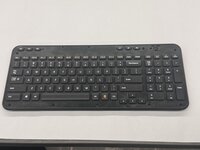
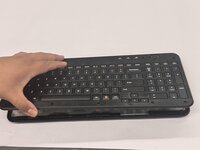
  1. Logitech Wireless K360 Key Cap Replacement, Key Cap: adım 1, 3 resimden 1. Logitech Wireless K360 Key Cap Replacement, Key Cap: adım 1, 3 resimden 2. Logitech Wireless K360 Key Cap Replacement, Key Cap: adım 1, 3 resimden 3.
    • Use a Jimmy to pry off the keyboard cover.

    • When reapplying the keyboard cover, glue may be required to keep adhesive properties.

  2. Logitech Wireless K360 Key Cap Replacement: adım 2, 2 resimden 1. Logitech Wireless K360 Key Cap Replacement: adım 2, 2 resimden 2.
    • Remove the eight 6 mm screws using a Phillips #0 screwdriver.

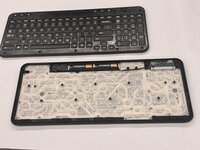
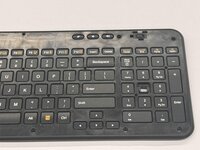
  3. Logitech Wireless K360 Key Cap Replacement: adım 3, 3 resimden 1. Logitech Wireless K360 Key Cap Replacement: adım 3, 3 resimden 2. Logitech Wireless K360 Key Cap Replacement: adım 3, 3 resimden 3.
    • Remove the top half of the keyboard.

    • If there are issues removing the top half of the keyboard you can try using something thin to get into the crevices.

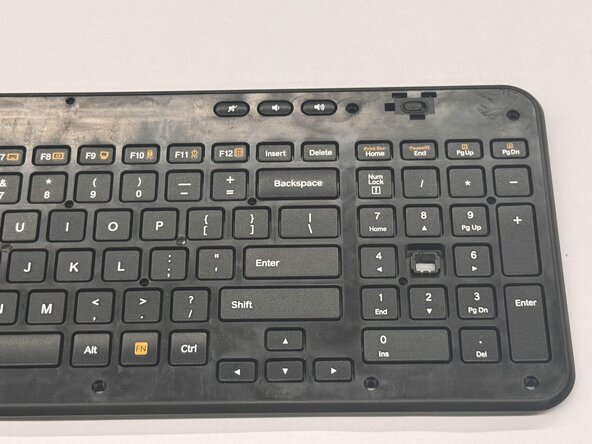
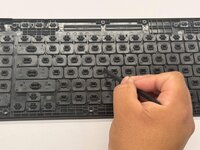
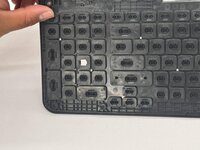
  4. Logitech Wireless K360 Key Cap Replacement: adım 4, 3 resimden 1. Logitech Wireless K360 Key Cap Replacement: adım 4, 3 resimden 2. Logitech Wireless K360 Key Cap Replacement: adım 4, 3 resimden 3.
    • Flip the top half of the keyboard over.

    • Use tweezers or an iFixit opening tool to pinch the damaged key cap out of the top half.

Sonuç

To reassemble your device, follow these instructions in reverse order.

Othon Sanchez

Üyelik tarihi: 02/20/25

333 İtibar

3 adet Kılavuz yazıldı

Ekip

CSU Los Angeles, Team 7-3, Kershman Spring 2025 CSU Los Angeles, Team 7-3, Kershman Spring 2025 üyesi

CSULA-KERSHMAN-S25S7G3

5 Üyeler

5 adet Kılavuz yazıldı

0Kılavuz Yorumları

Yorum Ekle

İstatistikleri Görüntüle:

Son 24 Saat: 0

Son 7 gün: 3

Son 30 gün: 38

Her zaman: 465