Ana içeriğe geç
Onarım Topluluğuna Katılın - Hesap Oluşturun

Mac mini Late 2014 Hard Drive Cable Replacement

Neye ihtiyacın var

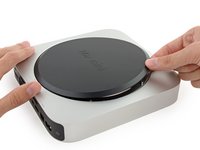
  1. Mac mini Late 2014 Hard Drive Cable Replacement, Bottom Cover: adım 1, 1 resimden 1.
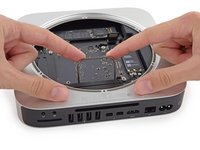
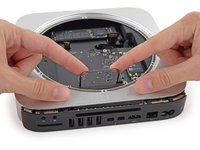
    • The bottom cover is clipped onto three screw posts.

    • Pry near, but not right on the screw posts.

    FixBot'a Sor

    Yorum Ekle

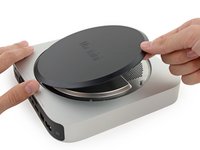
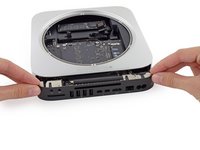
  2. Mac mini Late 2014 Hard Drive Cable Replacement: adım 2, 3 resimden 1. Mac mini Late 2014 Hard Drive Cable Replacement: adım 2, 3 resimden 2. Mac mini Late 2014 Hard Drive Cable Replacement: adım 2, 3 resimden 3.
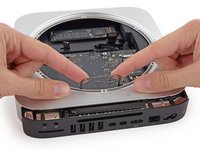
    • Use the plastic opening tool to pry the bottom cover up off of the Mac mini.

    FixBot'a Sor

    Yorum Ekle

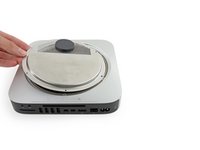
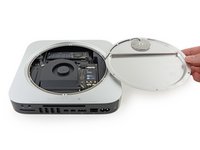
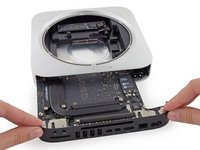
  3. Mac mini Late 2014 Hard Drive Cable Replacement: adım 3, 2 resimden 1. Mac mini Late 2014 Hard Drive Cable Replacement: adım 3, 2 resimden 2.
    • Lift and remove the bottom cover.

    FixBot'a Sor

    Yorum Ekle

  4. Mac mini Late 2014 Hard Drive Cable Replacement, Antenna Plate: adım 4, 1 resimden 1.
    • Remove the following TR6 screws from the antenna plate:

    • Three 4.1 mm screws

    • Three 1.9 mm screws

    FixBot'a Sor

    Yorum Ekle

  5. Mac mini Late 2014 Hard Drive Cable Replacement: adım 5, 2 resimden 1. Mac mini Late 2014 Hard Drive Cable Replacement: adım 5, 2 resimden 2.
    • Do not completely remove the antenna plate; it is still connected to the Mac mini by an antenna cable.

    • With the I/O ports facing you, flip the antenna plate to the right to allow access to the antenna cable connector.

    FixBot'a Sor

    Yorum Ekle

  6. Mac mini Late 2014 Hard Drive Cable Replacement: adım 6, 1 resimden 1.
    • Remove the single 3.4 mm T6 screw and washer from the antenna cable.

    • Be careful not to lose the washer when removing the screw.

    FixBot'a Sor

    Yorum Ekle

  7. Mac mini Late 2014 Hard Drive Cable Replacement: adım 7, 2 resimden 1. Mac mini Late 2014 Hard Drive Cable Replacement: adım 7, 2 resimden 2.
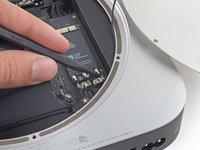
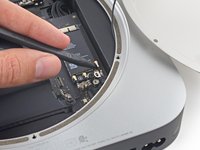
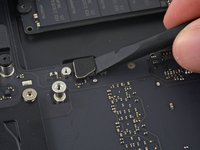
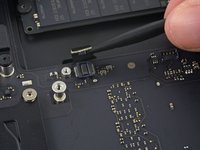
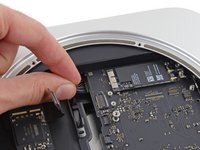
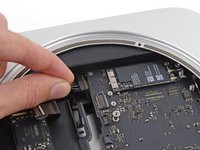
    • Use the point of a spudger to lift the antenna connector straight up off its socket on the airport card.

    FixBot'a Sor

    Yorum Ekle

  8. Mac mini Late 2014 Hard Drive Cable Replacement: adım 8, 2 resimden 1. Mac mini Late 2014 Hard Drive Cable Replacement: adım 8, 2 resimden 2.
    • Carefully pull the antenna cable out from the gap between the power supply and case.

    FixBot'a Sor

    Yorum Ekle

  9. Mac mini Late 2014 Hard Drive Cable Replacement: adım 9, 1 resimden 1.
    • Remove the antenna plate from the Mac mini.

    FixBot'a Sor

    Yorum Ekle

  10. Mac mini Late 2014 Hard Drive Cable Replacement, Fan Assembly: adım 10, 1 resimden 1.
    • Remove the two 12 mm T6 screws from the fan.

    • Loosen the 27 mm T6 captive screw–it will get removed with the fan assembly.

    FixBot'a Sor

    Yorum Ekle

  11. Mac mini Late 2014 Hard Drive Cable Replacement: adım 11, 3 resimden 1. Mac mini Late 2014 Hard Drive Cable Replacement: adım 11, 3 resimden 2. Mac mini Late 2014 Hard Drive Cable Replacement: adım 11, 3 resimden 3.
    • The fan connector is trapped under the edge of the fan and cannot be disconnected until the fan is moved.

    • Do not attempt to remove the fan entirely.

    • Lift the fan straight up to free the captive screw from its hole in the logic board.

    • Pull the fan away from the SSD until you can easily access the fan connector.

    FixBot'a Sor

    Yorum Ekle

  12. Mac mini Late 2014 Hard Drive Cable Replacement: adım 12, 2 resimden 1. Mac mini Late 2014 Hard Drive Cable Replacement: adım 12, 2 resimden 2.
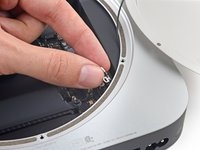
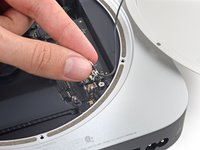
    • Use the point of a spudger to lift the fan connector straight up out of its socket on the logic board.

    FixBot'a Sor

    Yorum Ekle

  13. Mac mini Late 2014 Hard Drive Cable Replacement: adım 13, 1 resimden 1.
    • Remove the fan from the Mac mini.

    FixBot'a Sor

    Yorum Ekle

  14. Mac mini Late 2014 Hard Drive Cable Replacement, Logic Board Assembly: adım 14, 1 resimden 1.
    • Remove the 2.6 mm T6 screw securing the SATA cable connector bracket.

    FixBot'a Sor

    Yorum Ekle

  15. Mac mini Late 2014 Hard Drive Cable Replacement: adım 15, 2 resimden 1. Mac mini Late 2014 Hard Drive Cable Replacement: adım 15, 2 resimden 2.
    • Remove the SATA cable connector bracket.

    FixBot'a Sor

    Yorum Ekle

  16. Mac mini Late 2014 Hard Drive Cable Replacement: adım 16, 2 resimden 1. Mac mini Late 2014 Hard Drive Cable Replacement: adım 16, 2 resimden 2.
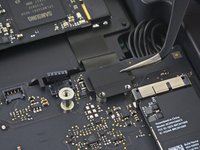
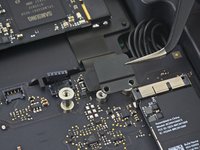
    • Use the flat end of a spudger to lift the SATA cable connector up off of its socket on the logic board.

    FixBot'a Sor

    Yorum Ekle

  17. Mac mini Late 2014 Hard Drive Cable Replacement: adım 17, 2 resimden 1. Mac mini Late 2014 Hard Drive Cable Replacement: adım 17, 2 resimden 2.
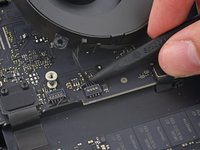
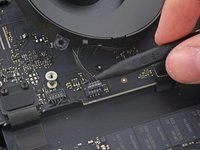
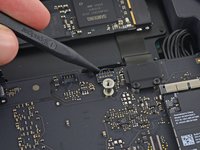
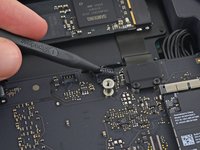
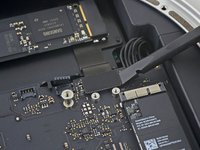
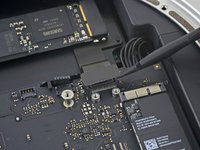
    • Use the tip of a spudger to disconnect the IR sensor cable connector by prying it straight up from its socket.

    FixBot'a Sor

    Yorum Ekle

  18. Mac mini Late 2014 Hard Drive Cable Replacement: adım 18, 1 resimden 1.
    • The following three steps only apply to Mac minis equipped with a PCIe SSD. Skip the next three steps if your Mac mini only has a hard drive.

    • Remove the two 2.6 mm T6 screws securing the PCIe SSD cable bracket.

    FixBot'a Sor

    Yorum Ekle

  19. Mac mini Late 2014 Hard Drive Cable Replacement: adım 19, 2 resimden 1. Mac mini Late 2014 Hard Drive Cable Replacement: adım 19, 2 resimden 2.
    • Remove the PCIe SSD cable bracket.

    FixBot'a Sor

    Yorum Ekle

  20. Mac mini Late 2014 Hard Drive Cable Replacement: adım 20, 2 resimden 1. Mac mini Late 2014 Hard Drive Cable Replacement: adım 20, 2 resimden 2.
    • Lift the PCIe SSD connector up off its socket.

    FixBot'a Sor

    Yorum Ekle

  21. Mac mini Late 2014 Hard Drive Cable Replacement: adım 21, 1 resimden 1.
    • Remove the single 16 mm T6 screw securing the logic board.

    FixBot'a Sor

    Yorum Ekle

  22. Mac mini Late 2014 Hard Drive Cable Replacement: adım 22, 1 resimden 1.
    Bu adımda kullanılan alet:
    Mac mini Logic Board Removal Tool
    $4.99
    • To remove the logic board, the two cylindrical rods of the Mac mini Logic Board Removal Tool must be inserted into the holes highlighted in red. Inserting instruments into any logic board holes other than the ones highlighted in red may destroy the logic board.

    • Insert the Mac mini Logic Board Removal Tool into the two holes highlighted in red. Be sure the rods make contact with the case under the logic board before proceeding.

    FixBot'a Sor

    Yorum Ekle

  23. Mac mini Late 2014 Hard Drive Cable Replacement: adım 23, 3 resimden 1. Mac mini Late 2014 Hard Drive Cable Replacement: adım 23, 3 resimden 2. Mac mini Late 2014 Hard Drive Cable Replacement: adım 23, 3 resimden 3.
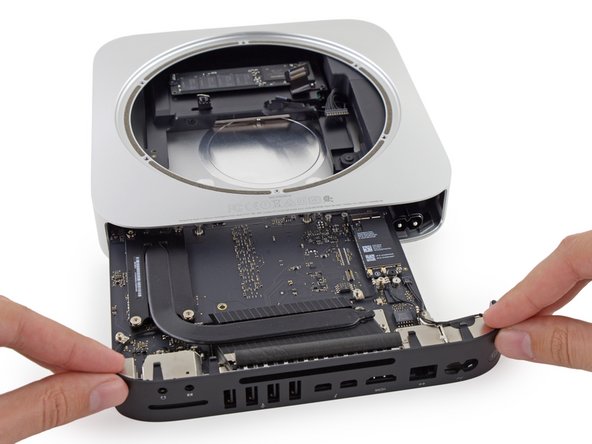
    • Carefully pull the tool toward the I/O board. The logic board and I/O board assembly should slightly slide out of the outer case.

    • Cease prying when the removal tool makes contact with the opening in the rear case.

    • Remove the Mac mini Logic Board Removal tool.

    FixBot'a Sor

    Yorum Ekle

  24. Mac mini Late 2014 Hard Drive Cable Replacement: adım 24, 2 resimden 1. Mac mini Late 2014 Hard Drive Cable Replacement: adım 24, 2 resimden 2.
    • Pull the DC-In cable connector straight out of its socket on the logic board.

    FixBot'a Sor

    Yorum Ekle

  25. Mac mini Late 2014 Hard Drive Cable Replacement: adım 25, 2 resimden 1. Mac mini Late 2014 Hard Drive Cable Replacement: adım 25, 2 resimden 2.
    • Carefully slide the logic board assembly out of the Mac mini, minding any cables that may get caught.

    FixBot'a Sor

    Yorum Ekle

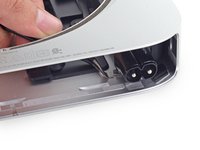
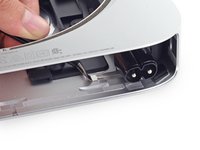
  26. Mac mini Late 2014 Hard Drive Cable Replacement, Power Supply: adım 26, 3 resimden 1. Mac mini Late 2014 Hard Drive Cable Replacement, Power Supply: adım 26, 3 resimden 2. Mac mini Late 2014 Hard Drive Cable Replacement, Power Supply: adım 26, 3 resimden 3.
    Bu adımda kullanılan alet:
    Tweezers
    $4.99
    • The AC-in socket is secured with a small metal retaining clip.

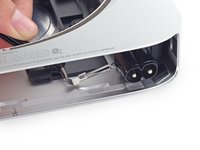
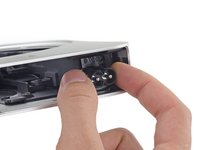
    • Use tweezers or your fingers to pull the clip away from the AC-in socket, and remove it from the Mac mini.

    • When replacing the clip, push it in until it stops—it should be secure even if there is no audible click.

    FixBot'a Sor

    Yorum Ekle

  27. Mac mini Late 2014 Hard Drive Cable Replacement: adım 27, 3 resimden 1. Mac mini Late 2014 Hard Drive Cable Replacement: adım 27, 3 resimden 2. Mac mini Late 2014 Hard Drive Cable Replacement: adım 27, 3 resimden 3.
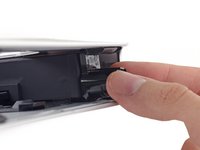
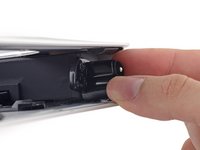
    • To free the power supply from the case, grab the AC-In connector, which acts like a latch.

    • Rotate the AC-In connector 90 degrees counter-clockwise.

    FixBot'a Sor

    Yorum Ekle

  28. Mac mini Late 2014 Hard Drive Cable Replacement: adım 28, 1 resimden 1.
    • The AC-In latch should fit into the groove above it in the case.

    • During reassembly ensure the power supply is inserted far enough into the case that the latch will engage with the groove.

    FixBot'a Sor

    Yorum Ekle

  29. Mac mini Late 2014 Hard Drive Cable Replacement: adım 29, 1 resimden 1.
    • Remove the 8 mm T6 screw securing the power supply.

    FixBot'a Sor

    Yorum Ekle

  30. Mac mini Late 2014 Hard Drive Cable Replacement: adım 30, 2 resimden 1. Mac mini Late 2014 Hard Drive Cable Replacement: adım 30, 2 resimden 2.
    • Slide the power supply out of the mini, minding any cables that may get caught.

    FixBot'a Sor

    Yorum Ekle

  31. Mac mini Late 2014 Hard Drive Cable Replacement, Drive Tray Assembly: adım 31, 1 resimden 1.
    • Remove the single 8 mm T6 screw securing the drive tray.

    FixBot'a Sor

    Yorum Ekle

  32. Mac mini Late 2014 Hard Drive Cable Replacement: adım 32, 3 resimden 1. Mac mini Late 2014 Hard Drive Cable Replacement: adım 32, 3 resimden 2. Mac mini Late 2014 Hard Drive Cable Replacement: adım 32, 3 resimden 3.
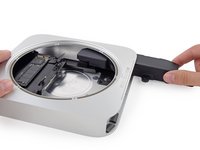
    • Lift the drive tray up out of the Mac mini.

    FixBot'a Sor

    Yorum Ekle

  33. Mac mini Late 2014 Hard Drive Cable Replacement, Hard Drive Assembly: adım 33, 2 resimden 1. Mac mini Late 2014 Hard Drive Cable Replacement, Hard Drive Assembly: adım 33, 2 resimden 2.
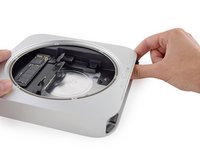
    • Remove the four (two on each side) 6.5 mm T8 screws securing the hard drive to the drive tray.

    FixBot'a Sor

    Yorum Ekle

  34. Mac mini Late 2014 Hard Drive Cable Replacement: adım 34, 3 resimden 1. Mac mini Late 2014 Hard Drive Cable Replacement: adım 34, 3 resimden 2. Mac mini Late 2014 Hard Drive Cable Replacement: adım 34, 3 resimden 3.
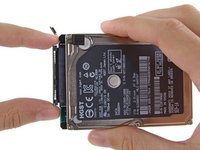
    • Lift the hard drive up and remove it from the drive tray.

    • During reassembly, be sure to thread the hard drive cable through the slot in the drive tray.

    FixBot'a Sor

    Yorum Ekle

  35. Mac mini Late 2014 Hard Drive Cable Replacement, Hard Drive: adım 35, 3 resimden 1. Mac mini Late 2014 Hard Drive Cable Replacement, Hard Drive: adım 35, 3 resimden 2. Mac mini Late 2014 Hard Drive Cable Replacement, Hard Drive: adım 35, 3 resimden 3.
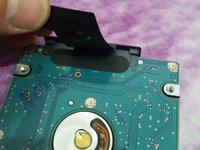
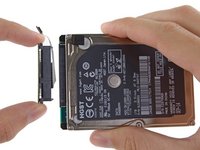
    • Lift up the ribbon cable and carefully peel away the black tape underneath. It secures the SATA cable connector to the PCB of the hard drive. Failing to remove the tape will almost surely cause the contacts soldered to the flex cable to rip from the connector housing, as the retention force of the contacts in the housing is quite low.

    • Pull the SATA cable connector straight out of the hard drive.

    • Carefully peel off the two black, square-shaped sticky pads (one visible in picture) from the corners of the hard drive, and stick them to your new hard drive in the same locations.

    FixBot'a Sor

    Yorum Ekle

Sonuç

To reassemble your device, follow these instructions in reverse order.

İptal et: Bu kılavuzu tamamlamadım.

29 farklı kişi bu kılavuzu tamamladı.

Sam Goldheart

Üyelik tarihi: 10/18/12

477.364 İtibar

538 adet Kılavuz yazıldı

Ekip

iFixit iFixit üyesi

Staff

122 Üyeler

25.843 adet Kılavuz yazıldı

1Rehber Yorum

great , thank-you for help me

Francesco Grassi - Yanıt Paylaş

Yorum Ekle

İstatistikleri Görüntüle:

Son 24 Saat: 3

Son 7 gün: 42

Son 30 gün: 215

Her zaman: 34,683