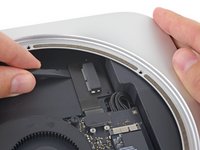
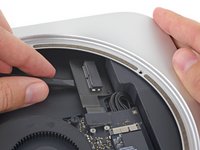
Ana içeriğe geç
Onarım Topluluğuna Katılın - Hesap Oluşturun

Mac mini Late 2014 PCIe SSD Cable Replacement

Neye ihtiyacın var

  1. Mac mini Late 2014 PCIe SSD Cable Replacement, Bottom Cover: adım 1, 1 resimden 1.
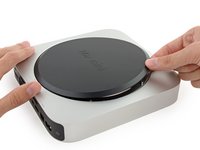
    • The bottom cover is clipped onto three screw posts.

    • Pry near, but not right on the screw posts.

    FixBot'a Sor

    Yorum Ekle

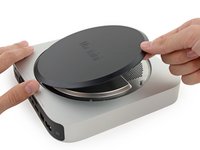
  2. Mac mini Late 2014 PCIe SSD Cable Replacement: adım 2, 3 resimden 1. Mac mini Late 2014 PCIe SSD Cable Replacement: adım 2, 3 resimden 2. Mac mini Late 2014 PCIe SSD Cable Replacement: adım 2, 3 resimden 3.
    • Use the plastic opening tool to pry the bottom cover up off of the Mac mini.

    FixBot'a Sor

    Yorum Ekle

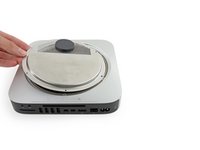
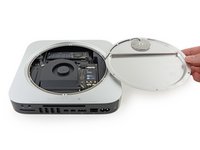
  3. Mac mini Late 2014 PCIe SSD Cable Replacement: adım 3, 2 resimden 1. Mac mini Late 2014 PCIe SSD Cable Replacement: adım 3, 2 resimden 2.
    • Lift and remove the bottom cover.

    FixBot'a Sor

    Yorum Ekle

  4. Mac mini Late 2014 PCIe SSD Cable Replacement, Antenna Plate: adım 4, 1 resimden 1.
    • Remove the following TR6 screws from the antenna plate:

    • Three 4.1 mm screws

    • Three 1.9 mm screws

    FixBot'a Sor

    Yorum Ekle

  5. Mac mini Late 2014 PCIe SSD Cable Replacement: adım 5, 2 resimden 1. Mac mini Late 2014 PCIe SSD Cable Replacement: adım 5, 2 resimden 2.
    • Do not completely remove the antenna plate; it is still connected to the Mac mini by an antenna cable.

    • With the I/O ports facing you, flip the antenna plate to the right to allow access to the antenna cable connector.

    FixBot'a Sor

    Yorum Ekle

  6. Mac mini Late 2014 PCIe SSD Cable Replacement: adım 6, 1 resimden 1.
    • Remove the single 3.4 mm T6 screw and washer from the antenna cable.

    • Be careful not to lose the washer when removing the screw.

    FixBot'a Sor

    Yorum Ekle

  7. Mac mini Late 2014 PCIe SSD Cable Replacement: adım 7, 2 resimden 1. Mac mini Late 2014 PCIe SSD Cable Replacement: adım 7, 2 resimden 2.
    • Use the point of a spudger to lift the antenna connector straight up off its socket on the airport card.

    FixBot'a Sor

    Yorum Ekle

  8. Mac mini Late 2014 PCIe SSD Cable Replacement: adım 8, 2 resimden 1. Mac mini Late 2014 PCIe SSD Cable Replacement: adım 8, 2 resimden 2.
    • Carefully pull the antenna cable out from the gap between the power supply and case.

    FixBot'a Sor

    Yorum Ekle

  9. Mac mini Late 2014 PCIe SSD Cable Replacement: adım 9, 1 resimden 1.
    • Remove the antenna plate from the Mac mini.

    FixBot'a Sor

    Yorum Ekle

  10. Mac mini Late 2014 PCIe SSD Cable Replacement, SSD: adım 10, 1 resimden 1.
    • Remove the 5 mm T5 screw securing the SSD.

    FixBot'a Sor

    Yorum Ekle

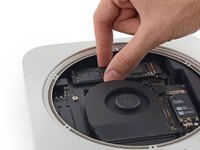
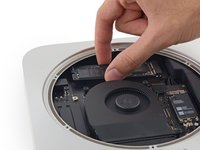
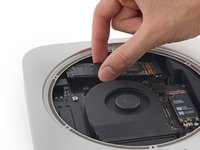
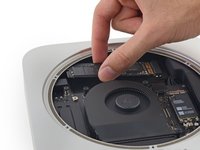
  11. Mac mini Late 2014 PCIe SSD Cable Replacement: adım 11, 3 resimden 1. Mac mini Late 2014 PCIe SSD Cable Replacement: adım 11, 3 resimden 2. Mac mini Late 2014 PCIe SSD Cable Replacement: adım 11, 3 resimden 3.
    • Lift the free end of the SSD up slightly and pull it out of its socket.

    FixBot'a Sor

    Yorum Ekle

  12. Mac mini Late 2014 PCIe SSD Cable Replacement: adım 12, 3 resimden 1. Mac mini Late 2014 PCIe SSD Cable Replacement: adım 12, 3 resimden 2. Mac mini Late 2014 PCIe SSD Cable Replacement: adım 12, 3 resimden 3.
    • Carefully lift the SSD out of the case without scratching or touching the gold contacts.

    FixBot'a Sor

    Yorum Ekle

  13. Mac mini Late 2014 PCIe SSD Cable Replacement, PCIe SSD Cable: adım 13, 1 resimden 1.
    • Remove the two 2.6 mm T6 screws securing the PCIe SSD cable bracket.

    FixBot'a Sor

    Yorum Ekle

  14. Mac mini Late 2014 PCIe SSD Cable Replacement: adım 14, 2 resimden 1. Mac mini Late 2014 PCIe SSD Cable Replacement: adım 14, 2 resimden 2.
    • Remove the PCIe SSD cable bracket.

    FixBot'a Sor

    Yorum Ekle

  15. Mac mini Late 2014 PCIe SSD Cable Replacement: adım 15, 2 resimden 1. Mac mini Late 2014 PCIe SSD Cable Replacement: adım 15, 2 resimden 2.
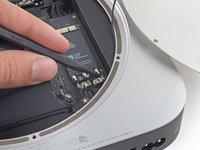
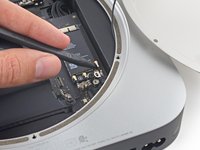
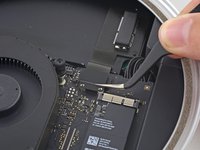
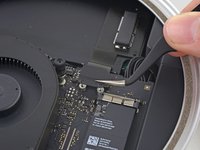
    • Use the flat end of a spudger to lift the PCIe SSD connector straight up off of its connector on the logic board.

    • Be careful not to pry up on the socket itself.

    FixBot'a Sor

    Yorum Ekle

  16. Mac mini Late 2014 PCIe SSD Cable Replacement: adım 16, 2 resimden 1. Mac mini Late 2014 PCIe SSD Cable Replacement: adım 16, 2 resimden 2.
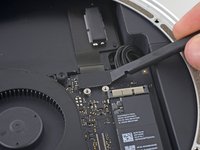
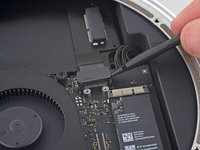
    • Slip the flat end of a spudger under the SSD cable to lift it off the adhesive holding it to the Mac mini.

    FixBot'a Sor

    Yorum Ekle

  17. Mac mini Late 2014 PCIe SSD Cable Replacement: adım 17, 1 resimden 1.
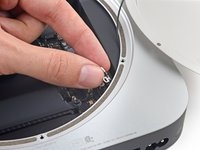
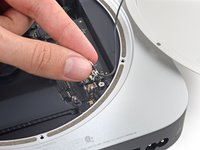
    • Remove the PCIe SSD cable from the Mac mini.

    FixBot'a Sor

    Yorum Ekle

Sonuç

To reassemble your device, follow these instructions in reverse order.

İptal et: Bu kılavuzu tamamlamadım.

29 farklı kişi bu kılavuzu tamamladı.

Sam Goldheart

Üyelik tarihi: 10/18/12

477.450 İtibar

538 adet Kılavuz yazıldı

Ekip

iFixit iFixit üyesi

Staff

122 Üyeler

25.947 adet Kılavuz yazıldı

8Kılavuz Yorumları

Where i can buy the PCIe SSD card?

melvin suarez - Yanıt Paylaş
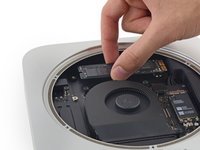
Where i can buy the PCIe SSD card, someone?

Claudio Vargas - Yanıt Paylaş
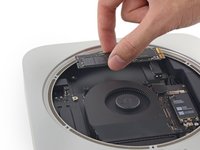
I can supply these cables. Please reply to this thread.

Thomas Hall - Yanıt Paylaş

I found the ssd kit on eBay for $69ish. However, it doesn't include the ssd. Is it mPCI-e or is it an M.2 module?

Angelo - Yanıt Paylaş

The SSD is neither, I believe. It is the same as the SSDs in the 2014 and up MacBook Pros. Pin format is 12+16

Daniel Abdulla - Yanıt Paylaş

Yorum Ekle

İstatistikleri Görüntüle:

Son 24 Saat: 5

Son 7 gün: 37

Son 30 gün: 199

Her zaman: 65,119