Ana içeriğe geç
Onarım Topluluğuna Katılın - Hesap Oluşturun

Microsoft Surface Pro 2 Camera Replacement

Neye ihtiyacın var

    1. Microsoft Surface Pro 2 Camera Replacement, LCD Display: adım 1, 2 resimden 1. Microsoft Surface Pro 2 Camera Replacement, LCD Display: adım 1, 2 resimden 2.
      • To avoid electrical shocks, unplug and turn off your Surface Pro 2 before proceeding.

      FixBot'a Sor

      Yorum Ekle

    2. Microsoft Surface Pro 2 Camera Replacement: adım 2, 1 resimden 1.
      • Avoid any skin or eye contact with the heating pad or heating gun because they may cause bodily harm.

      • Using a heating pad or heating gun, heat the edges of the screen to soften the glue. This area extends roughly one inch from the edge of the device.

      • The glue is under the darker border of the device display.

      FixBot'a Sor

      Yorum Ekle

    3. Microsoft Surface Pro 2 Camera Replacement: adım 3, 1 resimden 1.
      • Using a plastic opening tool and a suction cup as needed for leverage, gently insert one edge of the opening tool under the corner of the screen.

      • If the tool does not easily slide under the screen, return to heating before proceeding.

      • Slowly work the tool around the entire edge of the screen.

      FixBot'a Sor

      Yorum Ekle

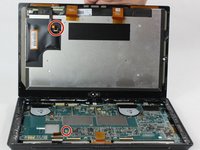
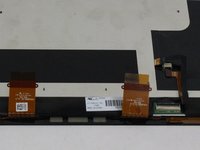
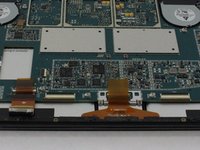
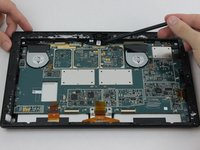
    4. Microsoft Surface Pro 2 Camera Replacement: adım 4, 3 resimden 1. Microsoft Surface Pro 2 Camera Replacement: adım 4, 3 resimden 2. Microsoft Surface Pro 2 Camera Replacement: adım 4, 3 resimden 3.
      • Detach the orange cables that connect the screen to the motherboard by pulling on the small tabs. Using the nylon spudger, release these cables.

      • Please note the third small connector in red.

      • Allow the glue to cool before letting it come into contact with any other surface.

      FixBot'a Sor

      Yorum Ekle

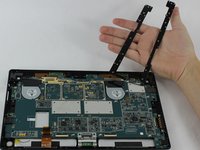
    1. Microsoft Surface Pro 2 Camera Replacement, Motherboard: adım 5, 3 resimden 1. Microsoft Surface Pro 2 Camera Replacement, Motherboard: adım 5, 3 resimden 2. Microsoft Surface Pro 2 Camera Replacement, Motherboard: adım 5, 3 resimden 3.
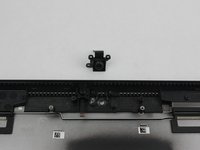
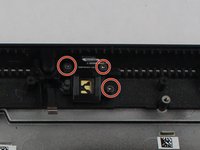
      • Make sure that the front-facing camera is completely disconnected, and then remove the plastic bracket.

      • Remove the 22 screws on the bezel.

      • Remove the left and right brackets; the left has 16 screws and the right has 15 screws.

      • The three different torx screws used are T3, T4, and T5.

      FixBot'a Sor
      Yorum Ekle

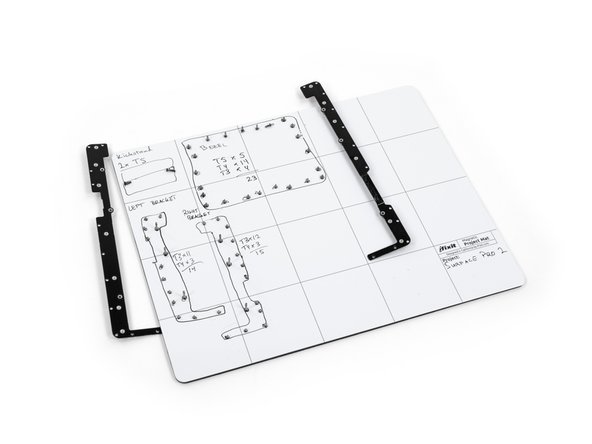
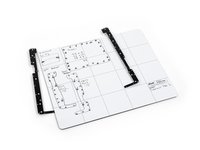
    2. Microsoft Surface Pro 2 Camera Replacement: adım 6, 3 resimden 1. Microsoft Surface Pro 2 Camera Replacement: adım 6, 3 resimden 2. Microsoft Surface Pro 2 Camera Replacement: adım 6, 3 resimden 3.
      • Once the brackets are removed, set them aside.

      • The motherboard itself also has screws.

      • Remove the 25 screws of varying sizes that attach the motherboard to the back plate.

      • View the attached photo of a screw diagram to help keep track of your screws.

      FixBot'a Sor
      Yorum Ekle

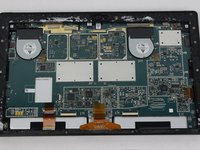
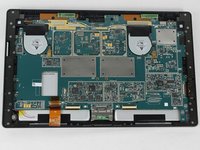
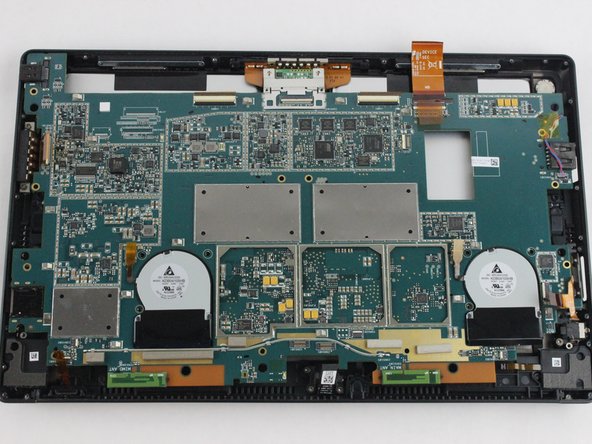
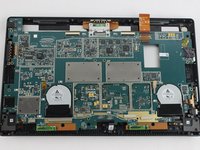
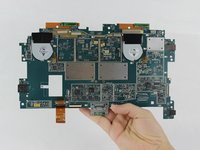
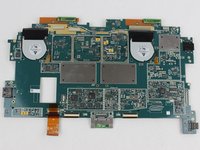
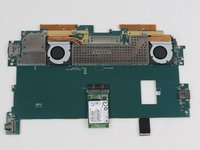
    3. Microsoft Surface Pro 2 Camera Replacement: adım 7, 3 resimden 1. Microsoft Surface Pro 2 Camera Replacement: adım 7, 3 resimden 2. Microsoft Surface Pro 2 Camera Replacement: adım 7, 3 resimden 3.
      • You have now completely removed the motherboard, and it should look like the pictures shown.

      • Be sure to be cautious with all the connections with the cables on the motherboard.

      FixBot'a Sor

      Yorum Ekle

    1. Microsoft Surface Pro 2 Camera Replacement, Camera: adım 8, 1 resimden 1.
      • Remove the ribbon that the spudger is touching in the picture.

      • Remove the front-facing camera.

      FixBot'a Sor

      Yorum Ekle

    2. Microsoft Surface Pro 2 Camera Replacement: adım 9, 1 resimden 1.
      FixBot'a Sor

      Yorum Ekle

    3. Microsoft Surface Pro 2 Camera Replacement: adım 10, 2 resimden 1. Microsoft Surface Pro 2 Camera Replacement: adım 10, 2 resimden 2.
      FixBot'a Sor

      Yorum Ekle

Sonuç

To reassemble your device, follow these instructions in reverse order.

İptal et: Bu kılavuzu tamamlamadım.

abdulhameeda

Üyelik tarihi: 09/07/16

108 İtibar

1 Kılavuz yazıldı

Ekip

USF Tampa, Team 6-2, Remmell Fall 2016 USF Tampa, Team 6-2, Remmell Fall 2016 üyesi

USFT-REMMELL-F16S6G2

4 Üyeler

11 adet Kılavuz yazıldı

0Kılavuz Yorumları

Yorum Ekle

İstatistikleri Görüntüle:

Son 24 Saat: 0

Son 7 gün: 32

Son 30 gün: 55

Her zaman: 1,390