Ana içeriğe geç
Onarım Topluluğuna Katılın - Hesap Oluşturun
Motorola Droid 4 Motherboard Replacement

Neye ihtiyacın var

  1. Motorola Droid 4 Motherboard Replacement, Removing Rear Panel: adım 1, 3 resimden 1. Motorola Droid 4 Motherboard Replacement, Removing Rear Panel: adım 1, 3 resimden 2. Motorola Droid 4 Motherboard Replacement, Removing Rear Panel: adım 1, 3 resimden 3.
    • Insert the rear cover removal tool, or a paper clip, in the hole near the back camera lens.

    • Slide the cover down to remove.

    FixBot'a Sor

    Yorum Ekle

  2. Motorola Droid 4 Motherboard Replacement, Battery: adım 2, 1 resimden 1.
    • Remove the sticker on the rear compartment to reveal the battery.

    • Hold the battery with your thumb while removing the sticker or you might end up ripping the battery out of the phone, damaging the flex cable.

    FixBot'a Sor

    Yorum Ekle

  3. Motorola Droid 4 Motherboard Replacement: adım 3, 2 resimden 1. Motorola Droid 4 Motherboard Replacement: adım 3, 2 resimden 2.
    Bu adımda kullanılan alet:
    T5 Torx Screwdriver
    $5.49
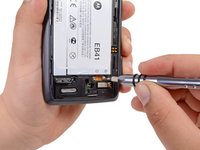
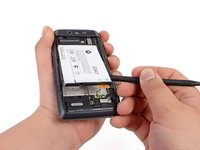
    • Use the T5 Torx Screwdriver to remove both 2.5 mm screws from the battery cable.

    • Use the Spudger to unstick the battery.

    • It's difficult to remove the battery without a pry tool like the spudger because of the strong adhesive. If you try removing it with just your fingers, the battery may bend.

    FixBot'a Sor

    Yorum Ekle

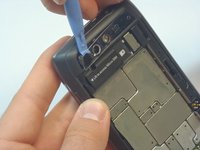
  4. Motorola Droid 4 Motherboard Replacement, Camera Cover Removal: adım 4, 3 resimden 1. Motorola Droid 4 Motherboard Replacement, Camera Cover Removal: adım 4, 3 resimden 2. Motorola Droid 4 Motherboard Replacement, Camera Cover Removal: adım 4, 3 resimden 3.
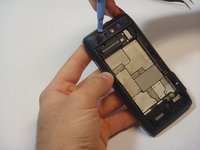
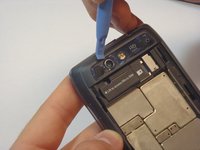
    • Using the blue plastic opening tool, pry off the thin plastic camera cover.

    • The plastic cover is fragile, so proceed carefully.

    FixBot'a Sor

    Yorum Ekle

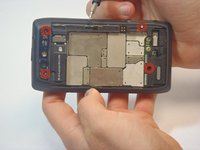
  5. Motorola Droid 4 Motherboard Replacement, Remove Screws: adım 5, 2 resimden 1. Motorola Droid 4 Motherboard Replacement, Remove Screws: adım 5, 2 resimden 2.
    • Remove the four screws, indicated by the red circles, with the screwdriver and T5 Torx bit.

    • The screws are philips 2.5mm. One screw is a different color (silver) from the others (black).

    FixBot'a Sor

    Yorum Ekle

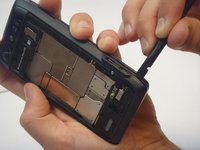
  6. Motorola Droid 4 Motherboard Replacement, Remove Bezel: adım 6, 3 resimden 1. Motorola Droid 4 Motherboard Replacement, Remove Bezel: adım 6, 3 resimden 2. Motorola Droid 4 Motherboard Replacement, Remove Bezel: adım 6, 3 resimden 3.
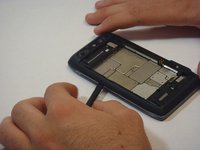
    • Insert the spudger between the rear bezel and the main housing.

    • The bezel is fragile, so proceed carefully.

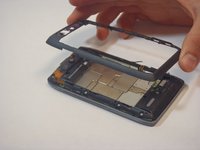
    • Slide the spudger around all sides of the phone to separate the bezel from the housing.

    • Pry the bezel free.

    • Be careful of the adhesive that holds the bezel to the main housing. Prying too hard may damage your phone.

    FixBot'a Sor

    Yorum Ekle

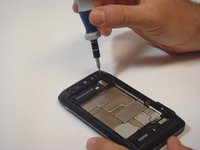
  7. Motorola Droid 4 Motherboard Replacement, Removing screws: adım 7, 2 resimden 1. Motorola Droid 4 Motherboard Replacement, Removing screws: adım 7, 2 resimden 2.
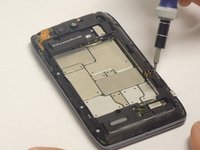
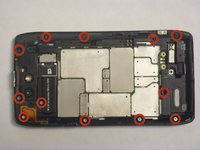
    • Remove the 12 screws holding the housing in place using a T5 Torx screwdriver.

    • Follow the red circles, indicated in the picture, to locate the screws.

    • The 12 screws are (silver) philips 2.5mm

    FixBot'a Sor

    Yorum Ekle

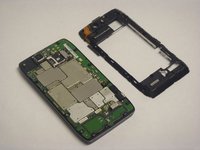
  8. Motorola Droid 4 Motherboard Replacement, Separation of the Housing from the Motherboard: adım 8, 3 resimden 1. Motorola Droid 4 Motherboard Replacement, Separation of the Housing from the Motherboard: adım 8, 3 resimden 2. Motorola Droid 4 Motherboard Replacement, Separation of the Housing from the Motherboard: adım 8, 3 resimden 3.
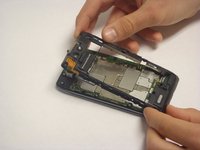
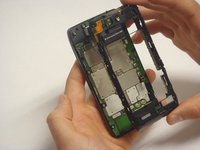
    • Separate the housing from the motherboard.

    • Be careful while separating the housing. The power and volume buttons are easily separated from the housing and can be damaged.

    FixBot'a Sor

    Yorum Ekle

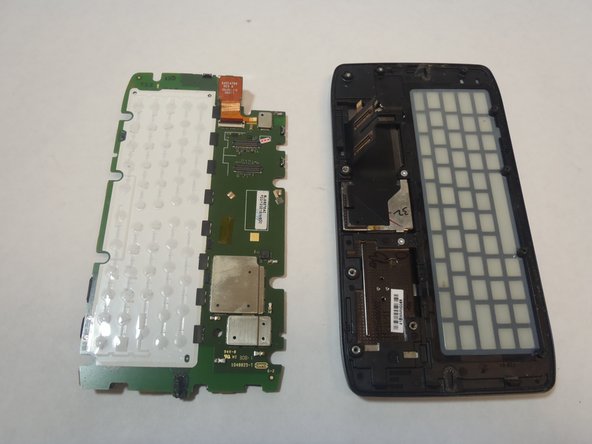
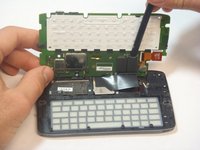
  9. Motorola Droid 4 Motherboard Replacement, Motherboard: adım 9, 2 resimden 1. Motorola Droid 4 Motherboard Replacement, Motherboard: adım 9, 2 resimden 2.
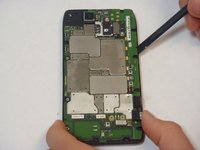
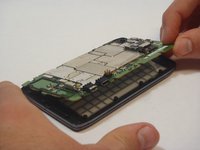
    • The Motherboard is the brain of the phone, handle with care.

    • Using the spudger, separate the motherboard from the keyboard frame.

    • Tilt the motherboard upward from the side of the charger connection as shown in the picture.

    FixBot'a Sor

    Yorum Ekle

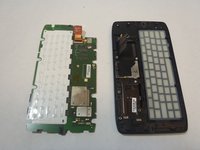
  10. Motorola Droid 4 Motherboard Replacement, Disconnecting the Motherboard: adım 10, 2 resimden 1. Motorola Droid 4 Motherboard Replacement, Disconnecting the Motherboard: adım 10, 2 resimden 2.
    • Using the spudger, gently disconnect the two motherboard connections.

    • Once the motherboard is separated from the phone place it in a safe place.

    FixBot'a Sor

    Yorum Ekle

Sonuç

To reassemble your device, follow these instructions in reverse order.

İptal et: Bu kılavuzu tamamlamadım.

Bir başkası bu kılavuzu tamamladı.

Javier

Üyelik tarihi: 09/29/14

533 İtibar

4 adet Kılavuz yazıldı

Ekip

USF Tampa, Team 5-1, Mcgee Fall 2014 USF Tampa, Team 5-1, Mcgee Fall 2014 üyesi

USFT-MCGEE-F14S5G1

5 Üyeler

5 adet Kılavuz yazıldı

0Kılavuz Yorumları

Yorum Ekle

İstatistikleri Görüntüle:

Son 24 Saat: 4

Son 7 gün: 11

Son 30 gün: 54

Her zaman: 1,259