Ana içeriğe geç
Onarım Topluluğuna Katılın - Hesap Oluşturun

Nabi Jr Motherboard Replacement

Neye ihtiyacın var

    1. Nabi Jr Motherboard Replacement, Rear Case: adım 1, 1 resimden 1.
      • Remove the red rubber case from the device. This should come off with ease.

      FixBot'a Sor

      Yorum Ekle

    2. Nabi Jr Motherboard Replacement: adım 2, 1 resimden 1.
      • Turn the device so the screen is facing away from you.

      • Using a philips head, size #00, screwdriver, remove the screws in each corner of the plastic casing.(total of 4 screws)

      FixBot'a Sor

      Yorum Ekle

    3. Nabi Jr Motherboard Replacement: adım 3, 1 resimden 1.
      • Remove the device casing using a small plastic pry bar.

      • This might take a little bit of force to accomplish, don't be afraid to go at it with a little gusto.

      FixBot'a Sor

      Yorum Ekle

    4. Nabi Jr Motherboard Replacement: adım 4, 1 resimden 1.
      • After loosening the back cover, remove it from the device so you can get at the innards.

      FixBot'a Sor

      Yorum Ekle

    1. Nabi Jr Motherboard Replacement, Motherboard: adım 5, 1 resimden 1.
      • Use the Philips #00 screwdriver to remove the 5 screws from the motherboard

      FixBot'a Sor

      Yorum Ekle

    2. Nabi Jr Motherboard Replacement: adım 6, 1 resimden 1.
      • De-solder the grey wire from motherboard

      FixBot'a Sor

      Yorum Ekle

    3. Nabi Jr Motherboard Replacement: adım 7, 1 resimden 1.
      Bu adımda kullanılan alet:
      Tweezers
      $4.99
      • Use tweezers to peel off all yellow tape from the motherboard

      • Yellow tape is used in all locations where there is ribbon cable present.

      FixBot'a Sor

      Yorum Ekle

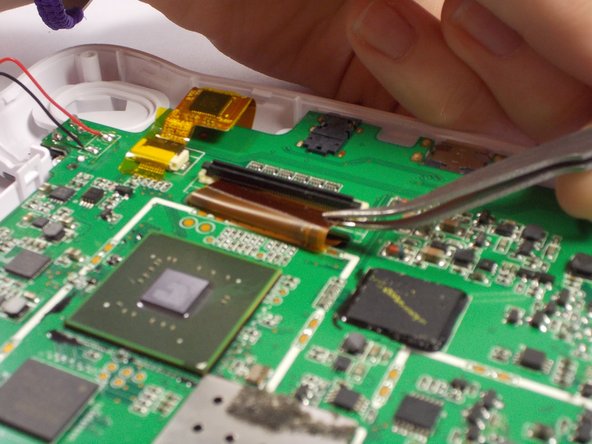
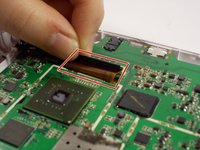
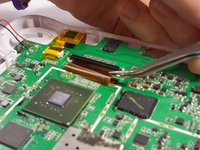
    4. Nabi Jr Motherboard Replacement: adım 8, 2 resimden 1. Nabi Jr Motherboard Replacement: adım 8, 2 resimden 2.
      • Remove all three ribbon cables from the motherboard by lifting up the locking tabs.

      • Pull black locking tabs up in opposite direction of ribbon cable to remove.

      • Use tweezers to pull the ribbon cable out of the locking tab's slot

      FixBot'a Sor

      Yorum Ekle

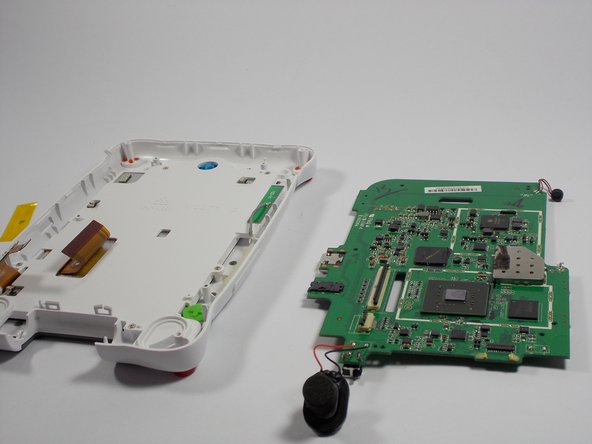
    5. Nabi Jr Motherboard Replacement: adım 9, 2 resimden 1. Nabi Jr Motherboard Replacement: adım 9, 2 resimden 2.
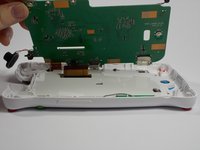
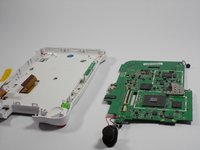
      • Lift motherboard to separate it the from the case shell.

      FixBot'a Sor

      Yorum Ekle

Sonuç

To reassemble your device, follow these instructions in reverse order.

İptal et: Bu kılavuzu tamamlamadım.

Kaila Joy

Üyelik tarihi: 03/24/15

86 İtibar

2 adet Kılavuz yazıldı

Ekip

UMass Dartmouth, Team 4-3, Vijaybhaskar Spring 2015 UMass Dartmouth, Team 4-3, Vijaybhaskar Spring 2015 üyesi

UMASSD-VIJAYBHASKAR-S15S4G3

3 Üyeler

12 adet Kılavuz yazıldı

0Kılavuz Yorumları

Yorum Ekle

İstatistikleri Görüntüle:

Son 24 Saat: 0

Son 7 gün: 5

Son 30 gün: 14

Her zaman: 1,439