Giriş
If your Upper screen on your New 3DS XL (2015 model) is not functioning as expected or is broken, use this guide to replace the Upper screen.
The Upper screen, when working, Displays video game footage, which allows gameplay by the user on the New 3DS XL.
Before beginning, ensure that your device is powered off and disconnected from all external power sources.
Once completed, you will be able to get back to enjoying playing your games on the go!
Neye ihtiyacın var
-
-
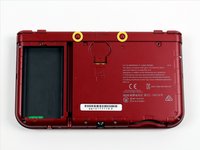
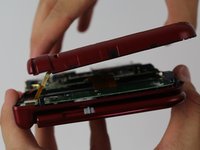
Place the 3DS upside down. Remove the game card, headphones, charging cable, stylus, or anything else that may be connected to the device.
-
-
-
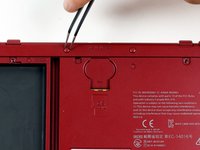
Using a JIS #00 screwdriver, remove the six 6mm screws around the edges of the secondary cover.
-
-
-
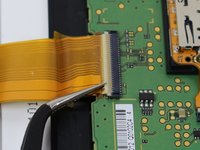
Use tweezers to flip up the small, hinged locking flap in order to unlock the ZIF connector securing the Circle Pad ribbon.
-
Slide the ribbon out of the ZIF connector.
-
-
-
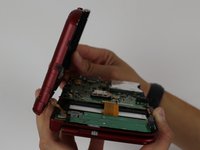
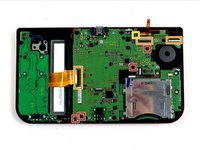
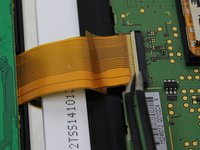
Using tweezers, gently pull the four marked ribbons out of the ZIF connectors along the sides of the motherboard.
-
Three of the ribbon connectors have plastic clamping flaps that cover the ribbon to prevent slippage. Use the tweezers to flip them up before ribbon removal.
-
This one ribbon connector may also have a plastic clamping flap, but it's not like the others, rather it's similar to the one used for the Circle Pad. Gently flip up the flap on the side opposite the ribbon cable to remove the cable.
-
-
-
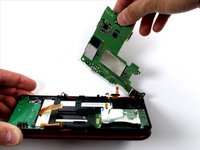
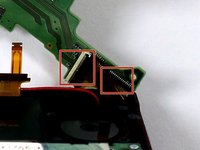
Carefully pivot the motherboard 90 degrees toward the hinges to reveal two more ZIF connectors on the underside of the motherboard.
-
Both have latches that must be flipped up. The left, longer latch is black; the right, shorter one is white. Flip up the flaps, slide the ribbons out and remove the motherboard.
-
-
-
Using a 1.5 flat head, remove the four red rubber stickers that are on the inside of the casing.
-
Underneath the rubber is a silver sticky
-
Using the PH00 screw driver, remove the screws.
-
-
-
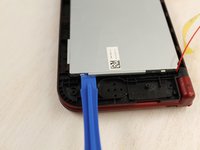
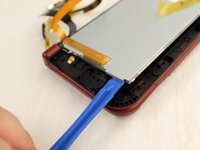
Using a plastic spudger, slightly lift it from underneath the lips and move it around the screen.
-
Once it is loose, lift the screen carefully.
-


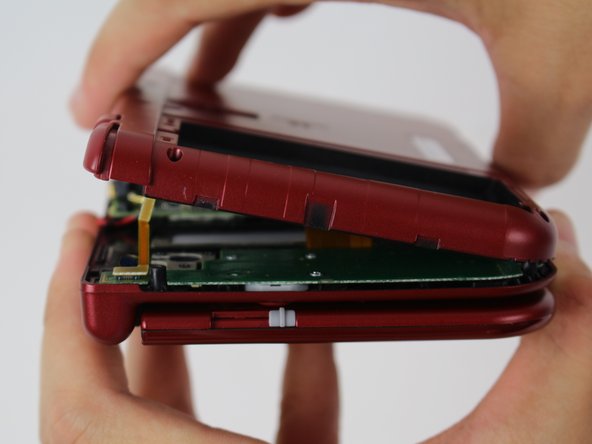


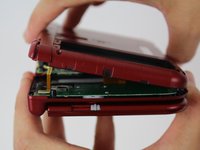







To reassemble your device, follow these instructions in reverse order.
İptal et: Bu kılavuzu tamamlamadım.
15 farklı kişi bu kılavuzu tamamladı.


Ekip

iFixit, Team 1-1, Weber Winter 2016 iFixit, Team 1-1, Weber Winter 2016 üyesi
FIX-WEBER-W16S1G1
4 Üyeler
38 adet Kılavuz yazıldı
15Kılavuz Yorumları
Is it possible we could get a link to a screen replacement?
Almost every guide on the internet skips over getting ribbon-cable through the hinge…
and its the step that gets messed up the most so that may be why since you have to roll up the ribbon to get it through the hinge giving it a good chance of breaking the ribbon. Sucks because the only way to tell is to hook it all back up to see if it worked.
Jacob -
