Ana içeriğe geç
Onarım Topluluğuna Katılın - Hesap Oluşturun

NexiGo NS32 Trigger Assembly Replacement

Neye ihtiyacın var

  1. NexiGo NS32 Trigger Assembly Replacement, Rear Case: adım 1, 1 resimden 1.
    • Orient the controller so that it is face down.

    FixBot'a Sor
    Yorum Ekle

  2. NexiGo NS32 Trigger Assembly Replacement: adım 2, 2 resimden 1. NexiGo NS32 Trigger Assembly Replacement: adım 2, 2 resimden 2.
    • Remove the eight 9 mm Phillips screws that secure the rear case.

    FixBot'a Sor
    Yorum Ekle

  3. NexiGo NS32 Trigger Assembly Replacement: adım 3, 1 resimden 1.
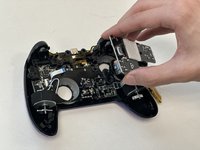
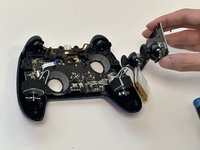
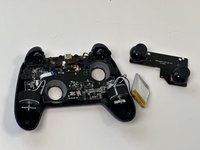
    • Lift the rear case up and off.

    • You may need to use an opening tool to help release the rear case, but avoid using excessive force so you don't damage the controller.

    FixBot'a Sor
    Yorum Ekle

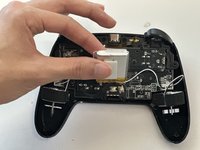
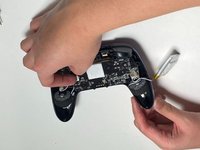
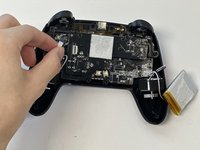
  4. NexiGo NS32 Trigger Assembly Replacement, Battery: adım 4, 2 resimden 1. NexiGo NS32 Trigger Assembly Replacement, Battery: adım 4, 2 resimden 2.
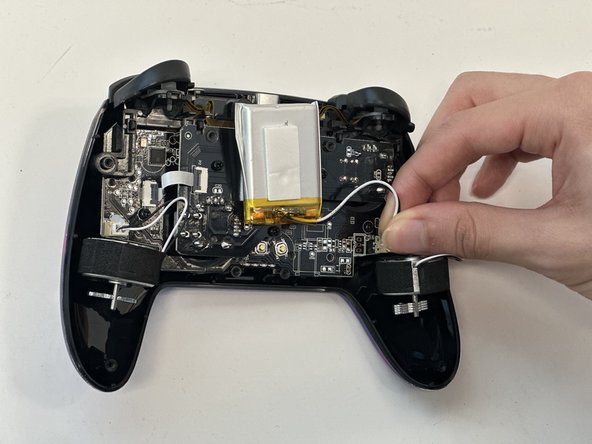
    • Grip the white battery connector and pull it directly out of its motherboard socket.

    • This may require some force, as the connectors are secured with a bit of adhesive. If you're having trouble with disconnection, apply some high-concentration isopropyl alcohol to the adhesive to loosen it.

    • Do not pull on the wires.

    FixBot'a Sor

    Yorum Ekle

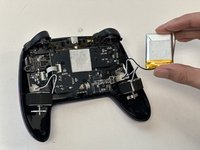
  5. NexiGo NS32 Trigger Assembly Replacement: adım 5, 3 resimden 1. NexiGo NS32 Trigger Assembly Replacement: adım 5, 3 resimden 2. NexiGo NS32 Trigger Assembly Replacement: adım 5, 3 resimden 3.
    • Lift the battery up and out.

    • Take care not to bend or puncture the battery as you remove it.

    FixBot'a Sor

    Yorum Ekle

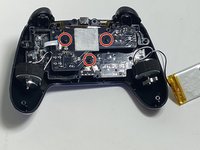
  6. NexiGo NS32 Trigger Assembly Replacement, Joystick PCB: adım 6, 2 resimden 1. NexiGo NS32 Trigger Assembly Replacement, Joystick PCB: adım 6, 2 resimden 2.
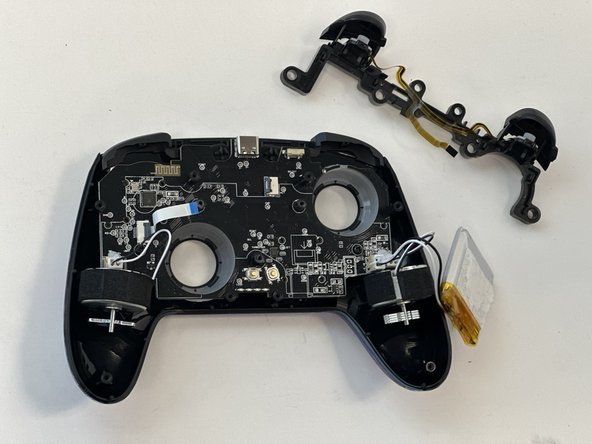
    • Remove the three 9 mm Phillips screws that secure the joystick PCB.

    FixBot'a Sor
    Yorum Ekle

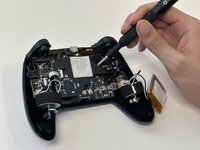
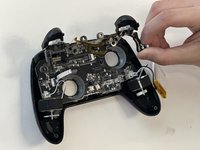
  7. NexiGo NS32 Trigger Assembly Replacement: adım 7, 2 resimden 1. NexiGo NS32 Trigger Assembly Replacement: adım 7, 2 resimden 2.
    • Flip up the black ZIF connector locking flap on the left side of the joystick PCB.

    • Pull the ribbon cable directly out of its socket.

    FixBot'a Sor
    Yorum Ekle

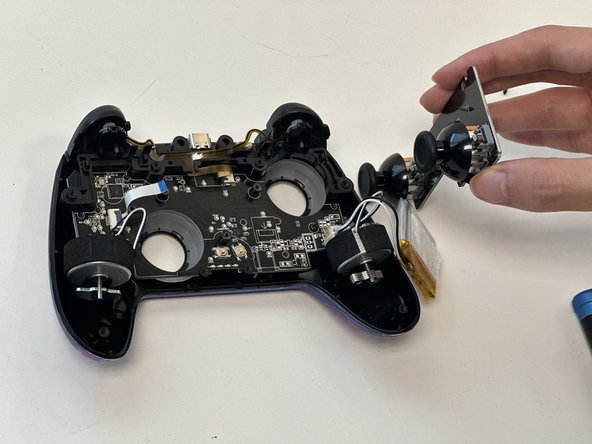
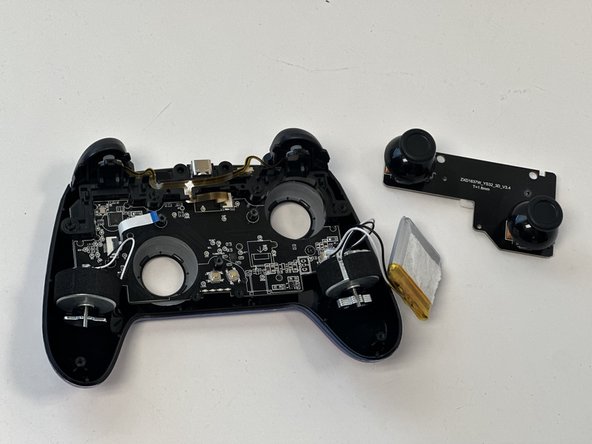
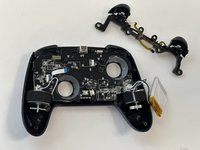
  8. NexiGo NS32 Trigger Assembly Replacement: adım 8, 3 resimden 1. NexiGo NS32 Trigger Assembly Replacement: adım 8, 3 resimden 2. NexiGo NS32 Trigger Assembly Replacement: adım 8, 3 resimden 3.
    • Lift out the joystick PCB.

    FixBot'a Sor
    Yorum Ekle

  9. NexiGo NS32 Trigger Assembly Replacement, Trigger Assembly: adım 9, 1 resimden 1.
    • Flip up the black ZIF locking flap that secures the trigger assembly ribbon cable.

    • Disconnect the ribbon cable.

    FixBot'a Sor

    Yorum Ekle

  10. NexiGo NS32 Trigger Assembly Replacement: adım 10, 2 resimden 1. NexiGo NS32 Trigger Assembly Replacement: adım 10, 2 resimden 2.
    • Gently lift out the trigger assembly.

    FixBot'a Sor

    Yorum Ekle

Sonuç

To reassemble your device, follow these instructions in reverse order.

İptal et: Bu kılavuzu tamamlamadım.

Gage_Atx

Üyelik tarihi: 01/29/24

85 İtibar

1 Kılavuz yazıldı

0Kılavuz Yorumları

Yorum Ekle

İstatistikleri Görüntüle:

Son 24 Saat: 2

Son 7 gün: 12

Son 30 gün: 29

Her zaman: 309