Ana içeriğe geç
Onarım Topluluğuna Katılın - Hesap Oluşturun

Nexus One Trackball Replacement

Görüntüleme: 4 B

İstatistikleri görüntüle:

Son 24 Saat:
2
Son 7 Gün:
20
Son 30 Gün:
99
Her zaman:
3.961
Yorumlar: 5

5 comments on steps.

Tamamlandı: 0

Hiç kimse bu kılavuzu "tamamlandı" olarak işaretlemedi. İlk mi olacaksın?

Sık Kullanılanlar: 1

1 kişi bu kılavuzu favorilerine ekledi (ve abone oldu). Sıradaki sen olacak mısın?

Gerekli Süre: 1 - 2 saat
Zorluk: Orta
Topluluk-Katkılı Kılavuz

Topluluğumuzdan muhteşem birisi bu kılavuzu hazırladı. Bu kılavuz iFixit elemanları tarafından oluşturulmamıştır.

Daha Fazla Görsel Gerekli

Biraz daha fazla görsel sayesinde bu kılavuzdaki prosedürler apaçık olacaktır.

Nexus One Trackball Replacement

Neye ihtiyacın var

Aletler

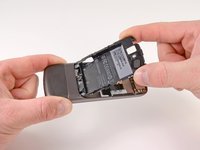
    1. Nexus One Trackball Replacement, Rear Cover: adım 1, 2 resimden 1. Nexus One Trackball Replacement, Rear Cover: adım 1, 2 resimden 2.
      • Using two fingers, push up on the rear cover.

      FixBot'a Sor

      Yorum Ekle

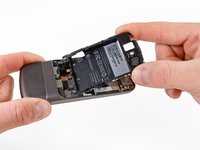
    2. Nexus One Trackball Replacement: adım 2, 1 resimden 1.
      • The rear cover slides up and off.

      FixBot'a Sor

      Yorum Ekle

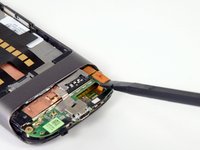
    1. Nexus One Trackball Replacement, Battery: adım 3, 1 resimden 1.
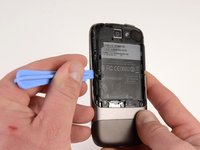
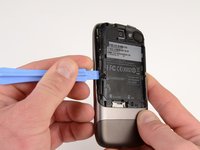
      • Using the plastic opening tools, pry the left bottom corner of the battery up.

      FixBot'a Sor

      Yorum Ekle

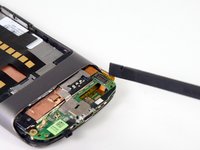
    2. Nexus One Trackball Replacement: adım 4, 1 resimden 1.
      • Pull the battery up and out.

      FixBot'a Sor

      Yorum Ekle

    1. Nexus One Trackball Replacement, Battery Housing: adım 5, 1 resimden 1.
      • Remove the two Torx T5 screws.

      • Remove the one Philips #00 screw.

      FixBot'a Sor

      Yorum Ekle

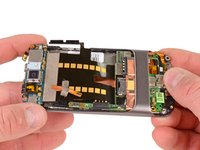
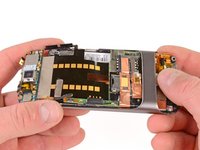
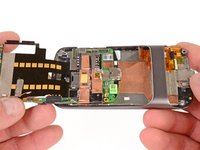
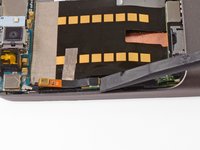
    2. Nexus One Trackball Replacement: adım 6, 2 resimden 1. Nexus One Trackball Replacement: adım 6, 2 resimden 2.
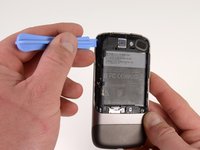
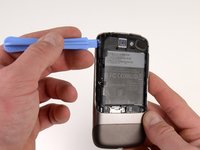
      • Using the plastic opening tool, pry up the battery housing upwards.

      • Push pry tool down, undoing the plastic tab.

      FixBot'a Sor
      Yorum Ekle

    3. Nexus One Trackball Replacement: adım 7, 2 resimden 1. Nexus One Trackball Replacement: adım 7, 2 resimden 2.
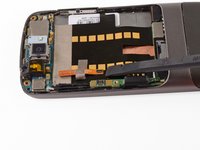
      • Pry the upper left tab open on the battery housing.

      FixBot'a Sor
      Yorum Ekle

    4. Nexus One Trackball Replacement: adım 8, 2 resimden 1. Nexus One Trackball Replacement: adım 8, 2 resimden 2.
      • Pry the top tab of the battery housing.

      FixBot'a Sor

      Yorum Ekle

    5. Nexus One Trackball Replacement: adım 9, 2 resimden 1. Nexus One Trackball Replacement: adım 9, 2 resimden 2.
      • Pry the right side tab of the battery housing.

      FixBot'a Sor

      Yorum Ekle

    6. Nexus One Trackball Replacement: adım 10, 2 resimden 1. Nexus One Trackball Replacement: adım 10, 2 resimden 2.
      • Pull up on the battery housing.

      • Slide the battery housing out to remove it.

      FixBot'a Sor

      Yorum Ekle

    1. Nexus One Trackball Replacement, Lower Cover: adım 11, 2 resimden 1. Nexus One Trackball Replacement, Lower Cover: adım 11, 2 resimden 2.
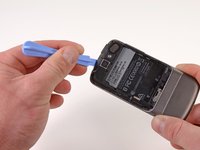
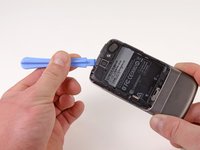
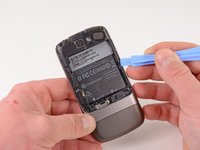
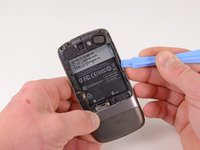
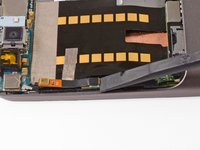
      • Using the plastic opening tool, push the blade into the space between the case and lower cover.

      • Turn the opening tool slightly, the lower cover will detach on that side.

      • Repeat on other side of the seam.

      • The lower cover will slide off.

      FixBot'a Sor
      Yorum Ekle

    1. Nexus One Trackball Replacement, Antenna Housing: adım 12, 1 resimden 1.
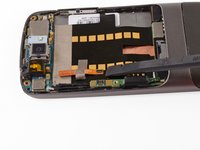
      • Remove the one T5 Torx screw

      • Remove the one #00 Philips screw

      • Lift up the end of the antenna housing and slide it outwards.

      FixBot'a Sor
      Yorum Ekle

    1. Nexus One Trackball Replacement, Secondary Microphone: adım 13, 2 resimden 1. Nexus One Trackball Replacement, Secondary Microphone: adım 13, 2 resimden 2.
      • Using the spudger, pry upwards on the second microphone connector.

      FixBot'a Sor

      Yorum Ekle

    2. Nexus One Trackball Replacement: adım 14, 1 resimden 1.
      • Pull up on the ribbon cable, the tape will detach from the main board ribbon.

      FixBot'a Sor

      Yorum Ekle

    1. Nexus One Trackball Replacement, Antenna Cable: adım 15, 2 resimden 1. Nexus One Trackball Replacement, Antenna Cable: adım 15, 2 resimden 2.
      • Pry the antenna cable up.

      FixBot'a Sor

      Yorum Ekle

    2. Nexus One Trackball Replacement: adım 16, 1 resimden 1.
      • Carefully pull up on the microphone board to release the tape from the phone.

      FixBot'a Sor

      Yorum Ekle

    1. Nexus One Trackball Replacement, Motherboards: adım 17, 2 resimden 1. Nexus One Trackball Replacement, Motherboards: adım 17, 2 resimden 2.
      • Insert the spudger under the connector.

      • Push the spudger up and twist to release the connector.

      • Repeat for the next connector.

      FixBot'a Sor

      Yorum Ekle

    2. Nexus One Trackball Replacement: adım 18, 3 resimden 1. Nexus One Trackball Replacement: adım 18, 3 resimden 2. Nexus One Trackball Replacement: adım 18, 3 resimden 3.
      • Push on the USB port to expose the black connector.

      • Use the spudger to pry the connector upwards.

      FixBot'a Sor

      Yorum Ekle

    3. Nexus One Trackball Replacement: adım 19, 2 resimden 1. Nexus One Trackball Replacement: adım 19, 2 resimden 2.
      • Place the spugder under the antenna connector.

      • Pry connector up vertically.

      FixBot'a Sor

      Yorum Ekle

    4. Nexus One Trackball Replacement: adım 20, 3 resimden 1. Nexus One Trackball Replacement: adım 20, 3 resimden 2. Nexus One Trackball Replacement: adım 20, 3 resimden 3.
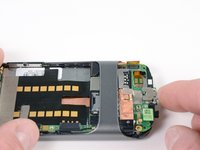
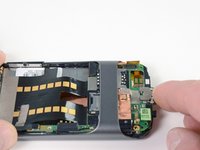
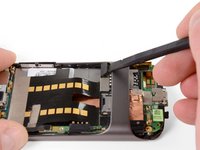
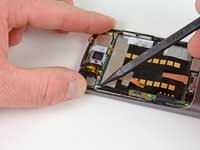
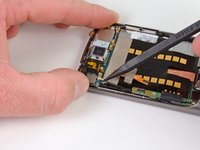
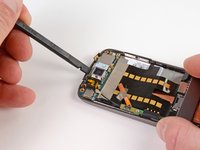
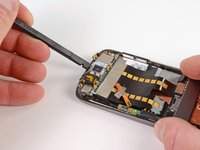
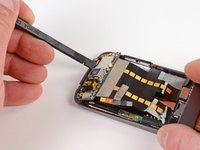
      • Insert the spudger into tab above the camera.

      • Slide upwards until the board detaches from the case.

      FixBot'a Sor

      Yorum Ekle

    5. Nexus One Trackball Replacement: adım 21, 1 resimden 1.
      • Press the pointed tip of the spudger into the space below the button assembly.

      • Wiggle the spudger tip towards the outside of the button.

      • The button assembly is under some tension and may fly off.

      FixBot'a Sor

      Yorum Ekle

    6. Nexus One Trackball Replacement: adım 22, 1 resimden 1.
      • Push the pointed tip of the spudger into the base of the side button board.

      • Lift up, the board will disconnect from the case.

      FixBot'a Sor

      Yorum Ekle

    7. Nexus One Trackball Replacement: adım 23, 3 resimden 1. Nexus One Trackball Replacement: adım 23, 3 resimden 2. Nexus One Trackball Replacement: adım 23, 3 resimden 3.
      • Push on the lower motherboard until it slides under the case support.

      • The motherboard assembly comes out as a single piece.

      • Save the small black rubber rectangular sound guide under the motherboard, to replace over the microphone.

      FixBot'a Sor

      Yorum Ekle

      • Remove the three #00 Philips screws from the trackball housing.

      FixBot'a Sor

      Yorum Ekle

    1. Nexus One Trackball Replacement: adım 25, 1 resimden 1.
      • Using the spudger, pry up the trackball housing to expose the trackball assembly.

      FixBot'a Sor

      Yorum Ekle

      • The trackball pushes out from the outside of the phone.

      • The trackball assembly only mounts a single way. The metal tab under the ball should hinge closest to the bottom of the phone. (RE-EDIT)

      FixBot'a Sor

      Yorum Ekle

Sonuç

To reassemble your device, follow these instructions in reverse order.

İptal et: Bu kılavuzu tamamlamadım.

Niklas Johnson

Üyelik tarihi: 01/31/12

1.207 İtibar

18 adet Kılavuz yazıldı

0Kılavuz Yorumları

Yorum Ekle

İstatistikleri Görüntüle:

Son 24 Saat: 2

Son 7 gün: 20

Son 30 gün: 99

Her zaman: 3,961