Ana içeriğe geç
Onarım Topluluğuna Katılın - Hesap Oluşturun

Nikon 1 J5 LCD Module Replacement

Neye ihtiyacın var

    1. Nikon 1 J5 LCD Module Replacement, Remove Micro SD card and Battery: adım 1, 1 resimden 1.
      • Remove Micro SD card and Battery

      FixBot'a Sor

      Yorum Ekle

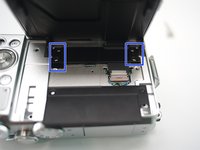
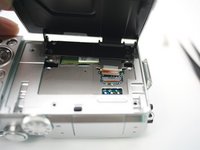
    2. Nikon 1 J5 LCD Module Replacement: adım 2, 3 resimden 1. Nikon 1 J5 LCD Module Replacement: adım 2, 3 resimden 2. Nikon 1 J5 LCD Module Replacement: adım 2, 3 resimden 3.
      • Remove 2 screws

      • Open plastic LCD connector cover

      • Lift FPC connector latch

      • Detach LCD FPC

      FixBot'a Sor

      Yorum Ekle

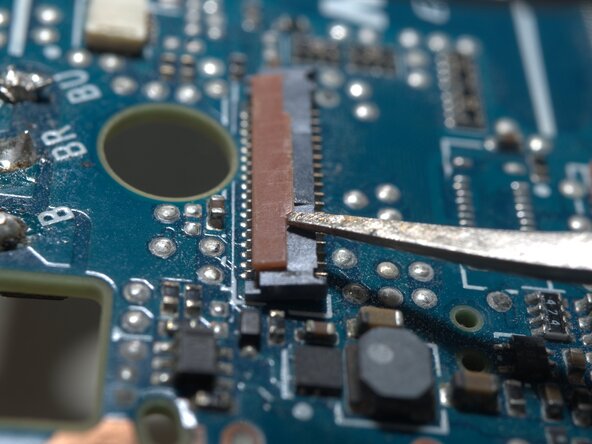
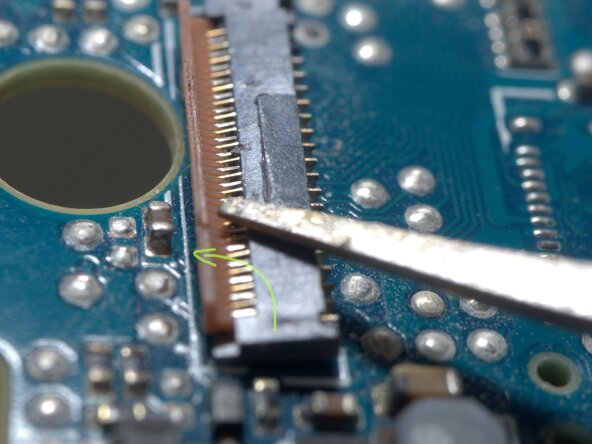
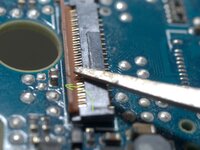
    3. Nikon 1 J5 LCD Module Replacement, Detail of the FPC connector: adım 3, 3 resimden 1. Nikon 1 J5 LCD Module Replacement, Detail of the FPC connector: adım 3, 3 resimden 2. Nikon 1 J5 LCD Module Replacement, Detail of the FPC connector: adım 3, 3 resimden 3.
      • The FPC cable is inserted from right side of this photo.

      • Insert a fine tip tweezer or any thin flat tip tool under the latch, and gentally lift it.

      • The latch rotates CCW for about 90 degrees

      FixBot'a Sor

      Yorum Ekle

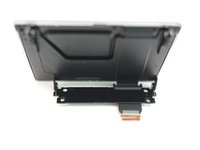
    4. Nikon 1 J5 LCD Module Replacement: adım 4, 3 resimden 1. Nikon 1 J5 LCD Module Replacement: adım 4, 3 resimden 2. Nikon 1 J5 LCD Module Replacement: adım 4, 3 resimden 3.
      • Remove 4 screws

      • Remove LCD module

      FixBot'a Sor

      Yorum Ekle

Sonuç

To reassemble your device, follow these instructions in reverse order.

İptal et: Bu kılavuzu tamamlamadım.

Bir başkası bu kılavuzu tamamladı.

Terrance

Üyelik tarihi: 11/17/09

7.063 İtibar

19 adet Kılavuz yazıldı

0Kılavuz Yorumları

Yorum Ekle

İstatistikleri Görüntüle:

Son 24 Saat: 4

Son 7 gün: 24

Son 30 gün: 70

Her zaman: 1,283