Ana içeriğe geç
Onarım Topluluğuna Katılın - Hesap Oluşturun

Nikon Coolpix L830 Shutter Button Replacement

Neye ihtiyacın var

  1. Nikon Coolpix L830 Shutter Button Replacement, Back Casing: adım 1, 1 resimden 1.
    • Use a Phillips #000 screwdriver to unscrew the two 3.0mm Phillips screws located on the side of the camera with the HDMI port.

    • The HDMI port side will be on the left if you are looking at the back of the camera with the LCD monitor.

    • One screw is located under the gray flap.

    FixBot'a Sor

    Yorum Ekle

  2. Nikon Coolpix L830 Shutter Button Replacement: adım 2, 1 resimden 1.
    • Unscrew the five 3.0mm Phillips #000 screws that are located on the bottom side of the camera.

    FixBot'a Sor

    Yorum Ekle

  3. Nikon Coolpix L830 Shutter Button Replacement: adım 3, 1 resimden 1.
    • Unscrew the 4.0mm Phillips #000 screw located underneath the grey flap on the side of the camera with the "DC IN 5.0 V" marker.

    • This will be on the right if you are looking at the back LCD monitor side.

    • Unscrew the exposed 3.0mm Phillips #000 screw on the same side.

    FixBot'a Sor

    Yorum Ekle

  4. Nikon Coolpix L830 Shutter Button Replacement: adım 4, 1 resimden 1.
    • Press the flash button to open the flash component.

    • Remove the 3.0mm Phillips #000 screw located directly in-between the two arms.

    FixBot'a Sor

    Yorum Ekle

  5. Nikon Coolpix L830 Shutter Button Replacement: adım 5, 1 resimden 1.
    • Open the LCD monitor to reveal two 2.0mm Phillips screws.

    • Remove the 2.0mm Phillips #000 screws.

    FixBot'a Sor

    Yorum Ekle

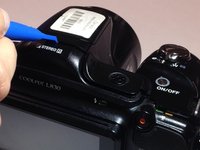
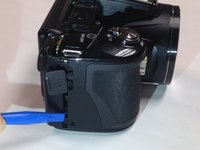
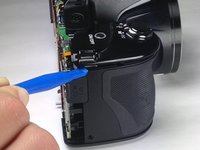
  6. Nikon Coolpix L830 Shutter Button Replacement: adım 6, 2 resimden 1. Nikon Coolpix L830 Shutter Button Replacement: adım 6, 2 resimden 2.
    • Make sure to open the plastic grey flaps on either side of the camera before proceeding with this step.

    • Insert a plastic opening tool between the back and front surface components of the camera.

    • Wiggle the plastic opening tool backwards and forwards along the top edge until the back surface comes off.

    • Remove the back casing gently to not damage the LCD ribbon connector or inner camera components.

    FixBot'a Sor

    Yorum Ekle

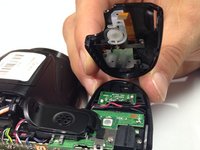
  7. Nikon Coolpix L830 Shutter Button Replacement: adım 7, 2 resimden 1. Nikon Coolpix L830 Shutter Button Replacement: adım 7, 2 resimden 2.
    • Gently pull the LCD ribbon connector up to allow the back casing to be completely removed.

    FixBot'a Sor

    Yorum Ekle

  8. Nikon Coolpix L830 Shutter Button Replacement, Shutter Button: adım 8, 1 resimden 1.
    • Open the battery panel on the bottom of the camera by pushing the slider up and tugging the battery panel to the right.

    • Remove the 3.0mm Phillips screw in the top battery panel.

    • The screw is located in the dark recesses at the end of the battery chamber, which will make screw removal difficult. Be gentle to avoid stripping screw.

    FixBot'a Sor

    Yorum Ekle

  9. Nikon Coolpix L830 Shutter Button Replacement: adım 9, 1 resimden 1.
    • Remove the 3.0mm Phillips #000 screw located above the grey power flap on the side of the camera.

    FixBot'a Sor

    Yorum Ekle

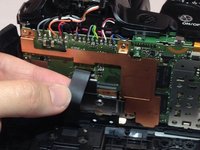
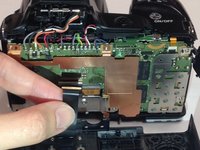
  10. Nikon Coolpix L830 Shutter Button Replacement: adım 10, 2 resimden 1. Nikon Coolpix L830 Shutter Button Replacement: adım 10, 2 resimden 2.
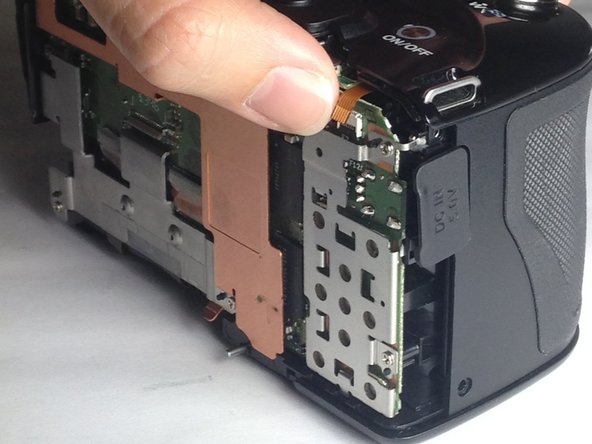
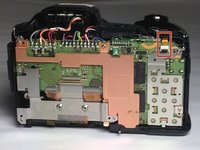
    • Use your finger to gently pull up the wire ribbon which connects the shutter button to the motherboard.

    • The wire ribbon is located at the top right corner of the motherboard.

    FixBot'a Sor

    Yorum Ekle

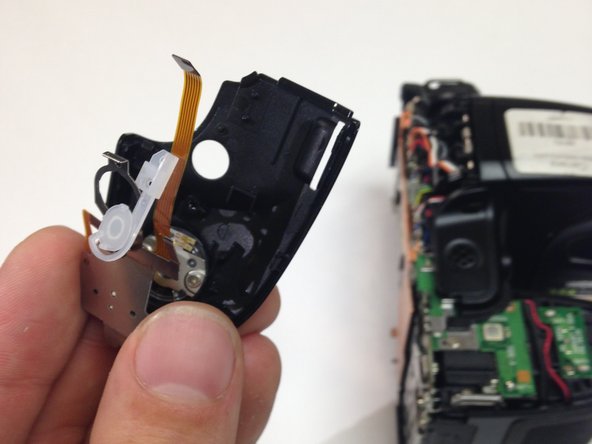
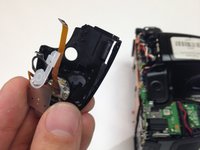
  11. Nikon Coolpix L830 Shutter Button Replacement: adım 11, 2 resimden 1. Nikon Coolpix L830 Shutter Button Replacement: adım 11, 2 resimden 2.
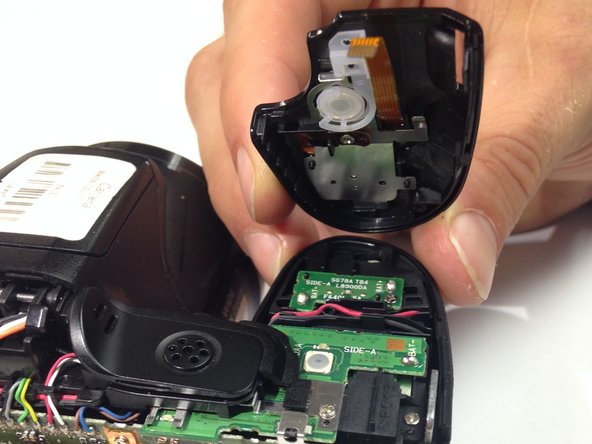
    • Insert the blue plastic opening tool between the main casing and the shutter component.

    • Wiggle the plastic opening tool up and down to pry off the shutter component.

    FixBot'a Sor

    Yorum Ekle

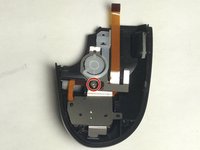
  12. Nikon Coolpix L830 Shutter Button Replacement: adım 12, 2 resimden 1. Nikon Coolpix L830 Shutter Button Replacement: adım 12, 2 resimden 2.
    • Unscrew the single 2.0mm Phillips #000 screw located on the dark brown strip on the back of the shutter button panel.

    • Once the Phillips screw is removed, gently take off the metal component with your hand or a wedge tool.

    • The on/off switch is not connected to the metal component, so be sure to keep track of it when removing.

    • Once the metal component is removed, the shutter button should be the only remaining part connected to the black shutter casing.

    FixBot'a Sor

    Yorum Ekle

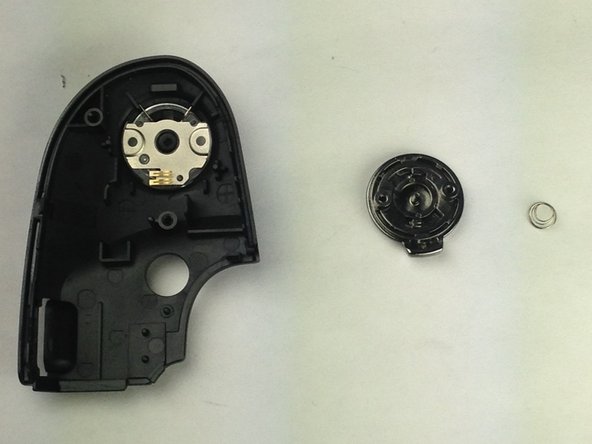
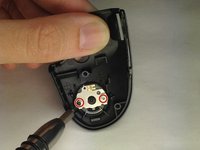
  13. Nikon Coolpix L830 Shutter Button Replacement: adım 13, 2 resimden 1. Nikon Coolpix L830 Shutter Button Replacement: adım 13, 2 resimden 2.
    • Remove the final two 2.0mm Phillips #000 screws, releasing the shutter button.

    • The shutter component has a spring attached. Be sure to carefully remove the shutter button and keep track of the small spring.

    FixBot'a Sor

    Yorum Ekle

Sonuç

To reassemble your device, follow these instructions in reverse order.

İptal et: Bu kılavuzu tamamlamadım.

Taylor Hetrick

Üyelik tarihi: 10/30/16

327 İtibar

2 adet Kılavuz yazıldı

Ekip

Baylor, Team 4-4, Williams Fall 2016 Baylor, Team 4-4, Williams Fall 2016 üyesi

BU-WILLIAMS-F16S4G4

3 Üyeler

10 adet Kılavuz yazıldı

0Kılavuz Yorumları

Yorum Ekle

İstatistikleri Görüntüle:

Son 24 Saat: 2

Son 7 gün: 11

Son 30 gün: 55

Her zaman: 2,772