Bu çeviri bir makine tarafından oluşturulmuştur ve henüz bir kişi tarafından incelenmemiştir. Bu dili konuşuyor musunuz? İnceleme için.
Giriş
Anakart değişimi son çare olmalı ve hafife alınmamalıdır. Çok sayıda hassas ribbon kablo bulunduğu için dikkatli olun ve yavaş ilerleyin.
Neye ihtiyacın var
-
-
-
Cihazın üst kenarındaki 3 mm'lik iki adet Yıldız/Phillips standardı #1 vidayı sökün.
 FixBot'a Sor
-
-
-
Ön ön panelin üst köşe tırnaklarını dışarıya ve kendinize doğru çekin.
-
Ön paneli yukarı doğru çekerek cihazın alt kısmındaki yuvalarından çıkarın.
-
Arka ön paneli bir kenara koyun.
-
-
-
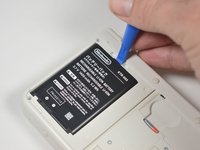
Bataryanın üst kısmındaki çentiğe bir plastik açma aleti yerleştirin.
-
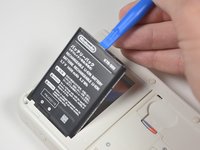
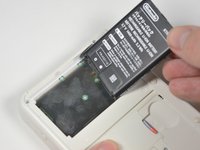
Plastik açma aletiyle bataryayı yukarı doğru kaldırarak ayırın.
-
-
-
-
-
SD kart okuyucusunun sağında ve altında bulunan üç adet 3 mm Y0 vidayı sökün.
-
-
-
SD kart okuyucuyu üst tarafındaki sekmeyi serbest bırakmak için iki delikli kenarından nazikçe çekin.
-
Cihazı, güç girişi size bakacak şekilde yeniden konumlandırın.
-
-
-
-
SD kart okuyucuyu nazikçe kaldırın.
-
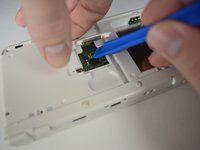
SD kart ribbon kablosunu anakart üzerindeki soketten ayırmak için bir açma aleti kullanın.
-
SD kart okuyucuyu alt kasadan yukarı kaldırarak çıkarın.
-
-
-
-
Bu adımda kullanılan alet:Tweezers$4.99
-
Cihazı, oyun kartı yuvası size bakacak şekilde yeniden konumlandırın.
-
Cihazın üst kısmındaki iki adet kauçuk tamponu cımbız kullanarak çıkarın.
-
3DS'in üst ve alt kısmındaki yedi adet 6 mm'lik Yıldız vida #00'ı sökün.
-
-
-
3DS üzerindeki alt kasanın üst kenarını hafifçe kaldırın.
-
Sağ tetik altındaki ribbon kablo soketini bir plastik açma aleti kullanarak ayırın.
-
Kızılötesi alıcı kapağının altındaki ribbon kablo soketini bir plastik açma aleti kullanarak ayırın.
-
-
-
Cihazı üst kenarından yavaşça açın. Cihazın alt kenarına yakın bir yere bağlı olan ribbon kabloyu çekiştirmemeye dikkat edin.
-
Alt kasaya bağlı olan son ribbon kabloyu bir açma aleti kullanarak dikkatlice ayırın.
-
-
-
-
-
Anakartın sağ üst köşesinin yakınındaki joystick düzeneğini bulun.
-
Joystick'in arkasındaki iki adet 8 mm uzunluğundaki Phillips #00 vidayı çıkarın.
-
Joystick pedini plastik yuvasından ayırmak için plastik kanırtma aparatının düz ucunu kullanın.
-
-
-
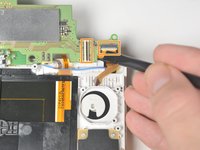
Joystick panelini kaldırın ve ters bir şekilde yerleştirin. Bu işlem, joystick paneline bağlı olan ribbon kabloyu açığa çıkaracaktır.
-
Ribbon kabloya ait tutucu çentiği kaldırmak için plastik kanırtma aparatının düz ucunu kullanın.
-
Joystick'i cihazdan çıkarın.
-
-
-
-
-
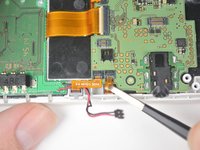
Siyah ve kırmızı kablolarla gösterilen güç kablosunu, nazikçe yukarı çekip konnektörden ayırın.
-
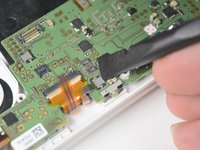
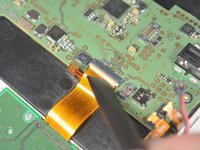
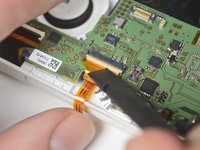
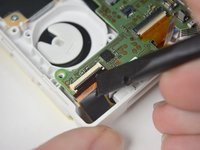
Ribbon kabloları, 4 adet ZIF konnektörden nazikçe çekerek çıkarın.
-
-
Bu adımda kullanılan alet:Tweezers$4.99
-
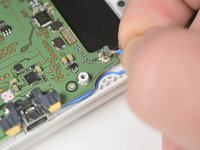
Mavi Wi-Fi antenini nazikçe yukarı çekin.
-
Kızılötesi alıcının arkasındaki konnektörün üzerindeki tutucu tırnağı kaldırın ve cımbız kullanarak ribbon kabloyu konnektörden nazikçe çekin.
-
-
-
Sabitleme tırnağını kaldırın ve anakartın sol tarafındaki geniş ribbon kabloyu çıkarın.
-
Sabitleme tırnağını kaldırın ve anakartın üst kısmında, kızılötesi alıcının arkasında bulunan geniş ribbon kabloyu çıkarın.
-
Sabitleme tırnağını kaldırın ve anakartın üst kısmında, joystick yuvasının hemen üzerinde bulunan geniş ribbon kabloyu çıkarın.
-
-
-
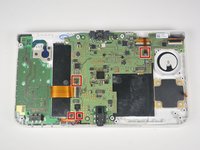
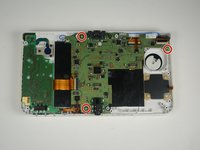
Anakartı cihaz kasasına sabitleyen üç adet 3 mm Yıldız vida #00'ı çıkarın.
-
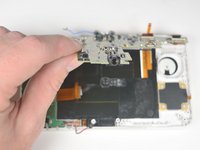
Anakartı kulaklık ucundan tutarak nazikçe kaldırın.
-
ZIF konnektörlerin üzerindeki sabitleme tırnaklarını kaldırarak cihazın arkasındaki iki şerit kabloyu çıkarın.
-
-




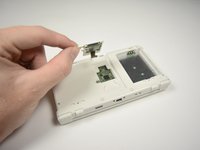


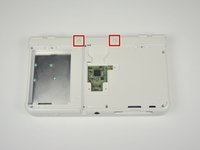
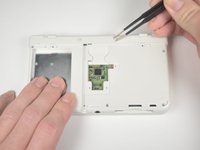
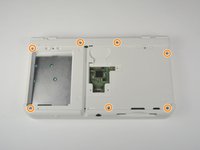


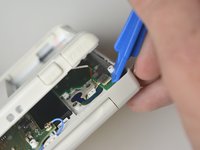
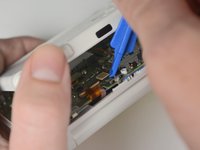


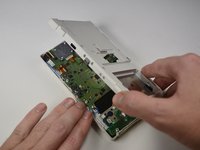
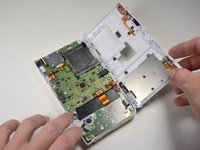
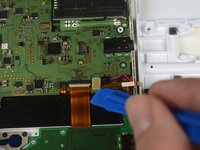


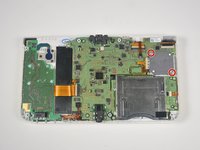
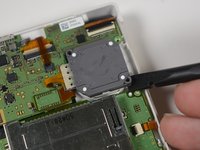
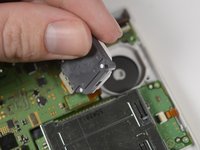


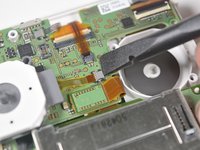
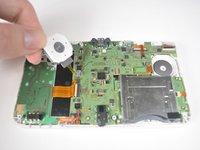
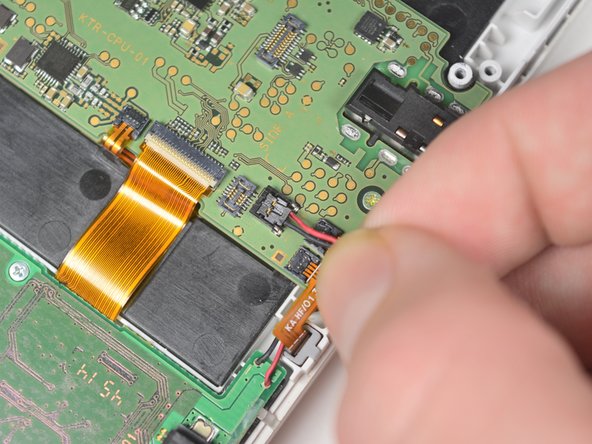


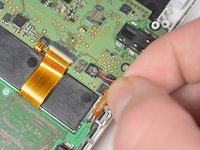






Cihazınızı yeniden toplamak için bu talimatları ters sırayla uygulayın.
İptal et: Bu kılavuzu tamamlamadım.
6 farklı kişi bu kılavuzu tamamladı.
Bu çevirmenlere özel teşekkürler:
100%

Translation Bot dünyayı onarmamıza yardım ediyor! Katkıda bulunmak ister misiniz?
Çeviriye Başlayın ›

Ekip

Cal Poly, Team 4-6, Livingston Fall 2016 Cal Poly, Team 4-6, Livingston Fall 2016 üyesi
CPSU-LIVINGSTON-F16S4G6
4 Üyeler
99 adet Kılavuz yazıldı
