Ana içeriğe geç
Onarım Topluluğuna Katılın - Hesap Oluşturun

Nintendo Wii Outer Case Replacement

Neye ihtiyacın var

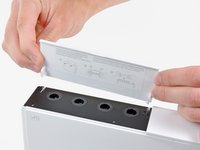
  1. Nintendo Wii Outer Case Replacement, Faceplate: adım 1, 2 resimden 1. Nintendo Wii Outer Case Replacement, Faceplate: adım 1, 2 resimden 2.
    • Use a metal spudger to remove the white plastic screw covers stuck to the lower case near the front of the Wii.

  2. Nintendo Wii Outer Case Replacement: adım 2, 1 resimden 1.
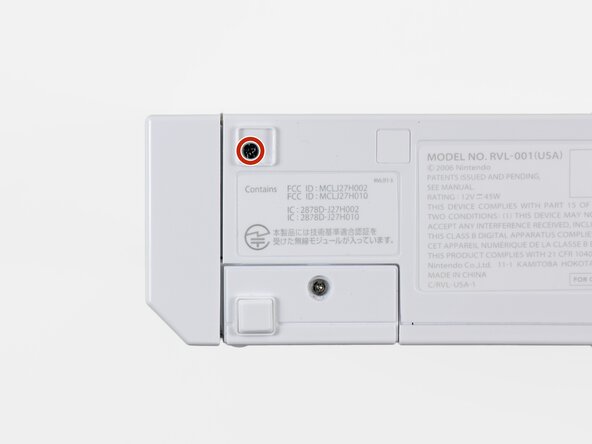
    • Remove the two 8.3 mm Tri-Point screws hidden under the covers you just removed.

  3. Nintendo Wii Outer Case Replacement: adım 3, 1 resimden 1.
    • Remove the single 5.9 mm Phillips screw under the controller port door nearest the faceplate.

  4. Nintendo Wii Outer Case Replacement: adım 4, 1 resimden 1.
    • Use a metal spudger to remove the rubber foot stuck to the side of the Wii near the DVD drive opening.

  5. Nintendo Wii Outer Case Replacement: adım 5, 1 resimden 1.
    • Remove the single 5.9 mm Phillips screw hidden under the foot you just removed.

  6. Nintendo Wii Outer Case Replacement: adım 6, 2 resimden 1. Nintendo Wii Outer Case Replacement: adım 6, 2 resimden 2.
    Bu adımda kullanılan alet:
    Tweezers
    $4.99
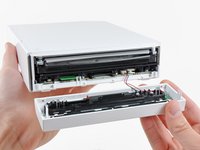
    • Carefully pull the faceplate away from the front of the Wii.

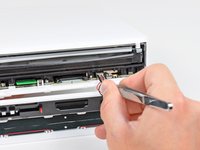
    • Use a pair of tweezers to disconnect the LED cable's plastic connector from the motherboard.

    • Remove the faceplate.

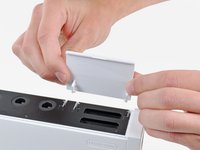
  7. Nintendo Wii Outer Case Replacement, Outer Case: adım 7, 3 resimden 1. Nintendo Wii Outer Case Replacement, Outer Case: adım 7, 3 resimden 2. Nintendo Wii Outer Case Replacement, Outer Case: adım 7, 3 resimden 3.
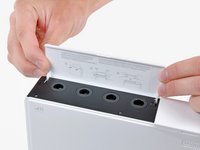
    • Open the controller port cover until it is perpendicular to the black controller port bezel.

    • Pull the controller port cover straight up to release it from the outer case.

    • Repeat this procedure for the memory card port cover.

  8. Nintendo Wii Outer Case Replacement: adım 8, 2 resimden 1. Nintendo Wii Outer Case Replacement: adım 8, 2 resimden 2.
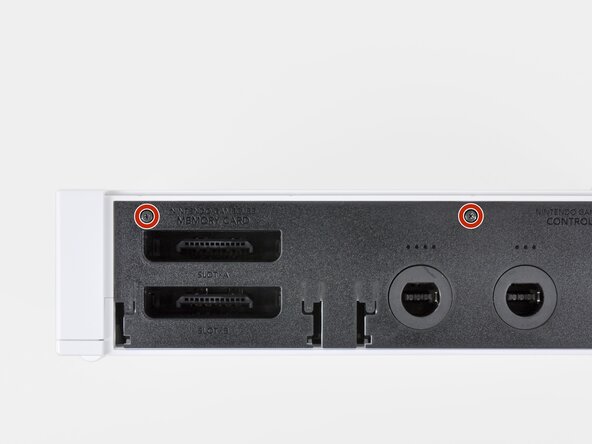
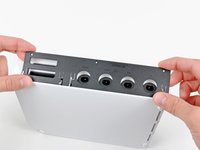
    • Remove the two remaining 4.1 mm Phillips screws along the top edge of the black plastic controller port bezel.

    • Lift the bezel from the long edge furthest away from the controller ports and remove it from the Wii.

  9. Nintendo Wii Outer Case Replacement: adım 9, 1 resimden 1.
    • Remove the two 5 mm Phillips screws above the controller ports.

  10. Nintendo Wii Outer Case Replacement: adım 10, 1 resimden 1.
    • Use a metal spudger to remove the three highlighted screw covers stuck to the side of the Wii.

  11. Nintendo Wii Outer Case Replacement: adım 11, 1 resimden 1.
    • Remove the following screws:

    • Two 5 mm Phillips screws

    • One 8.2 mm Tri-Point screw

  12. Nintendo Wii Outer Case Replacement: adım 12, 1 resimden 1.
    • Use a metal spudger to remove the two rubber feet stuck to the bottom face of the Wii near the rear ports.

  13. Nintendo Wii Outer Case Replacement: adım 13, 1 resimden 1.
    Bu adımda kullanılan alet:
    iFixit Precision 4 mm Screwdriver Bit
    $2.99
    • Remove the two 8.2 mm Tri-Point screws hidden under the feet you just removed.

    • You may use a 4 mm hex nut driver to extend your bit into the recesses and reach the screws.

  14. Nintendo Wii Outer Case Replacement: adım 14, 1 resimden 1.
    • Lift the outer case straight up off the body of the Wii.

Sonuç

To reassemble your device, follow these instructions in reverse order.

40 farklı kişi bu kılavuzu tamamladı.

4Kılavuz Yorumları

Great guide. I had no problems.

wewomack - Yanıt

Ugh, I went and purchased an iFixit Essential Electronics Toolkit and the Tri-wing screwdriver is too small! Y000 is what it says on the box, time to return this purchase.

iamstilllaughing - Yanıt

Unfortunately this guide stops half way through and doesn’t include the other side of the case, which involves quite a few screws as the motherboard is screwed down in quite a few places, and the cpu heatsink has to come up, it’s much more complicated than this.

Lily Larceny - Yanıt

yes i would love if the poster edited the guide and made it so it could be used as a "reshell" guide because i am considering purchaseing a lower condition wii and reshelling it in another color

Sqwerks -

Yorum Ekle

İstatistikleri Görüntüle:

Son 24 Saat: 30

Son 7 gün: 211

Son 30 gün: 1,129

Her zaman: 57,843