
Nokia 1100b RH-36 Motherboard and Keyboard Replacement

En son 28 Oca 2014 tarihinde güncellendi
Görüntüleme: 5,9 B
İstatistikleri görüntüle:
- Son 24 Saat:
- 7
- Son 7 Gün:
- 34
- Son 30 Gün:
- 124
- Her zaman:
- 5.895
Yorumlar: 2
1 comment on steps, 1 guide comment.
Go to guide commentsTamamlandı: 14 15
14 kişi bu kılavuzu "tamamlandı" olarak işaretledi. Sıradaki sen olacak mısın?
15 kişi bu kılavuzu "tamamlandı" olarak işaretledi. Siz de dahil - harika iş!
Sık Kullanılanlar: 4 5
4 kişi bu kılavuzu favorilerine ekledi (ve abone oldu). Sıradaki sen olacak mısın?
Siz de dahil olmak üzere 5 kişi bu kılavuzu favorilerine ekledi (ve abone oldu)!
Öne Çıkan Öğrenci Kılavuzu
Bu kılavuz, çalışkan öğrencilerimizin alın teriyle üretildi ve iFixit kadrosu tarafından epey havalı bulunuyor.
Eksik önkoşulları
Bu kılavuz, işleme nasıl başlanacağı ile ilgili bilgilere sahip değil. Bir önkoşul kılavuzu oluşturun!
Giriş
1. adıma git ↓This guide will show you how to install a new motherboard and keyboard unit in your phone.
Neye ihtiyacın var
Aletler
-
Spudger4.9
-


-
-
-
Flip the phone over so that the screen faces down.
-
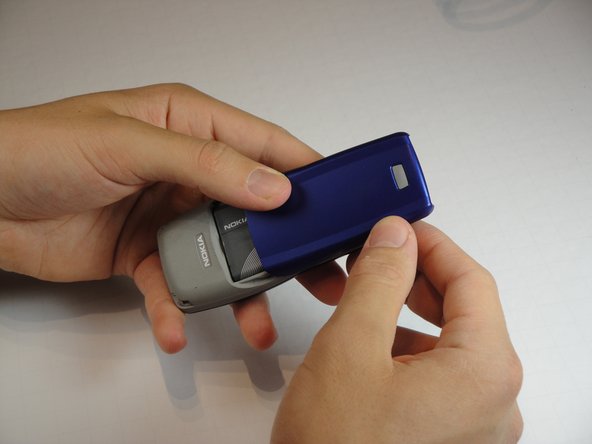
Press the gray button on the battery cover and slide it down off the back of the phone.
 FixBot'a Sor
-
-
-
Wedge the flat end of the spudger into the small indent next to the Nokia logo on the battery.
-
Gently pry the battery out of the phone.
-
-
-
-
-
-
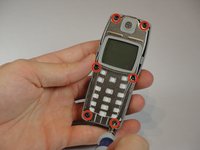
Remove the six 6mm T6 Torx screws around the edge of the front of the phone.
-
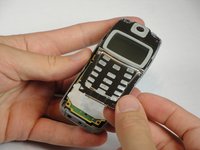
Remove the metal frame holding the screen and speaker.
-
-
-
-
-
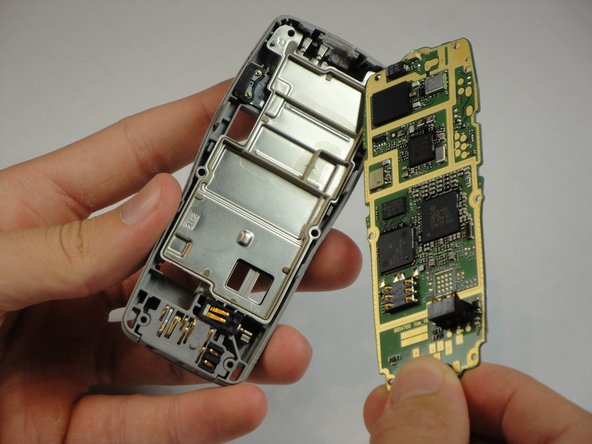
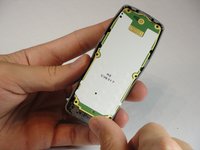
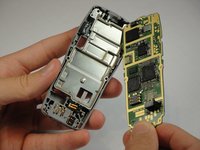
Gently lift motherboard unit out of the case.
-
The motherboard and keyboard are one unit and are replaced together.
-
-




To reassemble your device, follow these instructions in reverse order.
İptal et: Bu kılavuzu tamamlamadım.
14 farklı kişi bu kılavuzu tamamladı.

Ekip

Cal Poly, Team 10-43, Amido Spring 2013 Cal Poly, Team 10-43, Amido Spring 2013 üyesi
CPSU-AMIDO-S13S10G43
4 Üyeler
84 adet Kılavuz yazıldı
