
Nokia 2115i keypad replacement

Shane ve
En son 19 Şub 2016 tarihinde güncellendi
Görüntüleme: 1,7 B
İstatistikleri görüntüle:
- Son 24 Saat:
- 2
- Son 7 Gün:
- 21
- Son 30 Gün:
- 84
- Her zaman:
- 1.679
Yorumlar: 0
Hiç kimse bu kılavuza yorum bırakmadı. Birinci olacak mısın?
Go to guide commentsTamamlandı: 0 1
Hiç kimse bu kılavuzu "tamamlandı" olarak işaretlemedi. İlk mi olacaksın?
1 kişi bu kılavuzu "tamamlandı" olarak işaretledi. Bu sensin - harika iş!
Sık Kullanılanlar: 0 1
Hiç kimse bu kılavuzu favorilere eklemedi (ve abone olmadı). İlk mi olacaksın?
1 kişi bu kılavuzu favorilerine ekledi (ve abone oldu) — ve bu sizsiniz!
Daha İyi Resimler Gerekli
Daha iyi fotoğraflar bu kılavuzu geliştirecektir. Yeni fotoğraflar çekerek, düzenleyerek ya da yükleyerek katkıda bulunun!
Giriş
1. adıma git ↓To replace the keypad, only a small amount of disassembly is required.
Neye ihtiyacın var
Aletler
-
Spudger4.9

-
-
-
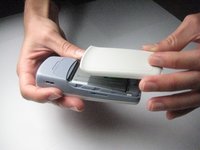
Press down on the small gray button located on the back of the phone.
-
Slide the back plate down and off.
 FixBot'a Sor
-
-
-
To remove the battery, begin by holding the phone sideways.
-
Then, insert your thumb in the groove below the battery and push the battery up and out.
-
-
-
-
-
-
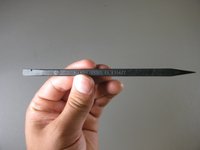
Locate the spudger. A photo of the correct spudger is provided to the left.
-
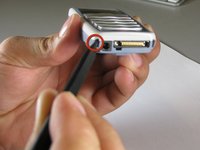
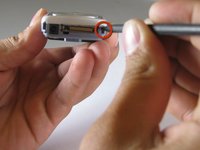
Turn the front of the phone to face you. Find the two small square holes on the bottom left and right sides of the faceplate.
-
Insert the spudger into each square hole and push up to detach the face plate.
-
-
-
-
-
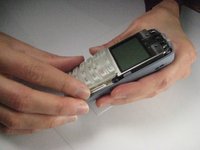
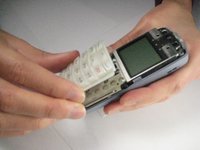
Note: The keypad will be loose and may fall off during this step.
-
Pull the face plate up and off of the phone.
-
To remove the keypad, simply lift it off the phone.
-
-







To reassemble your device, follow these instructions in reverse order.

Ekip

Cal Poly, Team 14-38, Forte Fall 2010 Cal Poly, Team 14-38, Forte Fall 2010 üyesi
CPSU-FORTE-F10S14G38
5 Üyeler
72 adet Kılavuz yazıldı
