Ana içeriğe geç
Onarım Topluluğuna Katılın - Hesap Oluşturun

Nokia 6010 screen and speaker replacement

Neye ihtiyacın var

  1. Nokia 6010 screen and speaker replacement, Battery: adım 1, 3 resimden 1. Nokia 6010 screen and speaker replacement, Battery: adım 1, 3 resimden 2. Nokia 6010 screen and speaker replacement, Battery: adım 1, 3 resimden 3.
    • Press the small tab on the bottom of the back of the phone.

    • Push the back case upward towards the power button. The back case will then pop off.

    • It requires some force, so be careful.

    FixBot'a Sor

    Yorum Ekle

  2. Nokia 6010 screen and speaker replacement: adım 2, 2 resimden 1. Nokia 6010 screen and speaker replacement: adım 2, 2 resimden 2.
    • Lift the battery near the bottom and pry up.

    FixBot'a Sor

    Yorum Ekle

  3. Nokia 6010 screen and speaker replacement, SIM Card: adım 3, 1 resimden 1.
    • With one hand, press the ridged tab near the visible side of the SIM card.

    • Slide the card out with your other hand.

    FixBot'a Sor

    Yorum Ekle

  4. Nokia 6010 screen and speaker replacement, Keypad: adım 4, 2 resimden 1. Nokia 6010 screen and speaker replacement, Keypad: adım 4, 2 resimden 2.
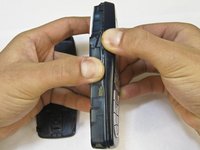
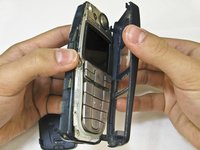
    • Grip the phone on either the sides, the top, or the bottom.

    • Pull the front case away from the rest of the phone.

    • There are no special tabs to keep it in place so it should wiggle free easily.

    FixBot'a Sor

    Yorum Ekle

  5. Nokia 6010 screen and speaker replacement: adım 5, 1 resimden 1.
    • Lift the keypad away from the body of the phone.

    • The keypad is the rubber-backed piece with the number keys.

    FixBot'a Sor

    Yorum Ekle

  6. Nokia 6010 screen and speaker replacement, LCD Screen and Speaker: adım 6, 2 resimden 1. Nokia 6010 screen and speaker replacement, LCD Screen and Speaker: adım 6, 2 resimden 2.
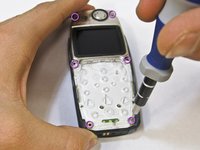
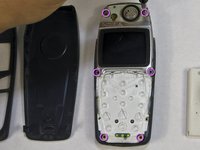
    • Remove the six screws around the front of the phone body with a T6 screwdriver.

    FixBot'a Sor

    Yorum Ekle

  7. Nokia 6010 screen and speaker replacement: adım 7, 3 resimden 1. Nokia 6010 screen and speaker replacement: adım 7, 3 resimden 2. Nokia 6010 screen and speaker replacement: adım 7, 3 resimden 3.
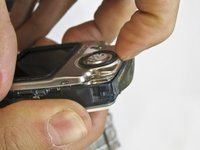
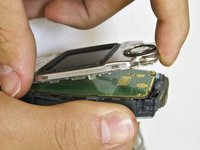
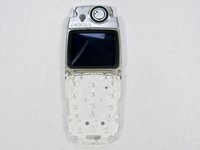
    • Insert your finger underneath the speaker piece and pry away from the phone body.

    • The plastic layer containing the LCD screen and speaker takes some force to remove.

    • There are 4 plastic tabs which keep it in place, but they are hard to press. Be careful and go tab by tab or use a spudger if you are nervous about using too much force.

    • The LCD and the speaker are attached to the same piece and must be replaced together.

    FixBot'a Sor

    Yorum Ekle

Sonuç

To reassemble your device, follow these instructions in reverse order.

İptal et: Bu kılavuzu tamamlamadım.

2 farklı kişi bu kılavuzu tamamladı.

Nicholas Hanne

Üyelik tarihi: 01/20/10

129 İtibar

8 adet Kılavuz yazıldı

Ekip

Cal Poly, Team 14-45, Regan Winter 2010 Cal Poly, Team 14-45, Regan Winter 2010 üyesi

CPSU-REGAN-W10S14G45

5 Üyeler

16 adet Kılavuz yazıldı

1Rehber Yorum

Greatly appreciated !!!

Tobi Hunt - Yanıt Paylaş

Yorum Ekle

İstatistikleri Görüntüle:

Son 24 Saat: 3

Son 7 gün: 14

Son 30 gün: 62

Her zaman: 4,690