Ana içeriğe geç
Onarım Topluluğuna Katılın - Hesap Oluşturun

Nvidia Shield TV 1st Generation Controller Battery Replacement

Neye ihtiyacın var

  1. Nvidia Shield TV 1st Generation Controller Battery Replacement, Controller Battery: adım 1, 2 resimden 1. Nvidia Shield TV 1st Generation Controller Battery Replacement, Controller Battery: adım 1, 2 resimden 2.
    • Remove the indicated six screws using the T6 Torx screwdriver.

    FixBot'a Sor

    Yorum Ekle

  2. Nvidia Shield TV 1st Generation Controller Battery Replacement: adım 2, 2 resimden 1. Nvidia Shield TV 1st Generation Controller Battery Replacement: adım 2, 2 resimden 2.
    • Use the plastic opening tool to pry the face of the controller away from the body.

    • Make sure the controller is face down during this step as the buttons can easily fall out.

    FixBot'a Sor

    Yorum Ekle

  3. Nvidia Shield TV 1st Generation Controller Battery Replacement: adım 3, 1 resimden 1.
    • Carefully remove the indicated ribbon wires from the face of the controller.

    FixBot'a Sor

    Yorum Ekle

  4. Nvidia Shield TV 1st Generation Controller Battery Replacement: adım 4, 2 resimden 1. Nvidia Shield TV 1st Generation Controller Battery Replacement: adım 4, 2 resimden 2.
    Bu adımda kullanılan alet:
    Tweezers
    $3.99
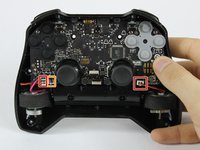
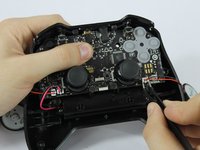
    • Use the angled tweezers to remove the vibration motor cable, moving it upward from its socket.

    • Lift the vibration motor out of the front case.

    • Repeat for the other side.

    • Use the angled tweezers to remove the battery cable, moving it upward from its socket.

    FixBot'a Sor

    Yorum Ekle

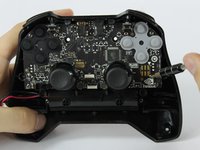
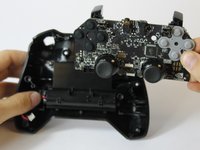
  5. Nvidia Shield TV 1st Generation Controller Battery Replacement: adım 5, 3 resimden 1. Nvidia Shield TV 1st Generation Controller Battery Replacement: adım 5, 3 resimden 2. Nvidia Shield TV 1st Generation Controller Battery Replacement: adım 5, 3 resimden 3.
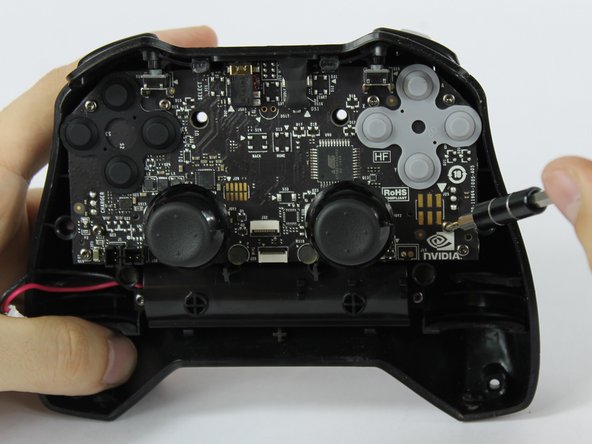
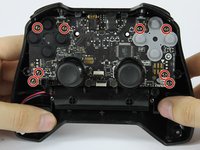
    • Using the T6 Torx screwdriver, remove the indicated eight screws from the logic board.

    • Lift the logic board away from the front case.

    FixBot'a Sor

    Yorum Ekle

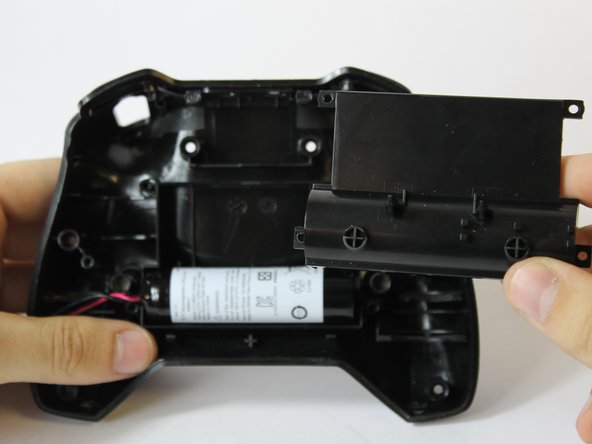
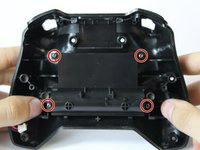
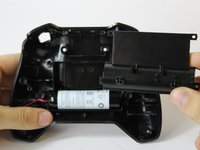
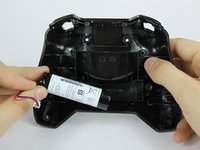
  6. Nvidia Shield TV 1st Generation Controller Battery Replacement: adım 6, 3 resimden 1. Nvidia Shield TV 1st Generation Controller Battery Replacement: adım 6, 3 resimden 2. Nvidia Shield TV 1st Generation Controller Battery Replacement: adım 6, 3 resimden 3.
    • Using the T6 Torx screwdriver, remove the indicated four screws from the panel.

    • Remove the panel from the front case.

    • Lift the battery from the front case to remove it.

    FixBot'a Sor

    Yorum Ekle

Sonuç

To reassemble your device, follow these instructions in reverse order.

İptal et: Bu kılavuzu tamamlamadım.

12 farklı kişi bu kılavuzu tamamladı.

Joshua Neally

Üyelik tarihi: 09/25/17

581 İtibar

4 adet Kılavuz yazıldı

Ekip

USF Tampa, Team S16-G6, Eyestone Fall 2017 USF Tampa, Team S16-G6, Eyestone Fall 2017 üyesi

USFT-EYESTONE-F17S16G6

3 Üyeler

8 adet Kılavuz yazıldı

8Kılavuz Yorumları

Where can i buy the replacement Battery? What tags should i use to find it?

Rancid 3000a - Yanıt Paylaş

LC18650 Remote Control accu

djcornelissen - Yanıt Paylaş

Are battery packs available for the 2017 controller?

Andrew - Yanıt Paylaş

Simply reconnecting the battery fixed my issues

Charles Keisler - Yanıt Paylaş

Yorum Ekle

İstatistikleri Görüntüle:

Son 24 Saat: 5

Son 7 gün: 18

Son 30 gün: 87

Her zaman: 21,657