Ana içeriğe geç
Onarım Topluluğuna Katılın - Hesap Oluşturun

One Education Infinity Speakers Replacement

Neye ihtiyacın var

  1. One Education Infinity Speakers Replacement, Back Case: adım 1, 3 resimden 1. One Education Infinity Speakers Replacement, Back Case: adım 1, 3 resimden 2. One Education Infinity Speakers Replacement, Back Case: adım 1, 3 resimden 3.
    • Always power off your device before beginning disassembly.

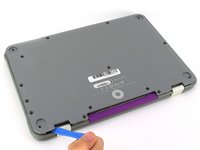
    • Remove the screw covers and rubber feet from the bottom of the laptop with a metal spudger.

    FixBot'a Sor

    Yorum Ekle

  2. One Education Infinity Speakers Replacement: adım 2, 2 resimden 1. One Education Infinity Speakers Replacement: adım 2, 2 resimden 2.
    • Using a Phillips #00 screwdriver, remove the sixteen 5.0 mm black screws from the back panel.

    FixBot'a Sor

    Yorum Ekle

  3. One Education Infinity Speakers Replacement: adım 3, 3 resimden 1. One Education Infinity Speakers Replacement: adım 3, 3 resimden 2. One Education Infinity Speakers Replacement: adım 3, 3 resimden 3.
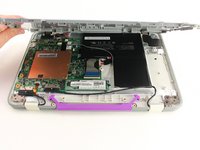
    • Using the iFixit plastic opening tool or spudger, start near the white hinge of the device and lift along the outer edges of the device until all clips are released.

    • Lift the back case off of the device.

    • Removing the back may create a loud snapping noise.

    FixBot'a Sor

    Yorum Ekle

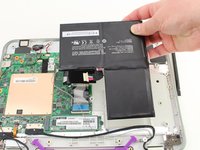
  4. One Education Infinity Speakers Replacement, Battery: adım 4, 3 resimden 1. One Education Infinity Speakers Replacement, Battery: adım 4, 3 resimden 2. One Education Infinity Speakers Replacement, Battery: adım 4, 3 resimden 3.
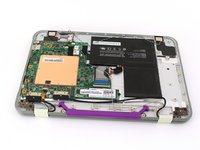
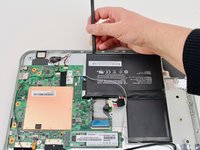
    • There may be black tape inside your device covering components or holding down wires. This tape is unimportant for the function of the device, and can be removed.

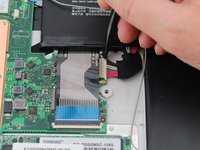
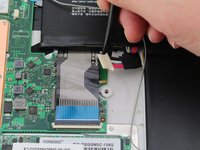
    • Carefully wiggle the battery cable to the right and out of the port with a plastic spudger.

    FixBot'a Sor

    Yorum Ekle

  5. One Education Infinity Speakers Replacement: adım 5, 3 resimden 1. One Education Infinity Speakers Replacement: adım 5, 3 resimden 2. One Education Infinity Speakers Replacement: adım 5, 3 resimden 3.
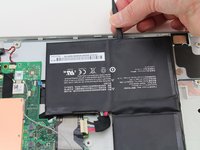
    • Wedge a plastic spudger underneath the battery from the upper edge and slide it carefully along the length of the battery to separate it from the case.

    • There is a mild adhesive holding down the battery. Take care not to puncture or excessively bend the battery while freeing it from the adhesive.

    • Lift the battery out from the internal case.

    FixBot'a Sor

    Yorum Ekle

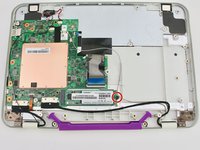
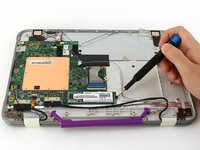
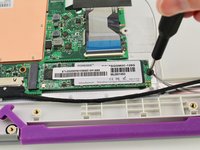
  6. One Education Infinity Speakers Replacement, Solid State Drive: adım 6, 3 resimden 1. One Education Infinity Speakers Replacement, Solid State Drive: adım 6, 3 resimden 2. One Education Infinity Speakers Replacement, Solid State Drive: adım 6, 3 resimden 3.
    • Use a Phillips #00 screwdriver to remove the single 2mm black screw from the SSD.

    FixBot'a Sor

    Yorum Ekle

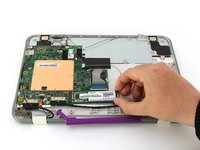
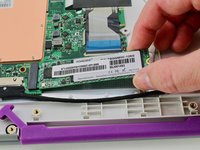
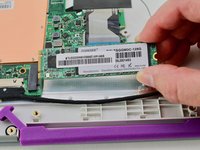
  7. One Education Infinity Speakers Replacement: adım 7, 3 resimden 1. One Education Infinity Speakers Replacement: adım 7, 3 resimden 2. One Education Infinity Speakers Replacement: adım 7, 3 resimden 3.
    • Grab the SSD with your fingers and slide it slowly to the right and out of its port.

    FixBot'a Sor

    Yorum Ekle

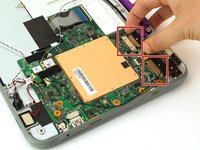
  8. One Education Infinity Speakers Replacement, Motherboard: adım 8, 2 resimden 1. One Education Infinity Speakers Replacement, Motherboard: adım 8, 2 resimden 2.
    • Using your fingers, carefully pull the two ribbon cable locking clips out from their ports.

    FixBot'a Sor

    Yorum Ekle

  9. One Education Infinity Speakers Replacement: adım 9, 1 resimden 1.
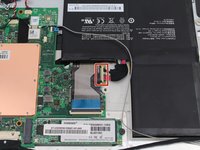
    • Using your fingers, carefully lift up the black tab and then unplug the gold ribbon cable.

    FixBot'a Sor

    Yorum Ekle

  10. One Education Infinity Speakers Replacement: adım 10, 1 resimden 1.
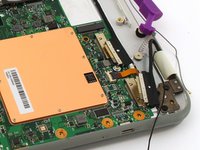
    • Using a spudger, carefully unplug the black and grey wires by popping them up off the wireless card.

    FixBot'a Sor

    Yorum Ekle

  11. One Education Infinity Speakers Replacement: adım 11, 1 resimden 1.
    • Using your fingers, carefully unplug the two speaker wires from the motherboard.

    FixBot'a Sor

    Yorum Ekle

  12. One Education Infinity Speakers Replacement: adım 12, 2 resimden 1. One Education Infinity Speakers Replacement: adım 12, 2 resimden 2.
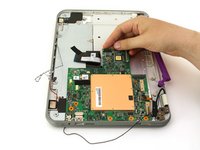
    • Using your fingers or an iFixit opening tool, carefully lift the black tab on top of the ZIF connector and remove the ribbon cable.

    FixBot'a Sor

    Yorum Ekle

  13. One Education Infinity Speakers Replacement: adım 13, 1 resimden 1.
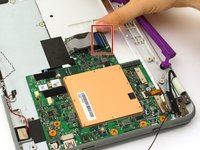
    • Using your fingers, carefully lift up the black tab and then unplug the blue ribbon cable.

    FixBot'a Sor

    Yorum Ekle

  14. One Education Infinity Speakers Replacement: adım 14, 2 resimden 1. One Education Infinity Speakers Replacement: adım 14, 2 resimden 2.
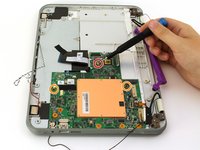
    • Using a Phillips #00 screwdriver, remove the single 4 mm silver screw from beneath the ribbon cable.

    • Using a Phillips #00 screwdriver, remove the two 2.5 mm black screws.

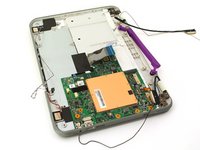
    • Using your fingers, carefully lift the motherboard out of the internal panel.

    FixBot'a Sor

    Yorum Ekle

  15. One Education Infinity Speakers Replacement, Speakers: adım 15, 1 resimden 1.
    • Using a Phillips #00 screwdriver, remove the four 2mm silver screws.

    FixBot'a Sor

    Yorum Ekle

  16. One Education Infinity Speakers Replacement: adım 16, 2 resimden 1. One Education Infinity Speakers Replacement: adım 16, 2 resimden 2.
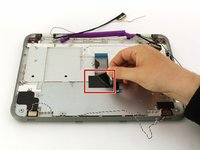
    • Peel back the black tape.

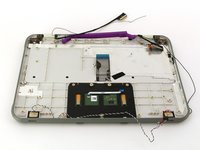
    • Using your fingers, carefully lift the metal plate out of the internal panel.

    FixBot'a Sor

    Yorum Ekle

  17. One Education Infinity Speakers Replacement: adım 17, 3 resimden 1. One Education Infinity Speakers Replacement: adım 17, 3 resimden 2. One Education Infinity Speakers Replacement: adım 17, 3 resimden 3.
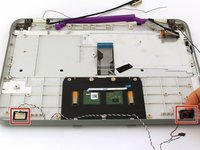
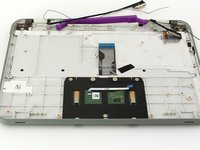
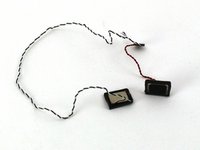
    • Using your fingers, carefully lift the two speakers out of the internal panel.

    FixBot'a Sor

    Yorum Ekle

Sonuç

To reassemble your device, follow these instructions in reverse order.

İptal et: Bu kılavuzu tamamlamadım.

Jacob Barnes

Üyelik tarihi: 10/10/19

193 İtibar

2 adet Kılavuz yazıldı

Ekip

Cal Poly, Team S11-G4, Regan Fall 2019 Cal Poly, Team S11-G4, Regan Fall 2019 üyesi

CPSU-REGAN-F19S11G4

3 Üyeler

4 adet Kılavuz yazıldı

0Kılavuz Yorumları

Yorum Ekle

İstatistikleri Görüntüle:

Son 24 Saat: 0

Son 7 gün: 5

Son 30 gün: 10

Her zaman: 394