Ana içeriğe geç
Onarım Topluluğuna Katılın - Hesap Oluşturun

Optoma HD20 Air Filter Replacement

Neye ihtiyacın var

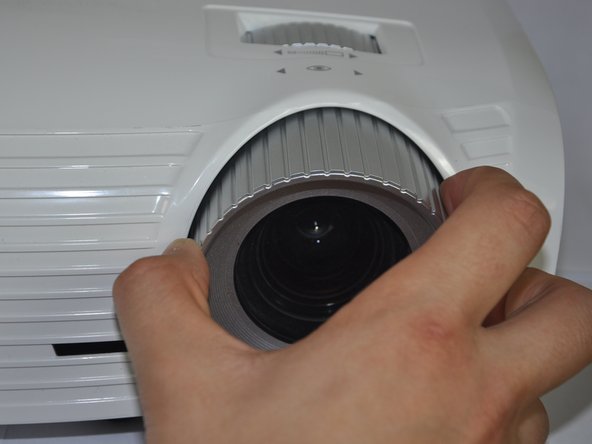
  1. Optoma HD20 Air Filter Replacement, Disassembling Optoma HD20 Cover: adım 1, 2 resimden 1. Optoma HD20 Air Filter Replacement, Disassembling Optoma HD20 Cover: adım 1, 2 resimden 2.
    • Twist the focal cap clockwise until it is fully extended.

    • Remove the focal cap by pulling it straight out.

  2. Optoma HD20 Air Filter Replacement: adım 2, 1 resimden 1.
    • Use a Phillips #1 screwdriver to remove the three 7.5mm screws on the bottom of the device.

  3. Optoma HD20 Air Filter Replacement: adım 3, 1 resimden 1.
    • Use a plastic opening tool to gently pry the top cover off of the device.

    • It is easier to pry off the cover from the back side just above the HDMI ports.

  4. Optoma HD20 Air Filter Replacement: adım 4, 1 resimden 1.
    • When removing the cover, be cautious of the ribbon connecting the top buttons to the main circuit board. The ribbon must be disconnected before proceeding.

    • Remove the ribbon by disconnecting it from the main circuit board.

    • Lift up the clip holding it down and pull the ribbon out.

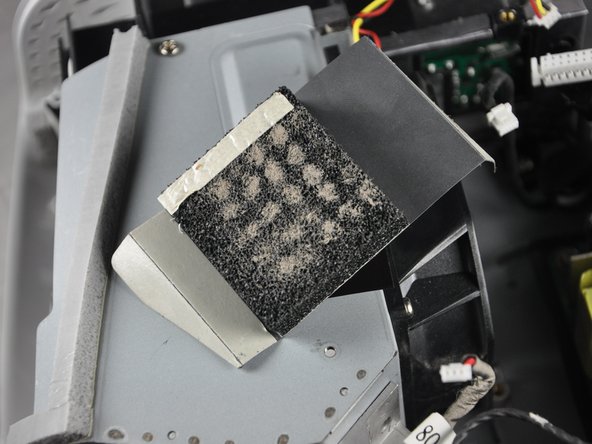
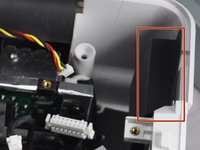
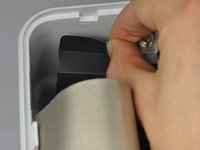
  5. Optoma HD20 Air Filter Replacement, Air Filter: adım 5, 3 resimden 1. Optoma HD20 Air Filter Replacement, Air Filter: adım 5, 3 resimden 2. Optoma HD20 Air Filter Replacement, Air Filter: adım 5, 3 resimden 3.
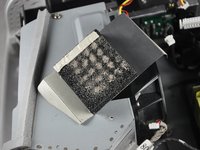
    • Carefully peel off each air filter from the device

    • Pull up on the air filter to remove it.

  6. Optoma HD20 Air Filter Replacement: adım 6, 1 resimden 1.
    • Remove the air filter from the device.

    • Try not to deposit dirt from the air filter into the inside of the device.

Sonuç

To reassemble your device, follow these instructions in reverse order.

2 farklı kişi bu kılavuzu tamamladı.

Trever

Üyelik tarihi: 01/22/15

1.282 İtibar

6 adet Kılavuz yazıldı

Ekip

Cal Poly, Team 21-23, Maness Winter 2015 Cal Poly, Team 21-23, Maness Winter 2015 üyesi

CPSU-MANESS-W15S21G23

4 Üyeler

6 adet Kılavuz yazıldı

1Rehber Yorum

There were no filters where the photos indicate.

Michael - Yanıt Paylaş

Yorum Ekle

İstatistikleri Görüntüle:

Son 24 Saat: 1

Son 7 gün: 16

Son 30 gün: 83

Her zaman: 13,218