Ana içeriğe geç
Onarım Topluluğuna Katılın - Hesap Oluşturun

P775DM3 RAM Replacement

Neye ihtiyacın var

    1. P775DM3 RAM Replacement, Battery: adım 1, 2 resimden 1. P775DM3 RAM Replacement, Battery: adım 1, 2 resimden 2.
      • Unlock the lock circled in red.

      FixBot'a Sor

      Yorum Ekle

    2. P775DM3 RAM Replacement: adım 2, 3 resimden 1. P775DM3 RAM Replacement: adım 2, 3 resimden 2. P775DM3 RAM Replacement: adım 2, 3 resimden 3.
      • Lift the battery while unlocking the lock circled in red.

      FixBot'a Sor

      Yorum Ekle

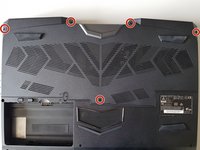
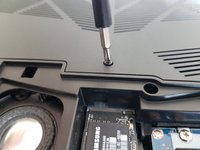
    1. P775DM3 RAM Replacement, Access to major components: adım 3, 2 resimden 1. P775DM3 RAM Replacement, Access to major components: adım 3, 2 resimden 2.
      • Unscrew the five screws circled in red.

      FixBot'a Sor

      Yorum Ekle

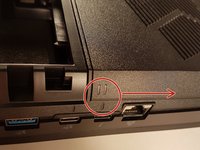
    2. P775DM3 RAM Replacement: adım 4, 2 resimden 1. P775DM3 RAM Replacement: adım 4, 2 resimden 2.
      • Slide the plate in the direction of the red arrow.

      FixBot'a Sor

      Yorum Ekle

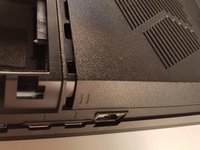
    3. P775DM3 RAM Replacement: adım 5, 2 resimden 1. P775DM3 RAM Replacement: adım 5, 2 resimden 2.
      • Lift the plate.

      FixBot'a Sor

      Yorum Ekle

    1. P775DM3 RAM Replacement, Keyboard: adım 6, 2 resimden 1. P775DM3 RAM Replacement, Keyboard: adım 6, 2 resimden 2.
      • Unscrew the two screws circled in red

      FixBot'a Sor

      Yorum Ekle

    2. P775DM3 RAM Replacement: adım 7, 3 resimden 1. P775DM3 RAM Replacement: adım 7, 3 resimden 2. P775DM3 RAM Replacement: adım 7, 3 resimden 3.
      • Press a paper clip in the three places marked in red

      • Lift the keyboard and feel free to put some strength

      FixBot'a Sor

      Yorum Ekle

    3. P775DM3 RAM Replacement: adım 8, 2 resimden 1. P775DM3 RAM Replacement: adım 8, 2 resimden 2.
      • Disconnect the three framed connectors in red

      FixBot'a Sor

      Yorum Ekle

    4. P775DM3 RAM Replacement: adım 9, 2 resimden 1. P775DM3 RAM Replacement: adım 9, 2 resimden 2.
      • Pull the white drawer in the direction of the arrow to unlock the connector

      • Disconnect the red circled connector

      FixBot'a Sor

      Yorum Ekle

    5. P775DM3 RAM Replacement: adım 10, 2 resimden 1. P775DM3 RAM Replacement: adım 10, 2 resimden 2.
      • Pull the black drawer in the direction of the arrow to unlock the connector

      • Disconnect the red circled connector

      FixBot'a Sor

      Yorum Ekle

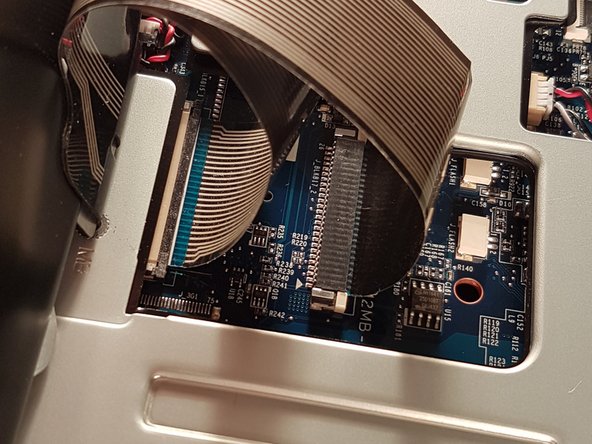
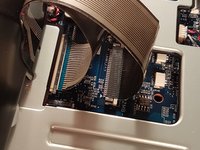
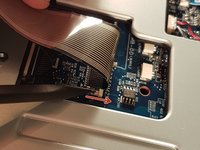
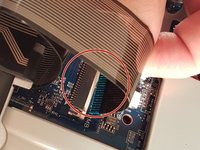
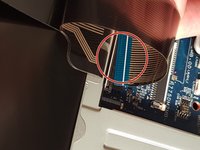
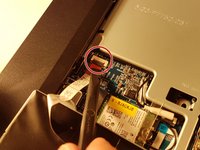
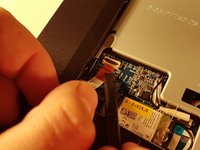
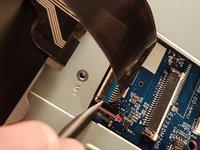
    6. P775DM3 RAM Replacement: adım 11, 3 resimden 1. P775DM3 RAM Replacement: adım 11, 3 resimden 2. P775DM3 RAM Replacement: adım 11, 3 resimden 3.
      • Lift the flap that holds the connector circled in red

      • Disconnect the red circled connector

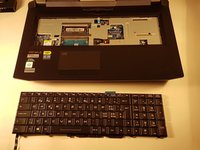
      • Remove the keyboard

      FixBot'a Sor

      Yorum Ekle

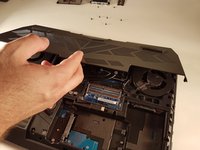
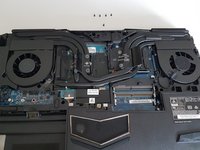
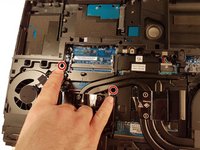
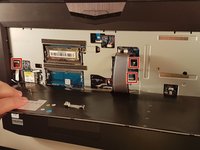
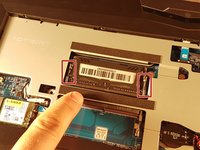
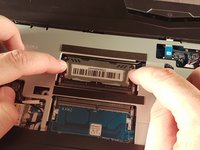
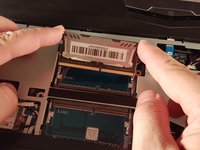
    1. P775DM3 RAM Replacement, RAM: adım 12, 3 resimden 1. P775DM3 RAM Replacement, RAM: adım 12, 3 resimden 2. P775DM3 RAM Replacement, RAM: adım 12, 3 resimden 3.
      • Spread the two clips in red.

      • Remove the RAM card.

      FixBot'a Sor

      Yorum Ekle

Sonuç

To reassemble your device, follow these instructions in reverse order.
İptal et: Bu kılavuzu tamamlamadım.

Bu çevirmenlere özel teşekkürler:

fr en

100%

Bu çevirmenler dünyayı onarmamıza yardım ediyor! Katkıda bulunmak ister misiniz?
Çeviriye Başlayın ›

Felice Suglia

Üyelik tarihi: 06/15/13

33.634 İtibar

283 adet Kılavuz yazıldı

0Kılavuz Yorumları

Yorum Ekle

İstatistikleri Görüntüle:

Son 24 Saat: 0

Son 7 gün: 8

Son 30 gün: 28

Her zaman: 661