Ana içeriğe geç

PXN Arcade Stick Button Replacement

Neye ihtiyacın var

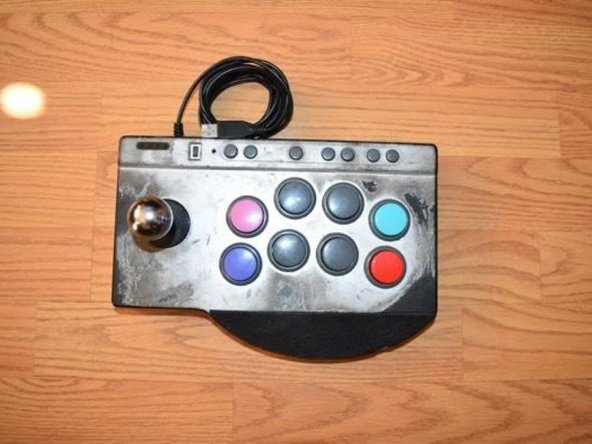
  1. PXN Arcade Stick Button Replacement, Buttons: adım 1, 1 resimden 1.
    • Place the PXN Arcade Stick on a flat surface.

  2. PXN Arcade Stick Button Replacement: adım 2, 1 resimden 1.
    • Turn the controller upside down.

    • Remove the four screws from the bottom of the device.

  3. PXN Arcade Stick Button Replacement: adım 3, 1 resimden 1.
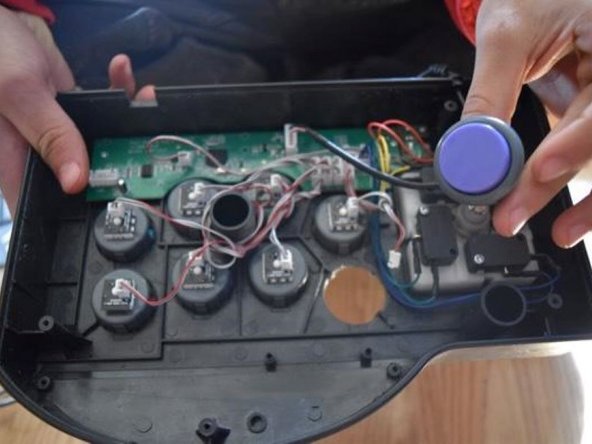
    • Set the back cover aside, being cautious of the cable connected to the motherboard.

    • Unplug the controller converter plug.

  4. PXN Arcade Stick Button Replacement: adım 4, 1 resimden 1.
    • Unplug the button you wish to replace.

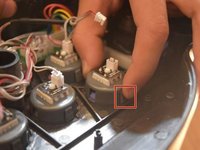
  5. PXN Arcade Stick Button Replacement: adım 5, 2 resimden 1. PXN Arcade Stick Button Replacement: adım 5, 2 resimden 2.
    • Push in and down on the button components.

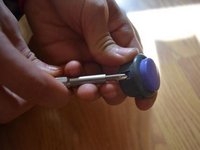
  6. PXN Arcade Stick Button Replacement: adım 6, 2 resimden 1. PXN Arcade Stick Button Replacement: adım 6, 2 resimden 2.
    • Use a spudger to push in and up on the button housing.

  7. PXN Arcade Stick Button Replacement: adım 7, 1 resimden 1.
    • Line up the replacement button with the socket and push down.

  8. PXN Arcade Stick Button Replacement: adım 8, 1 resimden 1.
    • Push the new button down into the back case of the controller.

Sonuç

To reassemble your device, follow these instructions in reverse order.

Derek Rosales

Üyelik tarihi: 10/21/24

157 İtibar

1 Kılavuz yazıldı

Ekip

CSU Los Angeles, Team 3-7, Harris Fall 2024 CSU Los Angeles, Team 3-7, Harris Fall 2024 üyesi

CSULA-HARRIS-F24S3G7

1 Üye

2 adet Kılavuz yazıldı

0Kılavuz Yorumları

Yorum Ekle

İstatistikleri Görüntüle:

Son 24 Saat: 13

Son 7 gün: 73

Son 30 gün: 303

Her zaman: 2,213