Ana içeriğe geç
Onarım Topluluğuna Katılın - Hesap Oluşturun

Panasonic DMC-FZ70 Motherboard Replacement

Neye ihtiyacın var

    1. Panasonic DMC-FZ70 Motherboard Replacement, Back Panel: adım 1, 2 resimden 1. Panasonic DMC-FZ70 Motherboard Replacement, Back Panel: adım 1, 2 resimden 2.
      • All screws should be removed using a Phillips #0 screwdriver.

      • Using your screwdriver, unscrew the two 5.0 mm Philips screws to the right of the LCD screen.

      FixBot'a Sor

      Yorum Ekle

    2. Panasonic DMC-FZ70 Motherboard Replacement: adım 2, 2 resimden 1. Panasonic DMC-FZ70 Motherboard Replacement: adım 2, 2 resimden 2.
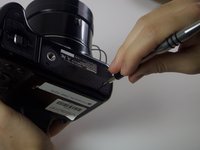
      • Flip the camera over to the left side of the screen and unscrew the 5mm Phillips screw found there.

      FixBot'a Sor

      Yorum Ekle

    3. Panasonic DMC-FZ70 Motherboard Replacement: adım 3, 2 resimden 1. Panasonic DMC-FZ70 Motherboard Replacement: adım 3, 2 resimden 2.
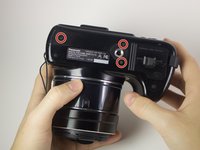
      • Turn the camera upside down and unscrew the three 5mm screws found on the bottom.

      FixBot'a Sor

      Yorum Ekle

    4. Panasonic DMC-FZ70 Motherboard Replacement: adım 4, 2 resimden 1. Panasonic DMC-FZ70 Motherboard Replacement: adım 4, 2 resimden 2.
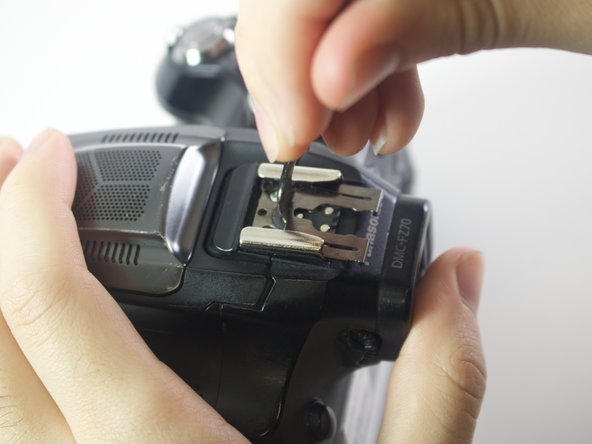
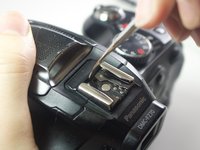
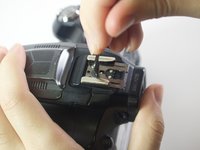
      • On the top of the camera locate the two rails with a thin sheet of metal on the floor between them.

      • With a metal spudger, lift this sheet and push it out of the rail device to detach it from the camera.

      FixBot'a Sor

      Yorum Ekle

    5. Panasonic DMC-FZ70 Motherboard Replacement: adım 5, 1 resimden 1.
      • Proceed to remove the four 5mm Phillips screws that you just uncovered.

      FixBot'a Sor

      Yorum Ekle

    6. Panasonic DMC-FZ70 Motherboard Replacement: adım 6, 1 resimden 1.
      • Slowly pull on both side of the camera, until both halves begin to separate from each other.

      • Do not pull too hard, as both halves are held together with ZIF connector cables.

      FixBot'a Sor

      Yorum Ekle

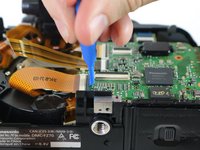
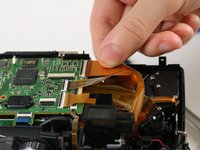
    7. Panasonic DMC-FZ70 Motherboard Replacement: adım 7, 3 resimden 1. Panasonic DMC-FZ70 Motherboard Replacement: adım 7, 3 resimden 2. Panasonic DMC-FZ70 Motherboard Replacement: adım 7, 3 resimden 3.
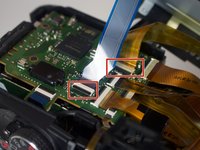
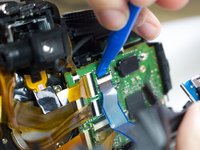
      • Using a plastic opening tool, carefully flip up the small black levers that attach the ribbon cables to the ZIF connectors on the motherboard.

      • Carefully pull the ribbon cables out of the slot once they have been released.

      • Only the two indicated connectors need to be removed to separate the two halves of the camera.

      FixBot'a Sor

      Yorum Ekle

    1. Panasonic DMC-FZ70 Motherboard Replacement, Motherboard: adım 8, 1 resimden 1.
      • Using a Torx driver, unscrew the two 5mm Phillipd screws on the motherboard

      FixBot'a Sor

      Yorum Ekle

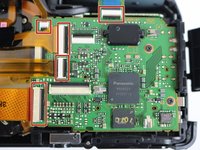
    2. Panasonic DMC-FZ70 Motherboard Replacement: adım 9, 3 resimden 1. Panasonic DMC-FZ70 Motherboard Replacement: adım 9, 3 resimden 2. Panasonic DMC-FZ70 Motherboard Replacement: adım 9, 3 resimden 3.
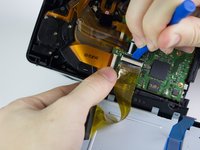
      • The five ribbon cables shown will need to be removed from the ZIF connectors. Using a plastic opening tool, unlock the cables by lifting the black strip on the rectangular connection socket.

      • Carefully pull each of the ribbon cables out of their sockets.

      • The cable should slide out smoothly- any significant resistance might signal that the locking lever has not yet released the cable.

      FixBot'a Sor

      Yorum Ekle

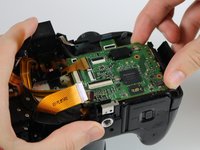
    3. Panasonic DMC-FZ70 Motherboard Replacement: adım 10, 2 resimden 1. Panasonic DMC-FZ70 Motherboard Replacement: adım 10, 2 resimden 2.
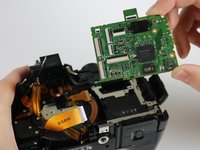
      • Once the screws and the ribbon cables have been removed, lift the mother board from its slot.

      FixBot'a Sor

      Yorum Ekle

Sonuç

To reassemble your device, follow these instructions in reverse order.

İptal et: Bu kılavuzu tamamlamadım.

3 farklı kişi bu kılavuzu tamamladı.

Emily Kuzmicky

Üyelik tarihi: 01/24/17

469 İtibar

2 adet Kılavuz yazıldı

Ekip

Cal Poly, Team 21-3, Maness Winter 2017 Cal Poly, Team 21-3, Maness Winter 2017 üyesi

CPSU-MANESS-W17S21G3

6 Üyeler

48 adet Kılavuz yazıldı

0Kılavuz Yorumları

Yorum Ekle

İstatistikleri Görüntüle:

Son 24 Saat: 0

Son 7 gün: 7

Son 30 gün: 41

Her zaman: 2,425