Bu çeviri bir makine tarafından oluşturulmuştur ve henüz bir kişi tarafından incelenmemiştir. Bu dili konuşuyor musunuz? İnceleme için.
Giriş
Bu kılavuz, Panasonic ES-RF31 cihazınızın pilini nasıl değiştireceğinizi gösterir. Daha fazla teknik özelliği burada bulabilirsiniz: http://www.panasonic.com/de/consumer/koe...
Neye ihtiyacın var
-
-
-
-
Bir açma aletini boşluğa yerleştirin
-
Batarya kapağını nazikçe çıkarın
-


 FixBot'a Sor


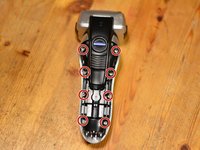
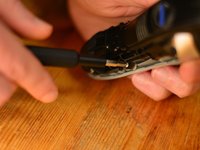


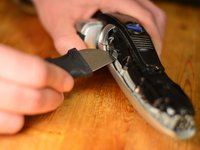
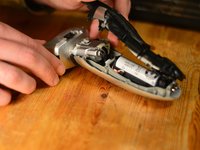


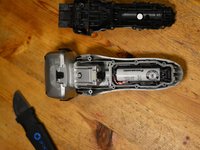
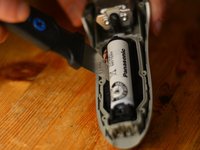
Cihazınızı yeniden toplamak için bu talimatları ters sırada uygulayın.
İptal et: Bu kılavuzu tamamlamadım.
9 farklı kişi bu kılavuzu tamamladı.

Ekip

5Kılavuz Yorumları
Thanks Daniel,
I followed your instructions and all went well. One thing to add: after re-assembly of the (loaded) battery my razor would not turn on. At first I thought of a bad contact, but it turned out that the razor needed a few minutes plugged into the power supply. After that it worked fine. I suspect, that the load-control hardware needs the external power to reset itself.
Cheers, Nils
Daniel, thank you very much for instruction.
Unfortunetly, into shaver I found only 1 battery.
Because used 3.7 v element, I prepared 2 x 1.2 v batteries.
My razor was the Panasonic ES8103S and the disassembly process was similar. From the pictures above, the battery looks the same. My razor actually had a piece under the slide-off cover that was totally rusted so I will just buy a new one on Amazon for $50. For future reference, I would like to know where you get the replacement battery? There is no model number on the battery and I couldn’t find any info online.
