Ana içeriğe geç
Onarım Topluluğuna Katılın - Hesap Oluşturun

Poin2 Chromebook 11 Touchpad Replacement

Neye ihtiyacın var

    1. Poin2 Chromebook 11 Touchpad Replacement, Battery: adım 1, 2 resimden 1. Poin2 Chromebook 11 Touchpad Replacement, Battery: adım 1, 2 resimden 2.
      • Power down the Poin2 Chromebook 11 and disconnect the power adapter.

      • Close the Chromebook and position it with the base facing up.

      • Use a #0 Phillips screwdriver to unscrew the ten 7mm screws that hold the base to the rest of the frame

      • Poin2 Chromebook 11 does not have screws under its rubber feet at the base.

      FixBot'a Sor

      Yorum Ekle

    2. Poin2 Chromebook 11 Touchpad Replacement: adım 2, 3 resimden 1. Poin2 Chromebook 11 Touchpad Replacement: adım 2, 3 resimden 2. Poin2 Chromebook 11 Touchpad Replacement: adım 2, 3 resimden 3.
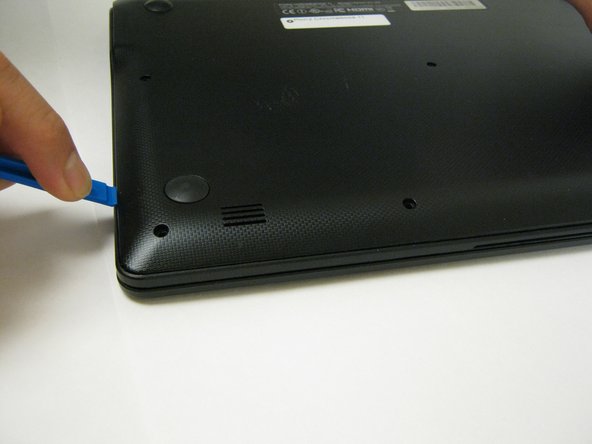
      • Insert a 1cm-wide plastic opening tool between the base and top frame.

      • Applying pressure up and down with the tool may be necessary. When you hear a "click," this indicates the separation of the frame.

      • Pry (up and down) around the entire border of the Chromebook to separate.

      • Use your hands to gently lift the base away from the frame.

      FixBot'a Sor

      Yorum Ekle

    3. Poin2 Chromebook 11 Touchpad Replacement: adım 3, 3 resimden 1. Poin2 Chromebook 11 Touchpad Replacement: adım 3, 3 resimden 2. Poin2 Chromebook 11 Touchpad Replacement: adım 3, 3 resimden 3.
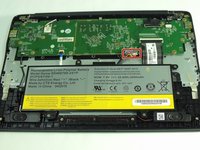
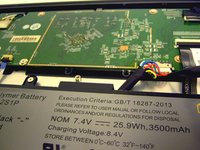
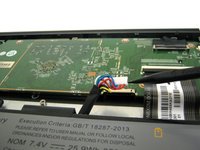
      • Disconnect the white 8-wire battery connector from the motherboard using a spudger to push the two L-shaped clips out of the port.

      • The connector is a tight fit and requires careful pressure for release.

      FixBot'a Sor

      Yorum Ekle

    4. Poin2 Chromebook 11 Touchpad Replacement: adım 4, 2 resimden 1. Poin2 Chromebook 11 Touchpad Replacement: adım 4, 2 resimden 2.
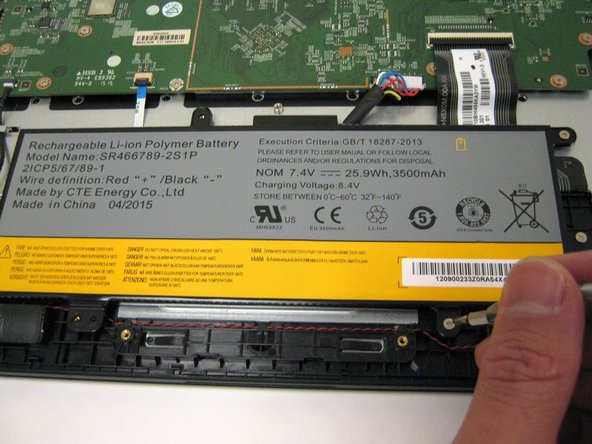
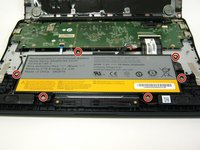
      • Remove the six 4mm screws using a Phillips #0 screwdriver.

      FixBot'a Sor

      Yorum Ekle

    5. Poin2 Chromebook 11 Touchpad Replacement: adım 5, 1 resimden 1.
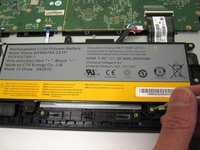
      • Lift the battery from the frame.

      FixBot'a Sor

      Yorum Ekle

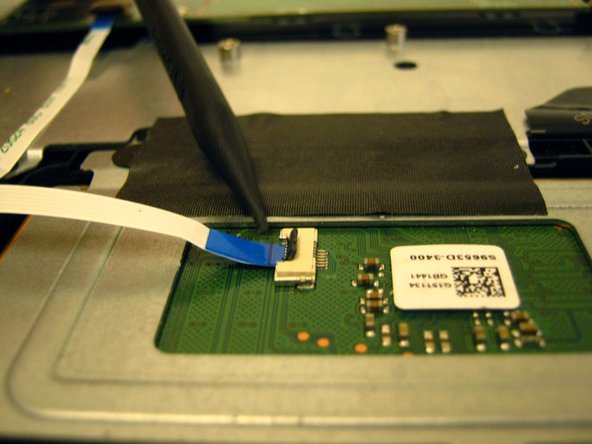
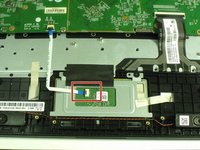
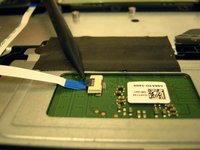
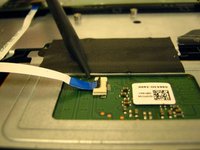
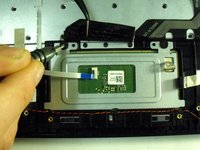
    1. Poin2 Chromebook 11 Touchpad Replacement, Touchpad: adım 6, 3 resimden 1. Poin2 Chromebook 11 Touchpad Replacement, Touchpad: adım 6, 3 resimden 2. Poin2 Chromebook 11 Touchpad Replacement, Touchpad: adım 6, 3 resimden 3.
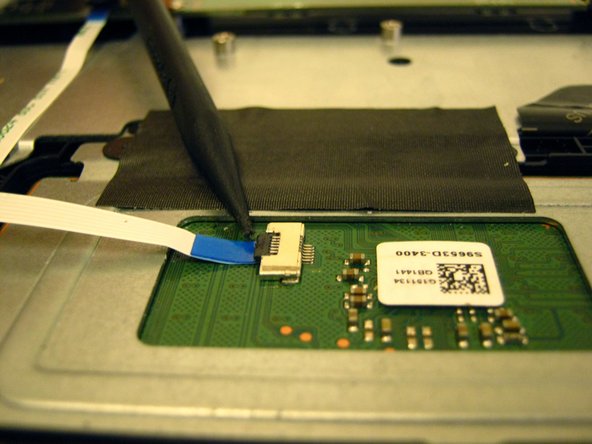
      • Locate the ZIF connector on the touchpad's circuit board.

      • Use the tip of the spudger to flip the locking flap to the perpendicular position and pull the cable out.

      • See also the Connectors Guide for detailed instructions, as well as iFixit's cable connectors guide.

      FixBot'a Sor

      Yorum Ekle

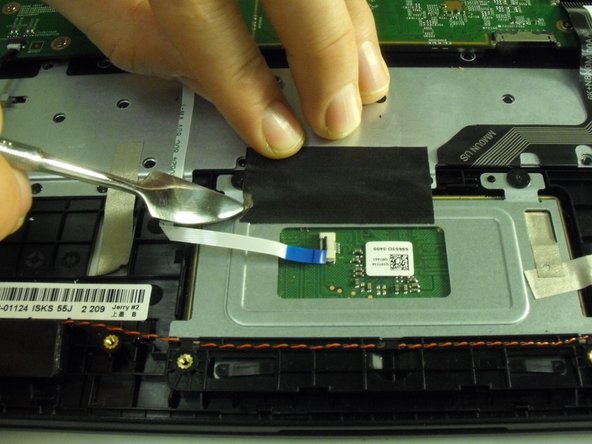
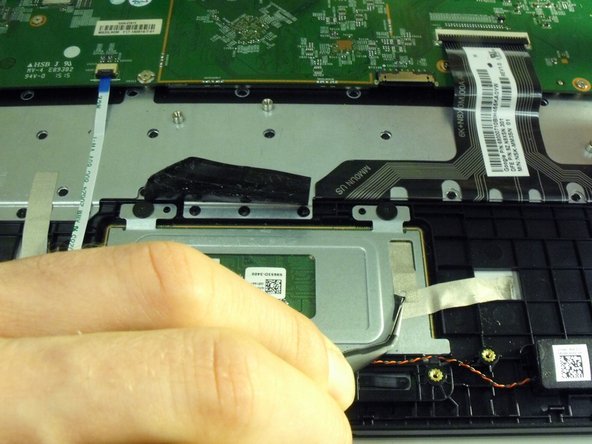
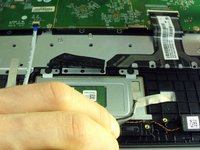
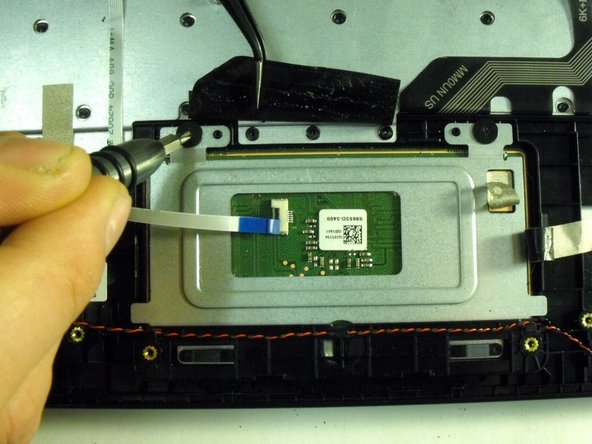
    2. Poin2 Chromebook 11 Touchpad Replacement: adım 7, 3 resimden 1. Poin2 Chromebook 11 Touchpad Replacement: adım 7, 3 resimden 2. Poin2 Chromebook 11 Touchpad Replacement: adım 7, 3 resimden 3.
      Bu adımda kullanılan alet:
      Tweezers
      $4.99
      • Remove the black tape holding down the touchpad.

      • Remove the strips of gold electrostatic tape also holding down the touchpad.

      • Use a metal spudger or tweezers to help pry up the corners of the tape, but be careful not to use to much force or risk damaging the heat sink.

      • Applying new tape is suggested, but the tape can be re-used.

      FixBot'a Sor

      Yorum Ekle

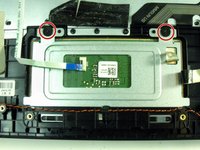
    3. Poin2 Chromebook 11 Touchpad Replacement: adım 8, 2 resimden 1. Poin2 Chromebook 11 Touchpad Replacement: adım 8, 2 resimden 2.
      • Use a Phillips #00 screwdriver to remove the two 2 mm screws securing the metal plate that holds the touchpad in place

      FixBot'a Sor

      Yorum Ekle

    4. Poin2 Chromebook 11 Touchpad Replacement: adım 9, 1 resimden 1.
      • Slide the touchpad plate in the direction of the screw holes to free the plates bottom edge from under the plastic frame.

      FixBot'a Sor

      Yorum Ekle

    5. Poin2 Chromebook 11 Touchpad Replacement: adım 10, 1 resimden 1.
      • Remove touchpad from the opposite side of the metal plate.

      FixBot'a Sor

      Yorum Ekle

Sonuç

To reassemble your device, follow these instructions in reverse order.

İptal et: Bu kılavuzu tamamlamadım.

0Kılavuz Yorumları

Yorum Ekle

İstatistikleri Görüntüle:

Son 24 Saat: 0

Son 7 gün: 7

Son 30 gün: 30

Her zaman: 570