Ana içeriğe geç
Onarım Topluluğuna Katılın - Hesap Oluşturun

Power Mac G5 RAM Replacement

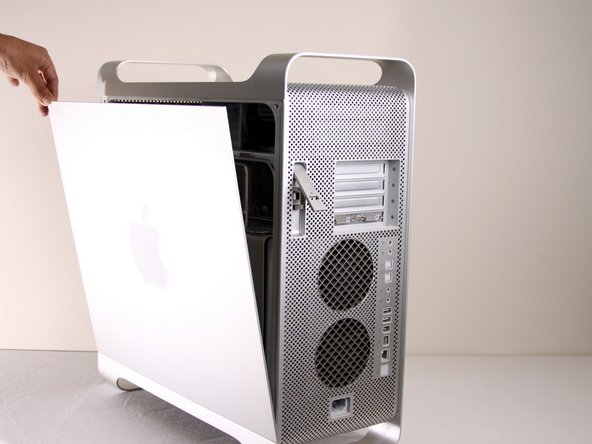
  1. Power Mac G5 RAM Replacement, Side Panel: adım 1, 1 resimden 1.
    • To avoid electrocution, shut down the computer. Do not open the computer or attempt to install any items inside it while the computer is on.

    • To avoid being burned, wait at least 10 minutes to allow the computer's internal components to cool.

    FixBot'a Sor

    Yorum Ekle

  2. Power Mac G5 RAM Replacement: adım 2, 1 resimden 1.
    • Remove all the cables, including the power cables before opening the unit.

    FixBot'a Sor

    Yorum Ekle

  3. Power Mac G5 RAM Replacement: adım 3, 2 resimden 1. Power Mac G5 RAM Replacement: adım 3, 2 resimden 2.
    • Lift the tab to unlock the side panel.

    • The panel should fall out. If the panel does not fall out by itself pull a little from the edges.

    FixBot'a Sor

    Yorum Ekle

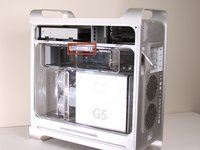
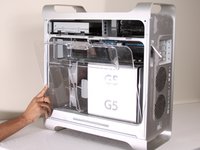
  4. Power Mac G5 RAM Replacement: adım 4, 3 resimden 1. Power Mac G5 RAM Replacement: adım 4, 3 resimden 2. Power Mac G5 RAM Replacement: adım 4, 3 resimden 3.
    • Remove the air deflector (the clear plastic cover) by pulling on the handle.

    FixBot'a Sor

    Yorum Ekle

  5. Power Mac G5 RAM Replacement, Front Fan Assembly: adım 5, 1 resimden 1.
    • Locate the front fan assembly.

    FixBot'a Sor

    Yorum Ekle

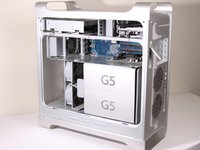
  6. Power Mac G5 RAM Replacement: adım 6, 1 resimden 1.
    • Pull the fan assembly out; it should slide out easily.

    FixBot'a Sor

    Yorum Ekle

  7. Power Mac G5 RAM Replacement, RAM: adım 7, 1 resimden 1.
    • Locate the RAM on the Power Mac G5.

    FixBot'a Sor

    Yorum Ekle

  8. Power Mac G5 RAM Replacement: adım 8, 3 resimden 1. Power Mac G5 RAM Replacement: adım 8, 3 resimden 2. Power Mac G5 RAM Replacement: adım 8, 3 resimden 3.
    • Use your thumbs to push the RAM ejector pins to the sides.

    • The RAM module should pop up slightly.

    FixBot'a Sor

    Yorum Ekle

  9. Power Mac G5 RAM Replacement: adım 9, 1 resimden 1.
    • Remove the RAM module from the DIMM slot.

    • The RAM modules must be installed in pairs, with one module per bank (top and bottom).

    • When reinstalling the RAM, make sure to note the notch on the DIMM slot. This notch needs to line up with the corresponding gap on the RAM module.

    FixBot'a Sor

    Yorum Ekle

Sonuç

To reassemble your device, follow these instructions in reverse order.

İptal et: Bu kılavuzu tamamlamadım.

61 farklı kişi bu kılavuzu tamamladı.

Salvador Aguilar

Üyelik tarihi: 01/21/10

2.550 İtibar

3 adet Kılavuz yazıldı

Ekip

Cal Poly, Team 5-8, Forte Winter 2010 Cal Poly, Team 5-8, Forte Winter 2010 üyesi

CPSU-FORTE-W10S5G8

7 Üyeler

30 adet Kılavuz yazıldı

2Kılavuz Yorumları

Major thing to note, you must install RAM in pairs. You can't just install one card on the top and not one on the bottom. Pairs start from the center and move outwards.

Red Rabbit 90 - Yanıt Paylaş

Very helpful

Kaiden Young - Yanıt Paylaş

Yorum Ekle

İstatistikleri Görüntüle:

Son 24 Saat: 4

Son 7 gün: 20

Son 30 gün: 121

Her zaman: 42,389