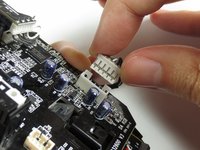
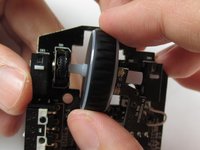
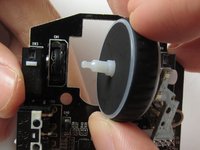
Ana içeriğe geç
Onarım Topluluğuna Katılın - Hesap Oluşturun

Razer DeathAdder Chroma Scroll Wheel Replacement

Neye ihtiyacın var

  1. Razer DeathAdder Chroma Scroll Wheel Replacement, Outer Casing: adım 1, 1 resimden 1.
    • Opening the mouse casing will void any warranty that exists for the mouse.

    • Turn the mouse over so the bottom is facing up.

    FixBot'a Sor
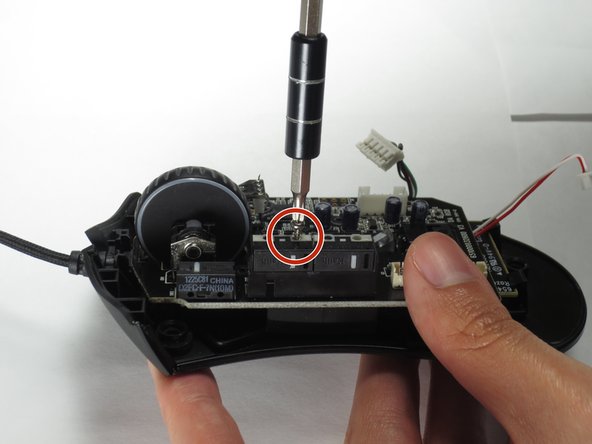
  2. Razer DeathAdder Chroma Scroll Wheel Replacement: adım 2, 2 resimden 1. Razer DeathAdder Chroma Scroll Wheel Replacement: adım 2, 2 resimden 2.
    • Use the blunt end of the spudger to pry the adhesive rubber pads from the top left and right edges.

    FixBot'a Sor
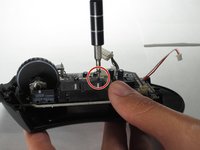
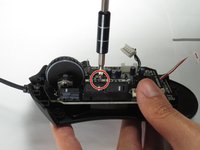
  3. Razer DeathAdder Chroma Scroll Wheel Replacement: adım 3, 2 resimden 1. Razer DeathAdder Chroma Scroll Wheel Replacement: adım 3, 2 resimden 2.
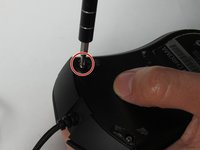
    • Use a Phillips #0 screwdriver to remove two 6.7 mm screws.

    FixBot'a Sor
  4. Razer DeathAdder Chroma Scroll Wheel Replacement: adım 4, 1 resimden 1.
    • Use your fingers to identify the location of the screw under the bottom label.

    FixBot'a Sor
  5. Razer DeathAdder Chroma Scroll Wheel Replacement: adım 5, 1 resimden 1.
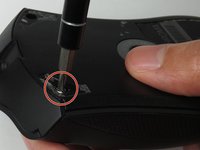
    • Use a Phillips #0 screwdriver to remove one 6.7 mm screw.

    • Clear the label away from around the screw for easier removal.

    FixBot'a Sor
  6. Razer DeathAdder Chroma Scroll Wheel Replacement: adım 6, 3 resimden 1. Razer DeathAdder Chroma Scroll Wheel Replacement: adım 6, 3 resimden 2. Razer DeathAdder Chroma Scroll Wheel Replacement: adım 6, 3 resimden 3.
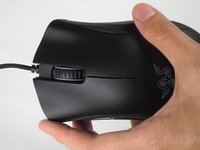
    • Turn the mouse over so the bottom is facing down.

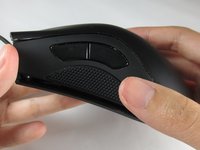
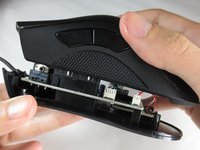
    • Separate the top casing from the bottom base by pulling the top casing upwards.

    • Separating the casing too quickly could damage the ribbon connector between the motherboard and the LED lights.

    FixBot'a Sor
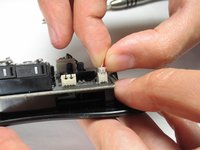
  7. Razer DeathAdder Chroma Scroll Wheel Replacement: adım 7, 2 resimden 1. Razer DeathAdder Chroma Scroll Wheel Replacement: adım 7, 2 resimden 2.
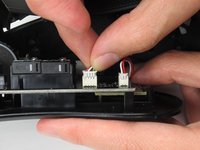
    • Disconnect the ribbon connector between the motherboard and the LED lights by pulling upward.

    • Pulling too hard could damage the wire connections.

    FixBot'a Sor
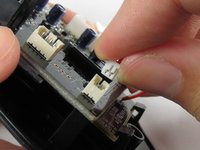
  8. Razer DeathAdder Chroma Scroll Wheel Replacement, Motherboard: adım 8, 2 resimden 1. Razer DeathAdder Chroma Scroll Wheel Replacement, Motherboard: adım 8, 2 resimden 2.
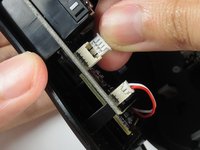
    • Disconnect the ribbon connector between the motherboard and the USB cable by pulling upward.

    FixBot'a Sor
  9. Razer DeathAdder Chroma Scroll Wheel Replacement: adım 9, 1 resimden 1.
    • Use a Phillips #0 screwdriver to remove three 5.5 mm screws.

    FixBot'a Sor
  10. Razer DeathAdder Chroma Scroll Wheel Replacement: adım 10, 2 resimden 1. Razer DeathAdder Chroma Scroll Wheel Replacement: adım 10, 2 resimden 2.
    • Use a Phillips #0 screwdriver to remove two 11.5 mm screws on the side buttons.

    FixBot'a Sor
  11. Razer DeathAdder Chroma Scroll Wheel Replacement: adım 11, 1 resimden 1.
    • Use a Phillips #000 screwdriver to remove one 5.0 mm screw.

    FixBot'a Sor
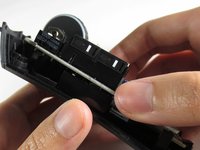
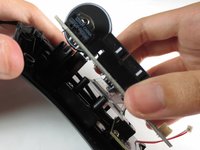
  12. Razer DeathAdder Chroma Scroll Wheel Replacement: adım 12, 2 resimden 1. Razer DeathAdder Chroma Scroll Wheel Replacement: adım 12, 2 resimden 2.
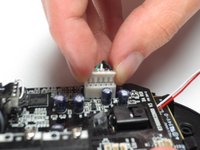
    • Disconnect the ribbon connector between the motherboard and the optical sensor.
    FixBot'a Sor
  13. Razer DeathAdder Chroma Scroll Wheel Replacement: adım 13, 2 resimden 1. Razer DeathAdder Chroma Scroll Wheel Replacement: adım 13, 2 resimden 2.
    • Remove the motherboard by grasping the sides and gently pulling upward.

    FixBot'a Sor
  14. Razer DeathAdder Chroma Scroll Wheel Replacement, Scroll Wheel: adım 14, 2 resimden 1. Razer DeathAdder Chroma Scroll Wheel Replacement, Scroll Wheel: adım 14, 2 resimden 2.
    • Remove the scroll wheel from the socket by pulling to the right.

    • Pulling too hard could damage the scroll wheel connector.

    FixBot'a Sor
Sonuç

To reassemble your device, follow these instructions in reverse order.

11 farklı kişi bu kılavuzu tamamladı.

Corrie Tung

Üyelik tarihi: 03/24/17

711 İtibar

2 adet Kılavuz yazıldı

Ekip

Baylor, Team S5-G2, Williams Spring 2017 Baylor, Team S5-G2, Williams Spring 2017 üyesi

BU-WILLIAMS-S17S5G2

3 Üyeler

6 adet Kılavuz yazıldı

0Kılavuz Yorumları

Yorum Ekle

İstatistikleri Görüntüle:

Son 24 Saat: 4

Son 7 gün: 17

Son 30 gün: 101

Her zaman: 21,026