Ana içeriğe geç
Onarım Topluluğuna Katılın - Hesap Oluşturun

Razer Huntsman Tournament Edition Key Switch Replacement

Neye ihtiyacın var

  1. Razer Huntsman Tournament Edition Key Switch Replacement, Keycaps: adım 1, 1 resimden 1.
    • Place the unplugged keyboard on a flat, clean surface appropriate for working on.

    FixBot'a Sor

    Yorum Ekle

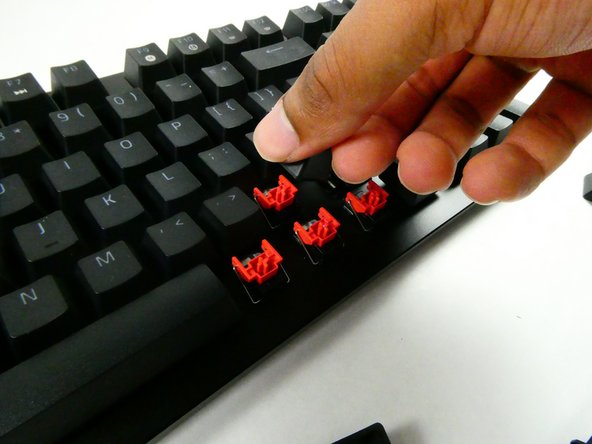
  2. Razer Huntsman Tournament Edition Key Switch Replacement: adım 2, 2 resimden 1. Razer Huntsman Tournament Edition Key Switch Replacement: adım 2, 2 resimden 2.
    • Grip the keycap with your keycap puller.

    • You can remove keycaps with your fingers if you don’t have a puller, but the adjacent keycaps must be removed first for sufficient grip.

    FixBot'a Sor

    Yorum Ekle

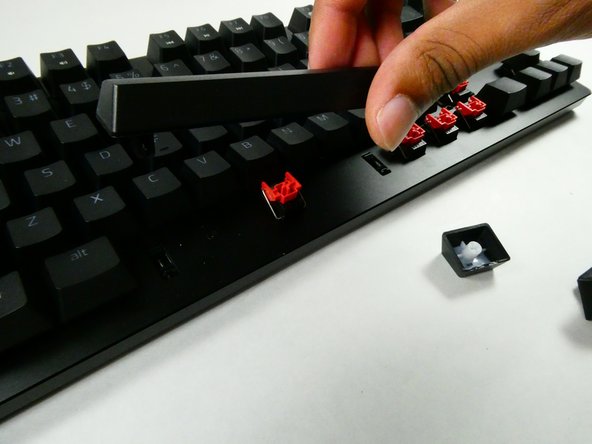
  3. Razer Huntsman Tournament Edition Key Switch Replacement: adım 3, 3 resimden 1. Razer Huntsman Tournament Edition Key Switch Replacement: adım 3, 3 resimden 2. Razer Huntsman Tournament Edition Key Switch Replacement: adım 3, 3 resimden 3.
    • Pull with an upwards force to remove the keycap.

    • Take a moment to clean the area that was previously obscured if it’s dirty.

    • Use gentle force so as not to damage the stabilizers.

    FixBot'a Sor

    Yorum Ekle

  4. Razer Huntsman Tournament Edition Key Switch Replacement, Chassis: adım 4, 1 resimden 1.
    • Remove all of the keycaps with a keycap puller.

    FixBot'a Sor

    Yorum Ekle

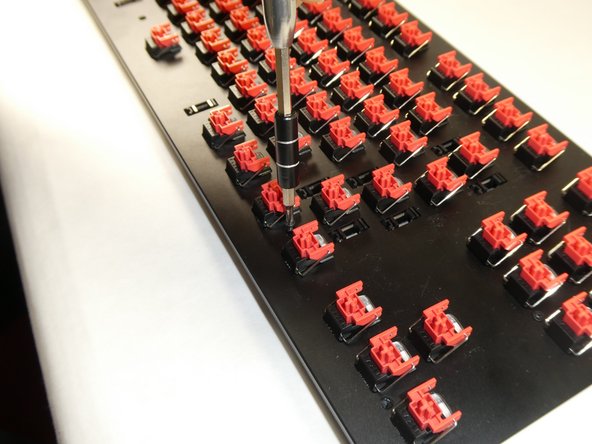
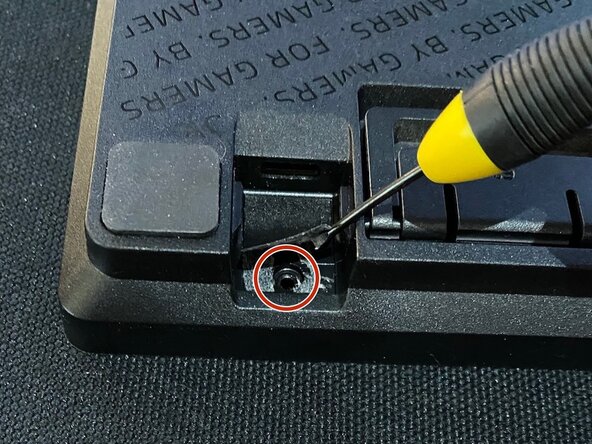
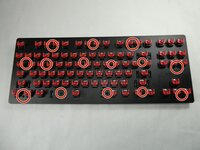
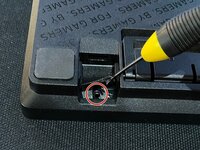
  5. Razer Huntsman Tournament Edition Key Switch Replacement: adım 5, 3 resimden 1. Razer Huntsman Tournament Edition Key Switch Replacement: adım 5, 3 resimden 2. Razer Huntsman Tournament Edition Key Switch Replacement: adım 5, 3 resimden 3.
    • Unscrew the thirteen 6.5 mm screws, using the Phillips #0 screwdriver, that are located in the front panel.

    • Screw placement and quantity may vary per unit.

    • If you have removed all screws and the front panel cannot be removed, there may be an additional screw near the USB port, below the sticker. (See third photo)

    FixBot'a Sor

    Yorum Ekle

  6. Razer Huntsman Tournament Edition Key Switch Replacement: adım 6, 1 resimden 1.
    • Use an opening tool to pry open the chassis.

    • Be careful not to use excessive force during this step so the plastic doesn't warp or break.

    FixBot'a Sor

    Yorum Ekle

  7. Razer Huntsman Tournament Edition Key Switch Replacement: adım 7, 1 resimden 1.
    • Gently lift the front panel off.

    • The front panel should be connected to the USB board. Do not tug the panel off as this may damage other parts.

    FixBot'a Sor

    Yorum Ekle

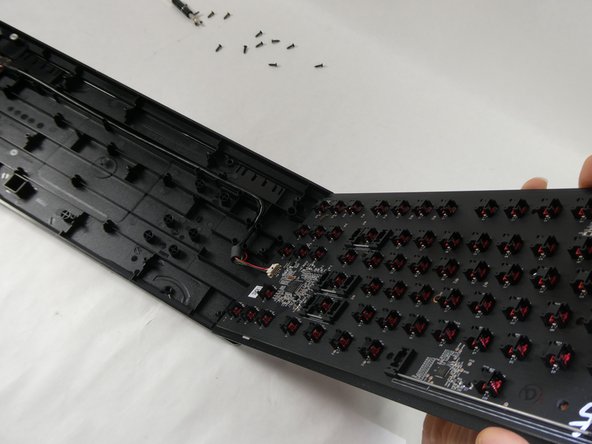
  8. Razer Huntsman Tournament Edition Key Switch Replacement: adım 8, 1 resimden 1.
    • Disconnect the internal cable.

    FixBot'a Sor

    Yorum Ekle

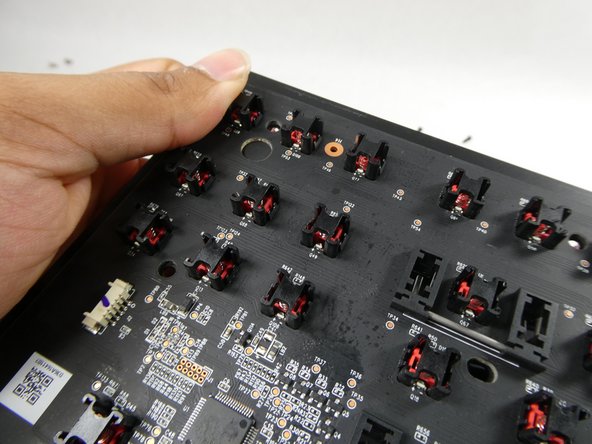
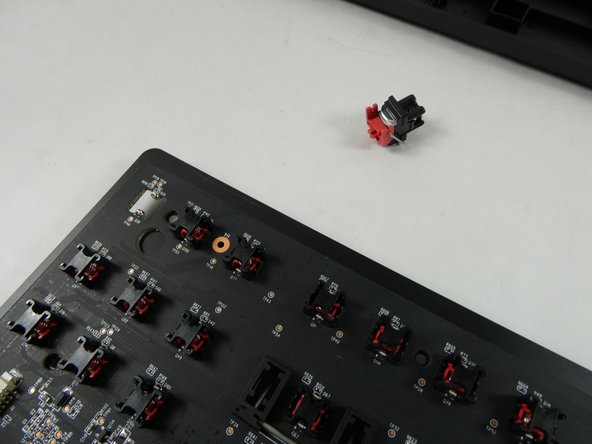
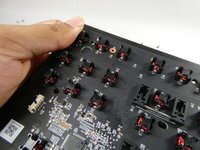
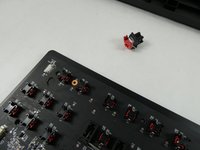
  9. Razer Huntsman Tournament Edition Key Switch Replacement, Key Switch: adım 9, 2 resimden 1. Razer Huntsman Tournament Edition Key Switch Replacement, Key Switch: adım 9, 2 resimden 2.
    • Gently push the key switch off of the mainboard with your thumb.

    FixBot'a Sor

    Yorum Ekle

Sonuç

To reassemble your device, follow these instructions in reverse order.

İptal et: Bu kılavuzu tamamlamadım.

2 farklı kişi bu kılavuzu tamamladı.

Joseph O'Dowd

Üyelik tarihi: 10/25/22

419 İtibar

3 adet Kılavuz yazıldı

Ekip

UMass Dartmouth, Team 4-3, Sinclaire Fall 2022 UMass Dartmouth, Team 4-3, Sinclaire Fall 2022 üyesi

UMASSD-SINCLAIRE-F22S4G3

5 Üyeler

7 adet Kılavuz yazıldı

0Kılavuz Yorumları

Yorum Ekle

İstatistikleri Görüntüle:

Son 24 Saat: 3

Son 7 gün: 13

Son 30 gün: 63

Her zaman: 2,792