Bu çeviri bir makine tarafından oluşturulmuştur ve henüz bir kişi tarafından incelenmemiştir. Bu dili konuşuyor musunuz? İnceleme için.

Minolta X-370 Alt Kapağını Çıkarma

Nick ve 4 diğer katkıda bulunanlar
En son 16 Ağu 2026 tarihinde güncellendi
Görüntüleme: 12 B
İstatistikleri görüntüle:
- Son 24 Saat:
- 4
- Son 7 Gün:
- 27
- Son 30 Gün:
- 113
- Her zaman:
- 12.231
Yorumlar: 2
1 comment on steps, 1 guide comment.
Go to guide commentsTamamlandı: 3 4
3 kişi bu kılavuzu "tamamlandı" olarak işaretledi. Sıradaki sen olacak mısın?
4 kişi bu kılavuzu "tamamlandı" olarak işaretledi. Siz de dahil - harika iş!
Sık Kullanılanlar: 2 3
2 kişi bu kılavuzu favorilerine ekledi (ve abone oldu). Sıradaki sen olacak mısın?
Siz de dahil olmak üzere 3 kişi bu kılavuzu favorilerine ekledi (ve abone oldu)!
Öne Çıkan Kılavuzlar
Bu kılavuz, iFixit kadrosu tarafından acayip havalı bulundu.
Giriş
1. adıma git ↓Yalnızca birkaç vidayı sökmeniz yeterlidir. Özel bir alet gerekmez.
Neye ihtiyacın var
Aletler

-
-
-
Alt kısmı size bakacak şekilde kamerayı çevirin.
-
Boş bir madeni para kullanarak batarya kapağını vidalarını sökerek çıkarın.
 FixBot'a Sor
-
-
-
-
-
-
4.8 mm uzunluğundaki iki vidayı çıkarın.
-
3.4 mm uzunluğundaki bir vidayı çıkarın.
-
2.65 mm uzunluğundaki bir vidayı çıkarın.
-
Arka kapağı kaldırarak çıkarın.
-
-
-
3,5 mm'lik üç vidayı çıkarın.
-
3,8 mm'lik iki vidayı çıkarın.
-
6,35 mm'lik bir vidayı çıkarın.
-
4 mm'lik bir vidayı çıkarın. Diski kaldırarak çıkarın.
-
5,11 mm'lik bir vidayı çıkarın.
-
-


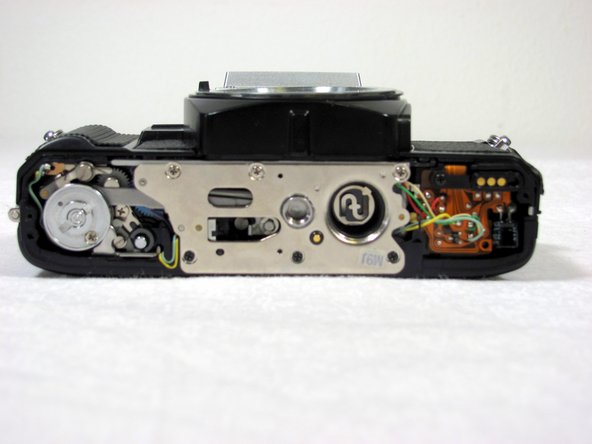
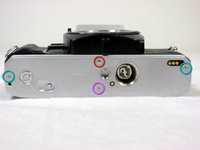


Cihazınızı tekrar toplamak için bu talimatları ters sırayla uygulayın.
İptal et: Bu kılavuzu tamamlamadım.
3 farklı kişi bu kılavuzu tamamladı.

Ekip

Cal Poly, Team 8-7, Regan Spring 2011 Cal Poly, Team 8-7, Regan Spring 2011 üyesi
CPSU-REGAN-S11S8G7
4 Üyeler
48 adet Kılavuz yazıldı
1Rehber Yorum
good advice, will use, have multiple Minolta cameras to work with.
