Ana içeriğe geç
Onarım Topluluğuna Katılın - Hesap Oluşturun

Repair For MacBook Pro A1989 That Won't Turn On

Görüntüleme: 13 B

İstatistikleri görüntüle:

Son 24 Saat:
6
Son 7 Gün:
69
Son 30 Gün:
347
Her zaman:
13.355
Yorumlar: 3

3 guide comments.

Go to guide comments
Tamamlandı: 3

3 kişi bu kılavuzu "tamamlandı" olarak işaretledi. Sıradaki sen olacak mısın?

Sık Kullanılanlar: 0

Hiç kimse bu kılavuzu favorilere eklemedi (ve abone olmadı). İlk mi olacaksın?

Gerekli Süre: 40 dakika - 1 saat
Zorluk: Çok zor
Topluluk-Katkılı Kılavuz

Topluluğumuzdan muhteşem birisi bu kılavuzu hazırladı. Bu kılavuz iFixit elemanları tarafından oluşturulmamıştır.

Repair For MacBook Pro A1989 That Won't Turn On

Neye ihtiyacın var

Aletler

Videoya Genel Bakış

    1. Repair For MacBook Pro A1989 That Won't Turn On, Repair For MacBook Pro A1989 That Won't Turn On: adım 1, 2 resimden 1. Repair For MacBook Pro A1989 That Won't Turn On, Repair For MacBook Pro A1989 That Won't Turn On: adım 1, 2 resimden 2.
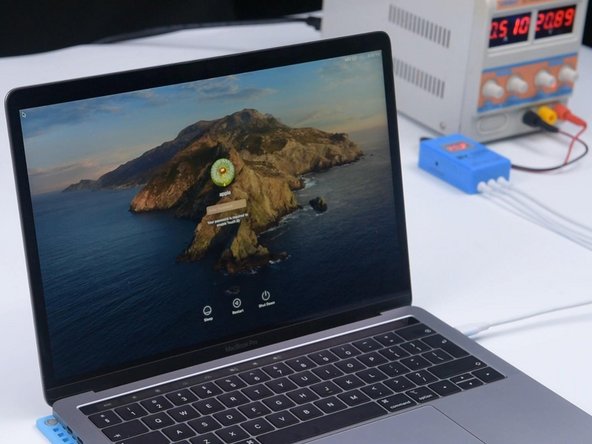
      • Press the power button. The MacBook won’t turn on.

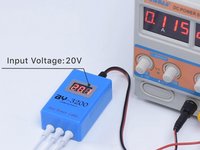
      • Plug in the BY-3200 power cable, and set the input voltage to 20V.

      • In this case the amperage is 0.047A.

      FixBot'a Sor

      Yorum Ekle

    2. Repair For MacBook Pro A1989 That Won't Turn On: adım 2, 3 resimden 1. Repair For MacBook Pro A1989 That Won't Turn On: adım 2, 3 resimden 2. Repair For MacBook Pro A1989 That Won't Turn On: adım 2, 3 resimden 3.
      • Unplug the power cable. Next, we need to disassemble the MacBook and test.

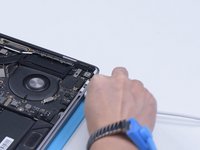
      • Remove the 6 pentalope screws and disconnect the battery connector flex cable.

      FixBot'a Sor

      Yorum Ekle

    3. Repair For MacBook Pro A1989 That Won't Turn On: adım 3, 2 resimden 1. Repair For MacBook Pro A1989 That Won't Turn On: adım 3, 2 resimden 2.
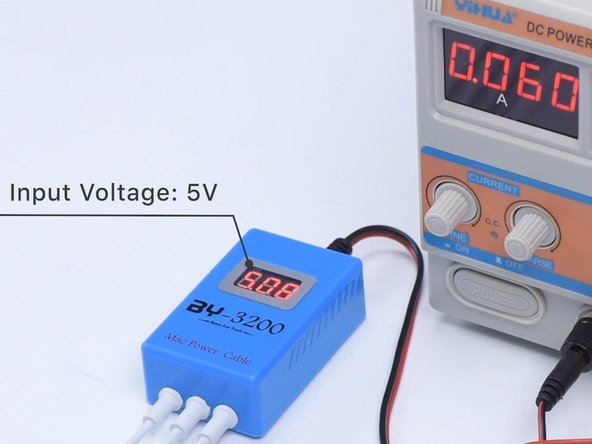
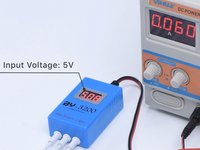
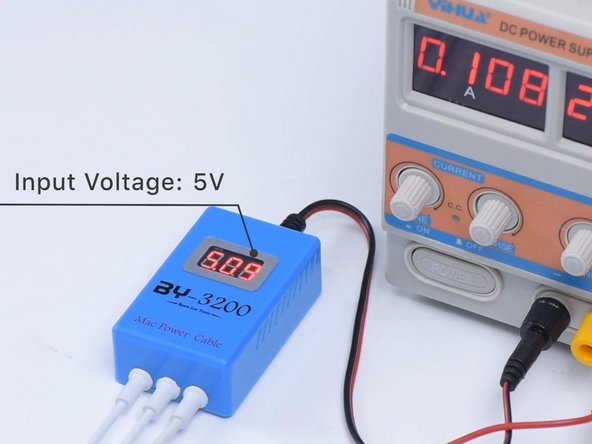
      • Plug in the BY-3200, and set the input voltage to 5V.

      • The current reading on the DC Power Supply is 0.059A.

      • In this case power supply says the motherboard is only using 5V, which is abnormal.

      • The normal power supply should read 20V. This indicates that the motherboard has malfunctioned.

      FixBot'a Sor

      Yorum Ekle

    4. Repair For MacBook Pro A1989 That Won't Turn On: adım 4, 2 resimden 1. Repair For MacBook Pro A1989 That Won't Turn On: adım 4, 2 resimden 2.
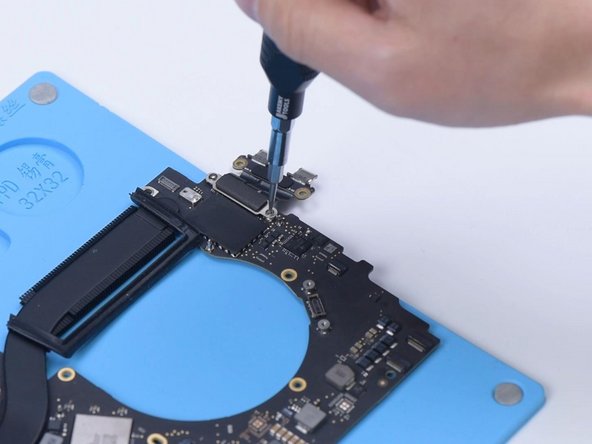
      • Next we will remove the motherboard and install the power connector flex cable.

      FixBot'a Sor

      Yorum Ekle

    5. Repair For MacBook Pro A1989 That Won't Turn On: adım 5, 3 resimden 1. Repair For MacBook Pro A1989 That Won't Turn On: adım 5, 3 resimden 2. Repair For MacBook Pro A1989 That Won't Turn On: adım 5, 3 resimden 3.
      • The motherboard number is 820-00850-07.

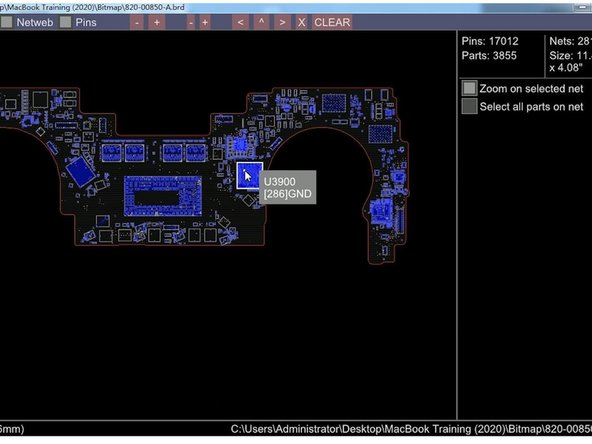
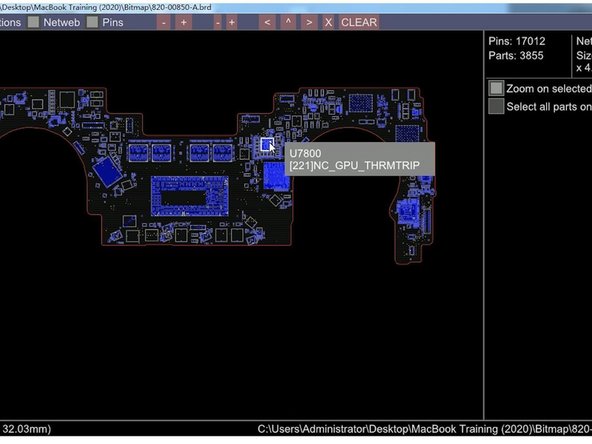
      • Open the schematic diagram and bitmap.

      • U3900 is the T2 chip. U7800 is the power chip.

      FixBot'a Sor

      Yorum Ekle

    6. Repair For MacBook Pro A1989 That Won't Turn On: adım 6, 2 resimden 1. Repair For MacBook Pro A1989 That Won't Turn On: adım 6, 2 resimden 2.
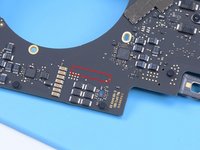
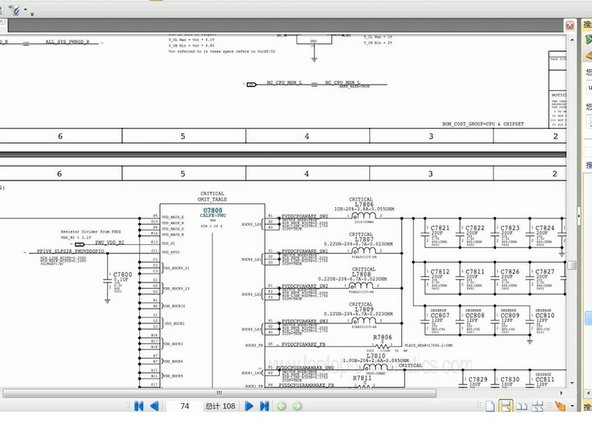
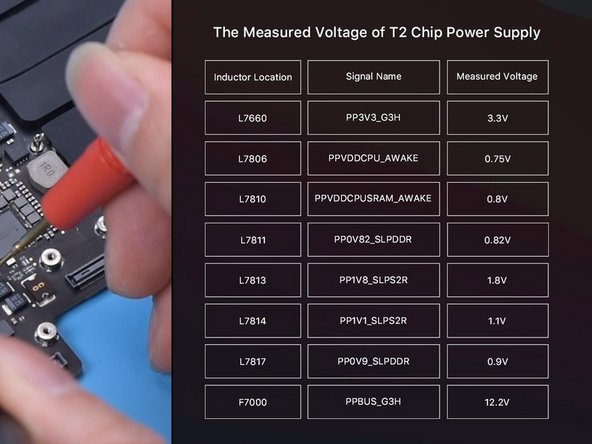
      • Measure the standby voltage of the T2 chip, which is supplied by the U7800. Find U7800 on the schematic diagram.

      • This table shows the standby voltage of the T2 chip.

      FixBot'a Sor

      Yorum Ekle

    7. Repair For MacBook Pro A1989 That Won't Turn On: adım 7, 2 resimden 1. Repair For MacBook Pro A1989 That Won't Turn On: adım 7, 2 resimden 2.
      • Plug in the power cable.

      • The motherboard's current stops at 0.06A, and the input voltage is only 5V.

      FixBot'a Sor

      Yorum Ekle

    8. Repair For MacBook Pro A1989 That Won't Turn On: adım 8, 2 resimden 1. Repair For MacBook Pro A1989 That Won't Turn On: adım 8, 2 resimden 2.
      • Measure the power supply of the motherboard.

      • The measured voltage values are normal. It can be judged that the power supply circuit of the motherboard is good.

      • Next, we need to determine if the fault (voltage failing to increase) is caused by T2 chip data problems.

      FixBot'a Sor

      Yorum Ekle

    9. Repair For MacBook Pro A1989 That Won't Turn On: adım 9, 3 resimden 1. Repair For MacBook Pro A1989 That Won't Turn On: adım 9, 3 resimden 2. Repair For MacBook Pro A1989 That Won't Turn On: adım 9, 3 resimden 3.
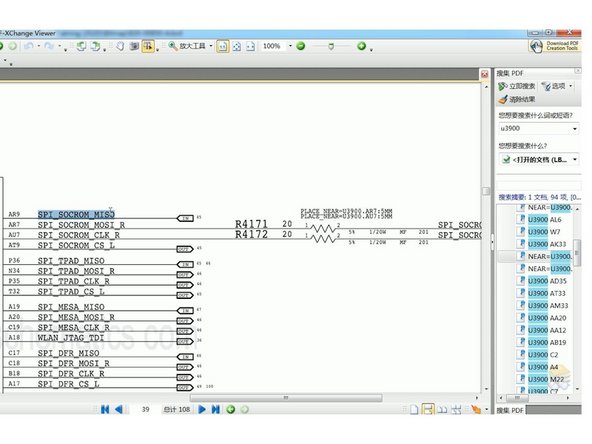
      • Find the T2 chip on the bitmap, and the location name is U3900. Search U3900 on the diagram and find the ROM chip for T2.

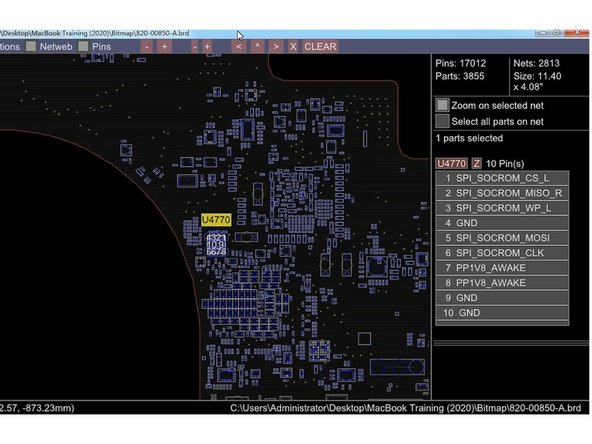
      • Copy signal SPI_SOCROM_MISO. Find the SoC ROM, and the location name is U4770. Find U4770 on the bitmap.

      FixBot'a Sor

      Yorum Ekle

    10. Repair For MacBook Pro A1989 That Won't Turn On: adım 10, 3 resimden 1. Repair For MacBook Pro A1989 That Won't Turn On: adım 10, 3 resimden 2. Repair For MacBook Pro A1989 That Won't Turn On: adım 10, 3 resimden 3.
      • Find the SoC ROM (U4770) on the motherboard. Remove the SoC ROM chip with a Hot Air Gun at 430℃.

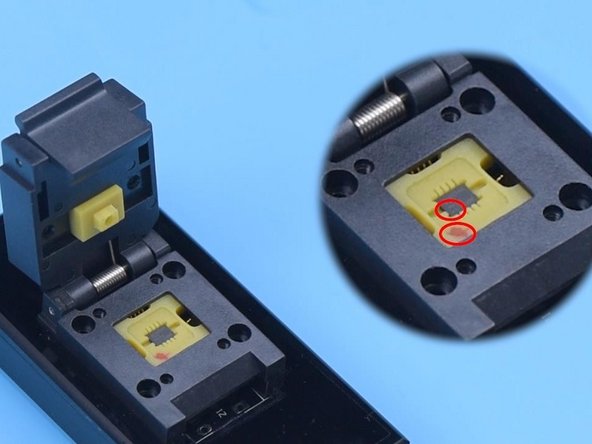
      • Get the BY-T200 and write the new SoC ROM data. Attach the chip to the seat of BY-T200. Pin 1 of the chip must align with the red dot on the tool.

      • Then connect BY-T200 with the computer.

      FixBot'a Sor

      Yorum Ekle

    11. Repair For MacBook Pro A1989 That Won't Turn On: adım 11, 2 resimden 1. Repair For MacBook Pro A1989 That Won't Turn On: adım 11, 2 resimden 2.
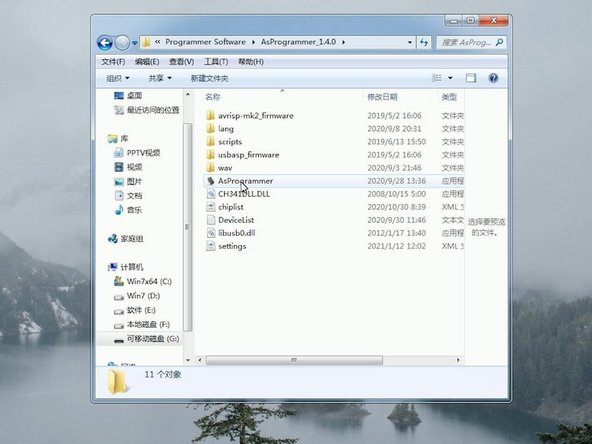
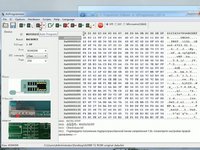
      • Install the driver and open AsProgrammer.

      FixBot'a Sor

      Yorum Ekle

    12. Repair For MacBook Pro A1989 That Won't Turn On: adım 12, 2 resimden 1. Repair For MacBook Pro A1989 That Won't Turn On: adım 12, 2 resimden 2.
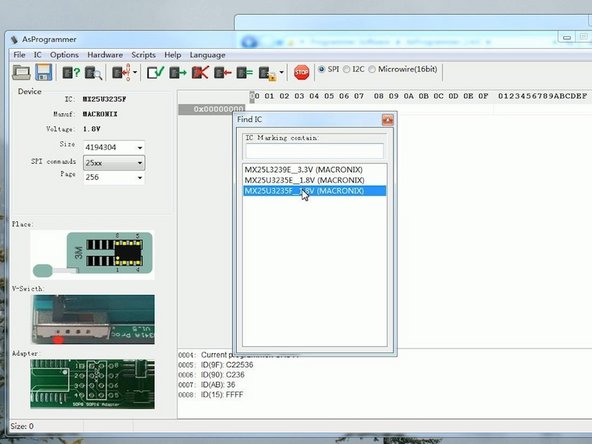
      • Click Read ID and select MX25U3235F_1.8V.

      FixBot'a Sor

      Yorum Ekle

    13. Repair For MacBook Pro A1989 That Won't Turn On: adım 13, 2 resimden 1. Repair For MacBook Pro A1989 That Won't Turn On: adım 13, 2 resimden 2.
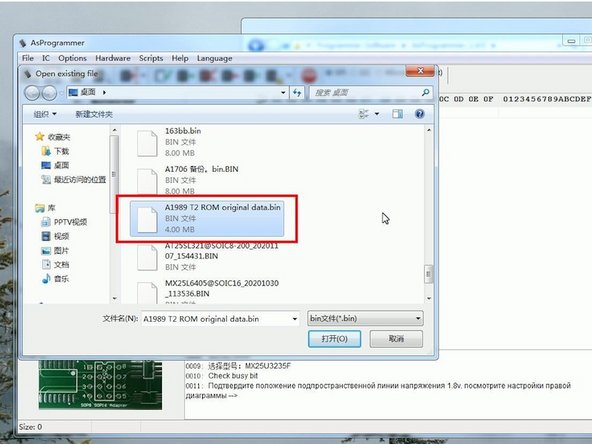
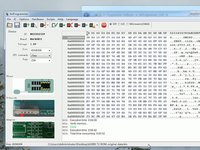
      • Click Open file and select A1989 T2 ROM original data.bin.

      FixBot'a Sor

      Yorum Ekle

    14. Repair For MacBook Pro A1989 That Won't Turn On: adım 14, 3 resimden 1. Repair For MacBook Pro A1989 That Won't Turn On: adım 14, 3 resimden 2. Repair For MacBook Pro A1989 That Won't Turn On: adım 14, 3 resimden 3.
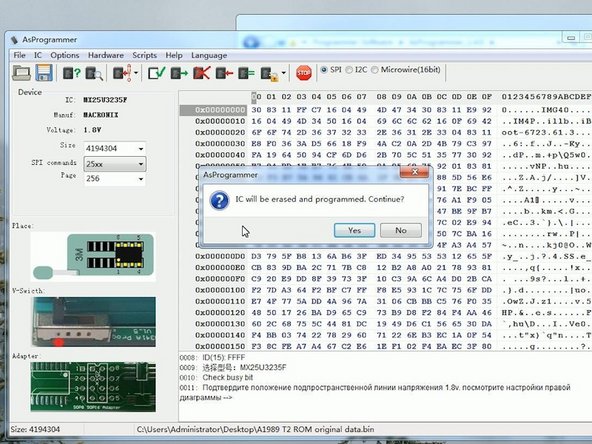
      • Click Auto Program and click Yes.

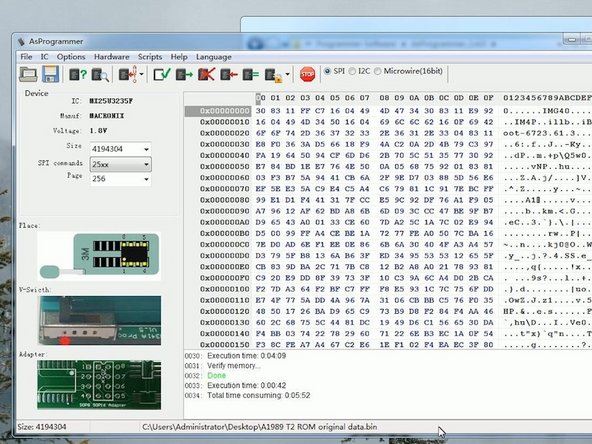
      • Data writing has been completed.

      FixBot'a Sor

      Yorum Ekle

    15. Repair For MacBook Pro A1989 That Won't Turn On: adım 15, 3 resimden 1. Repair For MacBook Pro A1989 That Won't Turn On: adım 15, 3 resimden 2. Repair For MacBook Pro A1989 That Won't Turn On: adım 15, 3 resimden 3.
      • Unplug BY-T200. Solder the chip back to the motherboard.

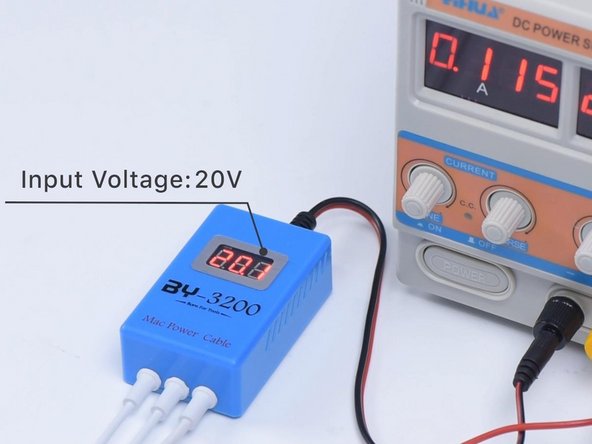
      • Plug in the power cable. The BY-3200 shows an increase in input voltage from 5V to 20V.

      • The current jump on the DC power supply is normal, which indicates that the motherboard is turned on.

      FixBot'a Sor

      Yorum Ekle

    16. Repair For MacBook Pro A1989 That Won't Turn On: adım 16, 2 resimden 1. Repair For MacBook Pro A1989 That Won't Turn On: adım 16, 2 resimden 2.
      • Disconnect the power cable and install the motherboard. Plug in the power cable.

      • The MacBook is turned on and can enter the system.

      FixBot'a Sor

      Yorum Ekle

    17. Repair For MacBook Pro A1989 That Won't Turn On: adım 17, 3 resimden 1. Repair For MacBook Pro A1989 That Won't Turn On: adım 17, 3 resimden 2. Repair For MacBook Pro A1989 That Won't Turn On: adım 17, 3 resimden 3.
      • Lastly, reassemble the MacBook by following steps 1-5 in reverse.

      • Connect the battery flex cable and put the back cover on.

      • Plug in the power cable and press the power button. The MacBook is turned on and can enter the system. The fault has been cleared.

      FixBot'a Sor

      Yorum Ekle

Sonuç

In the first place, we used MacBook BY-3200 power cable to observe the change of boot voltage and current. The voltage values related to the boot circuit on the motherboard were found to be normal after measuring. To determine whether the fault was caused by data problems, BY-T200 Data Assistant was used to read and write the data of T2 chip ROM. After rewriting the ROM data of T2 chip, the MacBook could turn on and enter the system. The no power fault has been cleared.

İptal et: Bu kılavuzu tamamlamadım.

3 farklı kişi bu kılavuzu tamamladı.

Yazar

ile

REWA

Üyelik tarihi: 11/24/20

19.754 İtibar

55 adet Kılavuz yazıldı

3Kılavuz Yorumları

Whre can I buy T2 rom original file ?

muradyangrigor - Yanıt Paylaş
I have chunky fingers for female & not as strong as I use to be, will try. That iMac was hard enough as it was!

ladycerridwyn - Yanıt Paylaş
Where can we find this "A1989 T2 ROM original data.bin"?

Lonny Gallant - Yanıt Paylaş

Yorum Ekle

İstatistikleri Görüntüle:

Son 24 Saat: 6

Son 7 gün: 69

Son 30 gün: 347

Her zaman: 13,355