Ana içeriğe geç
Onarım Topluluğuna Katılın - Hesap Oluşturun

Samsung Blackjack SIM Card Replacement

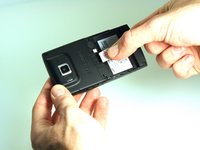
  1. Samsung Blackjack SIM Card Replacement, Battery Cover: adım 1, 3 resimden 1. Samsung Blackjack SIM Card Replacement, Battery Cover: adım 1, 3 resimden 2. Samsung Blackjack SIM Card Replacement, Battery Cover: adım 1, 3 resimden 3.
    • Hold the device with the screen facing away from you and the camera towards you.

    • Place your thumb on the bottom half of the phone and slide the cover off while gently pushing down on the cover.

    FixBot'a Sor

    Yorum Ekle

  2. Samsung Blackjack SIM Card Replacement, Battery: adım 2, 2 resimden 1. Samsung Blackjack SIM Card Replacement, Battery: adım 2, 2 resimden 2.
    • Place your fingers on both sides of the bottom of the battery and lift upwards.

    • Pull the battery away from the phone.

    FixBot'a Sor

    Yorum Ekle

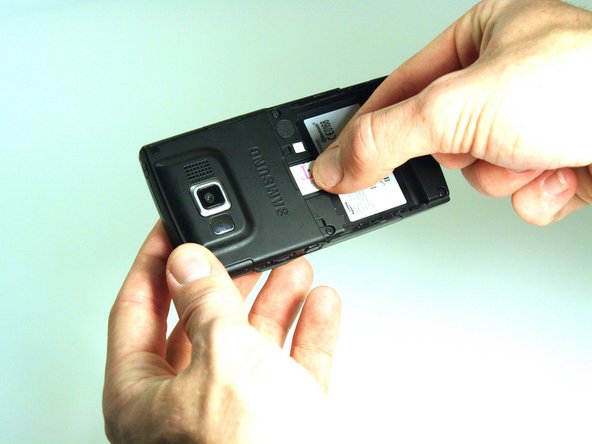
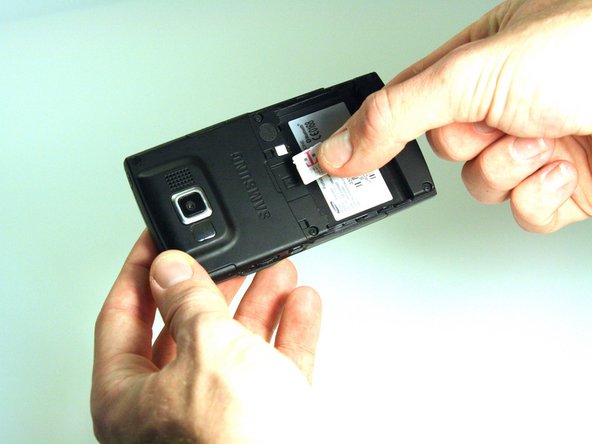
  3. Samsung Blackjack SIM Card Replacement, SIM Card: adım 3, 3 resimden 1. Samsung Blackjack SIM Card Replacement, SIM Card: adım 3, 3 resimden 2. Samsung Blackjack SIM Card Replacement, SIM Card: adım 3, 3 resimden 3.
    • Place your thumb on the SIM card.

    • Slide the card out of the slot.

    FixBot'a Sor

    Yorum Ekle

Sonuç

To reassemble your device, follow these instructions in reverse order.

İptal et: Bu kılavuzu tamamlamadım.

Kristin Manna

Üyelik tarihi: 10/22/12

29 İtibar

10 adet Kılavuz yazıldı

Ekip

Clemson, Team 14-4, Benson Fall 2012 Clemson, Team 14-4, Benson Fall 2012 üyesi

CLEM-BENSON-F12S14G4

3 Üyeler

14 adet Kılavuz yazıldı

0Kılavuz Yorumları

Yorum Ekle

İstatistikleri Görüntüle:

Son 24 Saat: 1

Son 7 gün: 5

Son 30 gün: 32

Her zaman: 887