Ana içeriğe geç
Onarım Topluluğuna Katılın - Hesap Oluşturun

Samsung Eternity Digitizer and Screen Replacement

Neye ihtiyacın var

    • Remove the back battery cover.

    FixBot'a Sor
    Yorum Ekle

  1. Samsung Eternity Digitizer and Screen Replacement: adım 2, 1 resimden 1.
    • Using a nylon spudger, remove the phone's battery.

    FixBot'a Sor
    Yorum Ekle

  2. Samsung Eternity Digitizer and Screen Replacement: adım 3, 1 resimden 1.
    • Remove six (4.28 x 1.25)mm screws using the Phillips #00 screwdriver.

    FixBot'a Sor
    Yorum Ekle

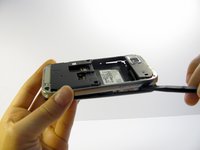
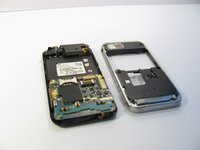
  3. Samsung Eternity Digitizer and Screen Replacement: adım 4, 2 resimden 1. Samsung Eternity Digitizer and Screen Replacement: adım 4, 2 resimden 2.
    • Use a nylon spudger to gently pry the silver plastic back plate from the body of the phone.

    FixBot'a Sor

    Yorum Ekle

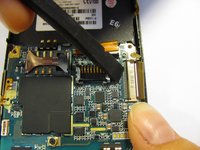
  4. Samsung Eternity Digitizer and Screen Replacement, Motherboard: adım 5, 1 resimden 1.
    • It is very easy to rip motherboard cables and damage fragile motherboard clips. Be careful when you are removing every component.

    • Pull the antenna plug out of its socket.

    FixBot'a Sor
    Yorum Ekle

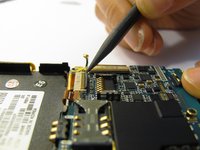
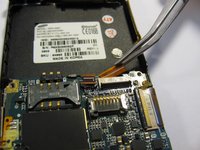
  5. Samsung Eternity Digitizer and Screen Replacement: adım 6, 3 resimden 1. Samsung Eternity Digitizer and Screen Replacement: adım 6, 3 resimden 2. Samsung Eternity Digitizer and Screen Replacement: adım 6, 3 resimden 3.
    • Pop the two black hinged-release levers toward their ribbons, then slide the ribbons out.

    FixBot'a Sor
    Yorum Ekle

  6. Samsung Eternity Digitizer and Screen Replacement: adım 7, 1 resimden 1.
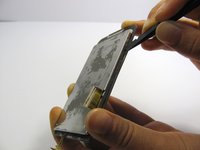
    • Pop the red hinged-release lever away from its ribbon. Then pull it out.

    FixBot'a Sor
    Yorum Ekle

  7. Samsung Eternity Digitizer and Screen Replacement: adım 8, 1 resimden 1.
    • Peel the button sensor on the side of the motherboard off of the case.

    FixBot'a Sor
    Yorum Ekle

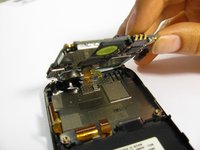
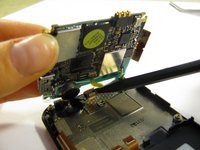
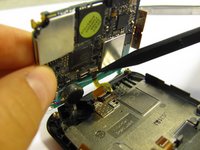
  8. Samsung Eternity Digitizer and Screen Replacement: adım 9, 3 resimden 1. Samsung Eternity Digitizer and Screen Replacement: adım 9, 3 resimden 2. Samsung Eternity Digitizer and Screen Replacement: adım 9, 3 resimden 3.
    • Slightly pull up one side of the motherboard.

    • Pull the button/microphone plug out of its socket.

    • Pop the red hinged-release lever away from its ribbon, then slide the ribbon out.

    FixBot'a Sor
    Yorum Ekle

  9. Samsung Eternity Digitizer and Screen Replacement: adım 10, 1 resimden 1.
    • You have successfully removed the motherboard from the phone.

    FixBot'a Sor

    Yorum Ekle

  10. Samsung Eternity Digitizer and Screen Replacement, Digitizer and Screen: adım 11, 1 resimden 1.
    • Flip the phone over so you are looking at the front screen of the phone.

    FixBot'a Sor

    Yorum Ekle

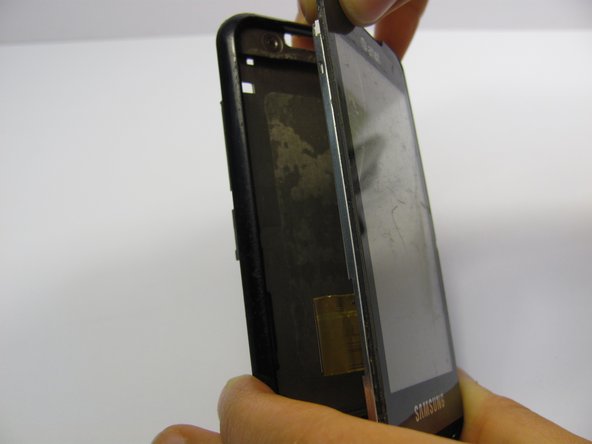
  11. Samsung Eternity Digitizer and Screen Replacement: adım 12, 3 resimden 1. Samsung Eternity Digitizer and Screen Replacement: adım 12, 3 resimden 2. Samsung Eternity Digitizer and Screen Replacement: adım 12, 3 resimden 3.
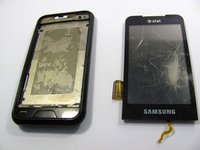
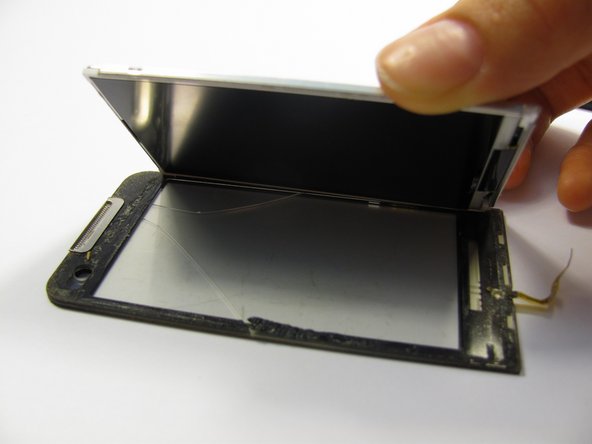
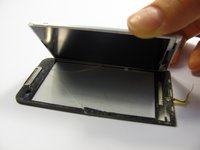
    • Use a small tool to pry the digitizer and screen (together) from the frame of the phone.

    • This may take some time and careful work because it is glued down to the frame.

    • Be careful when you pull the lower part of this piece away from the phone frame because there is a ribbon attached to the digitizer that you don't want to break. There is also a ribbon on the side of the screen to be aware of.

    FixBot'a Sor

    Yorum Ekle

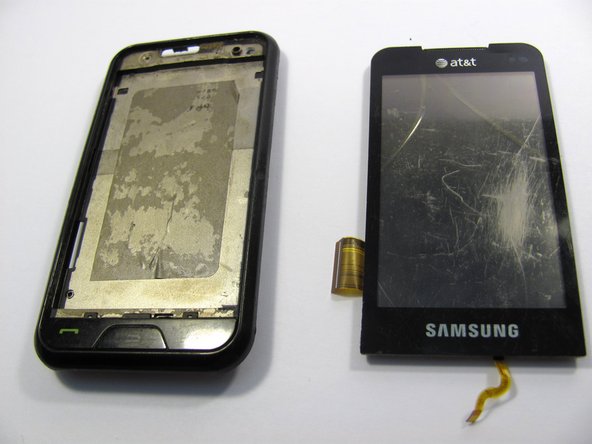
  12. Samsung Eternity Digitizer and Screen Replacement: adım 13, 3 resimden 1. Samsung Eternity Digitizer and Screen Replacement: adım 13, 3 resimden 2. Samsung Eternity Digitizer and Screen Replacement: adım 13, 3 resimden 3.
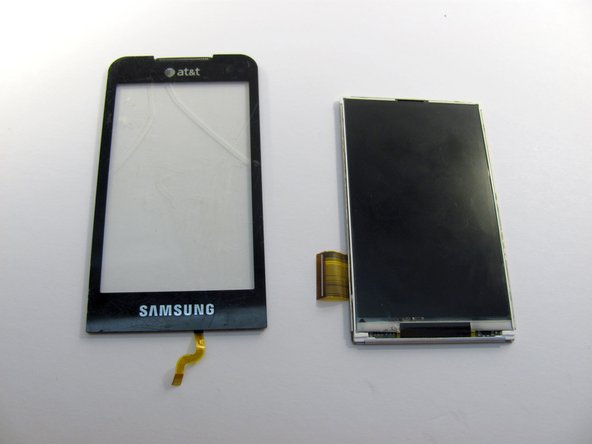
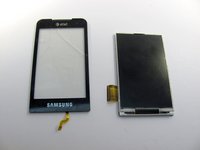
    • Next, carefully pull the digitizer away from the screen.

    • At this point you can replace either the screen or the digitizer.

    • Cleaning the screen with a glass cleaning cloth before reassembling will remove any smudges or fingerprints from disassembling the device.

    FixBot'a Sor

    Yorum Ekle

Sonuç

To reassemble your device, follow these instructions in reverse order.

İptal et: Bu kılavuzu tamamlamadım.

5 farklı kişi bu kılavuzu tamamladı.

Heather Behrend

Üyelik tarihi: 04/20/11

142 İtibar

1 Kılavuz yazıldı

Ekip

Cal Poly, Team 15-11, Regan Spring 2011 Cal Poly, Team 15-11, Regan Spring 2011 üyesi

CPSU-REGAN-S11S15G11

5 Üyeler

14 adet Kılavuz yazıldı

3Kılavuz Yorumları

You did not mention how to glue the digitizer to LCD. That is a very important step.

cashyapan - Yanıt Paylaş

Do these steps also work for the Samsung Eternity 2?

Brian Coukis The 90's Kid! - Yanıt Paylaş

Está mierda no sale

Luz esther Martinez Pérez - Yanıt Paylaş

Yorum Ekle

İstatistikleri Görüntüle:

Son 24 Saat: 1

Son 7 gün: 8

Son 30 gün: 39

Her zaman: 7,292