Ana içeriğe geç
Onarım Topluluğuna Katılın - Hesap Oluşturun

Samsung Galaxy Gear Display Assembly Replacement

Neye ihtiyacın var

    1. Samsung Galaxy Gear Display Assembly Replacement, Display Housing: adım 1, 1 resimden 1.
      • Use a T5 Torx screwdriver to remove the four 4.0 mm screws on the back of the device.

      • Be sure your device is turned off.

      FixBot'a Sor

      Yorum Ekle

    2. Samsung Galaxy Gear Display Assembly Replacement: adım 2, 1 resimden 1.
      • Use a plastic opening tool to separate the display housing from from the device.

      • To ensure you don't damage your device, insert the opening tool and slide it the entire length of the gap on both sides of the device.

      FixBot'a Sor

      Yorum Ekle

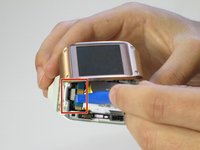
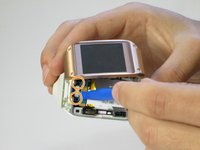
    3. Samsung Galaxy Gear Display Assembly Replacement: adım 3, 2 resimden 1. Samsung Galaxy Gear Display Assembly Replacement: adım 3, 2 resimden 2.
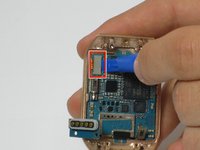
      • Gently pry back the metal flap on top of the connector.

      • Locate the two 2.0 mm black screws and unscrew using a Phillips PH00 bit. The connector will detach from the device.

      FixBot'a Sor

      Yorum Ekle

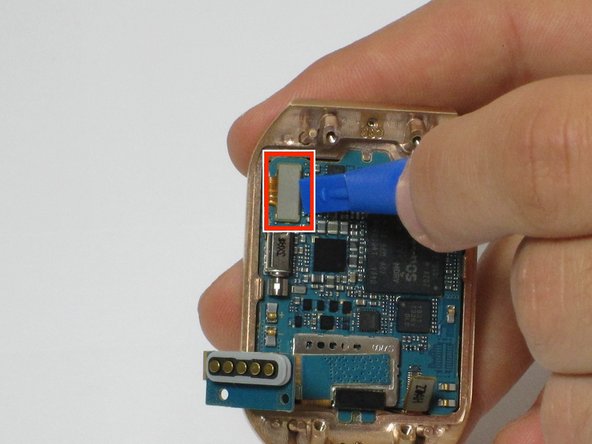
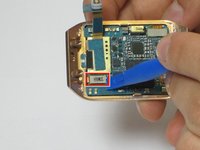
    1. Samsung Galaxy Gear Display Assembly Replacement, Motherboard: adım 4, 2 resimden 1. Samsung Galaxy Gear Display Assembly Replacement, Motherboard: adım 4, 2 resimden 2.
      • On the display, use a plastic opening tool to lift up the two ribbon cables the motherboard.

      FixBot'a Sor

      Yorum Ekle

    2. Samsung Galaxy Gear Display Assembly Replacement: adım 5, 1 resimden 1.
      • The motherboard is attached to the display using an adhesive

      • Using a heat gun, heat up the display for 4 to 5 minutes, making sure the move the heat gun around to distribute the heat around the display. This heats up the adhesive making the motherboard easier to remove

      FixBot'a Sor

      Yorum Ekle

    3. Samsung Galaxy Gear Display Assembly Replacement: adım 6, 2 resimden 1. Samsung Galaxy Gear Display Assembly Replacement: adım 6, 2 resimden 2.
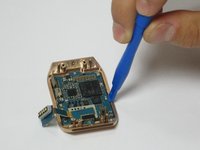
      • Using a plastic opening tool, carefully insert the opening tool in between the bezel and the motherboard and slide it the entire length of the logic board.

      • Slowly pry up the motherboard from the display.

      FixBot'a Sor

      Yorum Ekle

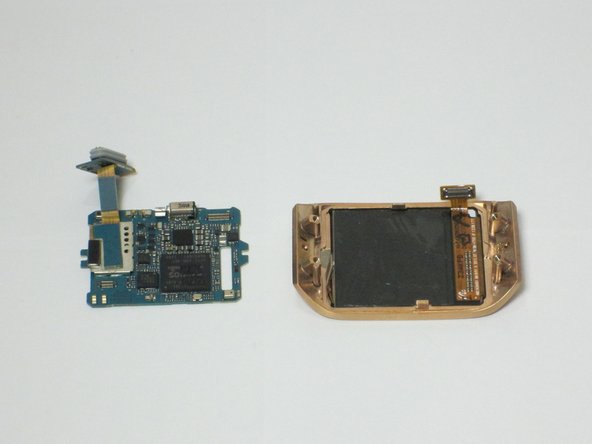
    1. Samsung Galaxy Gear Display Assembly Replacement, Display Assembly: adım 7, 1 resimden 1.
      • The display assembly is now separated and can be replaced

      FixBot'a Sor

      Yorum Ekle

Sonuç

To reassemble your device, follow these instructions in reverse order.

İptal et: Bu kılavuzu tamamlamadım.

2 farklı kişi bu kılavuzu tamamladı.

Joe

Üyelik tarihi: 04/11/16

279 İtibar

2 adet Kılavuz yazıldı

Ekip

Cal Poly, Team 1-9, Maness Spring 2016 Cal Poly, Team 1-9, Maness Spring 2016 üyesi

CPSU-MANESS-S16S1G9

4 Üyeler

36 adet Kılavuz yazıldı

0Kılavuz Yorumları

Yorum Ekle

İstatistikleri Görüntüle:

Son 24 Saat: 0

Son 7 gün: 5

Son 30 gün: 27

Her zaman: 1,992