Ana içeriğe geç
Onarım Topluluğuna Katılın - Hesap Oluşturun

Samsung Galaxy Mega USB Board Replacement

Neye ihtiyacın var

  1. Samsung Galaxy Mega USB Board Replacement, Battery: adım 1, 3 resimden 1. Samsung Galaxy Mega USB Board Replacement, Battery: adım 1, 3 resimden 2. Samsung Galaxy Mega USB Board Replacement, Battery: adım 1, 3 resimden 3.
    • Before starting, ensure device is completely turned off.

    • On the back of phone, locate the slot on the top left corner.

    • Insert plastic opening tool or fingernail and pull up on the back plate.

    • With the corner released, slide your finger around the device between the back plate and the phone to release connectors.

    FixBot'a Sor

    Yorum Ekle

  2. Samsung Galaxy Mega USB Board Replacement: adım 2, 3 resimden 1. Samsung Galaxy Mega USB Board Replacement: adım 2, 3 resimden 2. Samsung Galaxy Mega USB Board Replacement: adım 2, 3 resimden 3.
    • Insert fingernail into the slot on bottom of battery and gently pull up.

    • Remove the battery.

    FixBot'a Sor

    Yorum Ekle

  3. Samsung Galaxy Mega USB Board Replacement, Midframe: adım 3, 3 resimden 1. Samsung Galaxy Mega USB Board Replacement, Midframe: adım 3, 3 resimden 2. Samsung Galaxy Mega USB Board Replacement, Midframe: adım 3, 3 resimden 3.
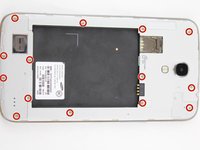
    • Remove the 14 3.45 mm Phillips #000 screws from the assembly.

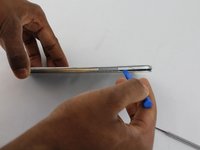
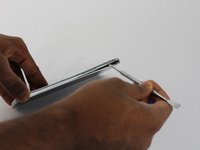
    • Gently, insert plastic opening tool into seam above the volume buttons of your phone.

    • You may substitute metal spudger for plastic opening tool to first start the opening of the seam. This may cause exterior cosmetic damage.

    FixBot'a Sor

    Yorum Ekle

  4. Samsung Galaxy Mega USB Board Replacement: adım 4, 2 resimden 1. Samsung Galaxy Mega USB Board Replacement: adım 4, 2 resimden 2.
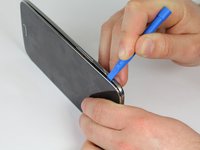
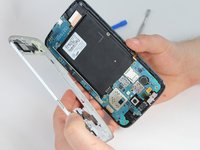
    • Slowly slide plastic opening tool around the device to release all the connectors internal to the device.

    • The device should easily come apart after the plastic opening tool is slid around the entire device.

    • During reassembly, ensure volume and power buttons align properly.

    FixBot'a Sor

    Yorum Ekle

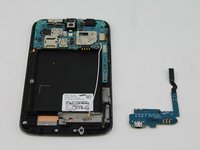
  5. Samsung Galaxy Mega USB Board Replacement, USB Board: adım 5, 1 resimden 1.
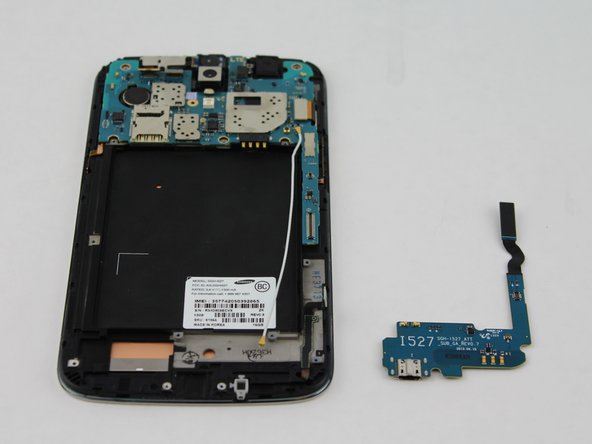
    • This circuit board is the charging port assembly.

    FixBot'a Sor

    Yorum Ekle

  6. Samsung Galaxy Mega USB Board Replacement: adım 6, 3 resimden 1. Samsung Galaxy Mega USB Board Replacement: adım 6, 3 resimden 2. Samsung Galaxy Mega USB Board Replacement: adım 6, 3 resimden 3.
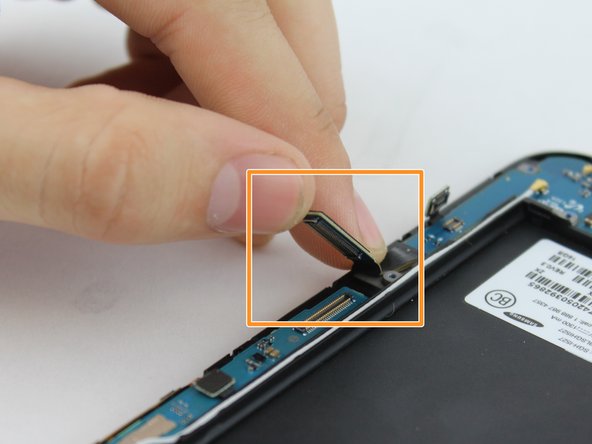
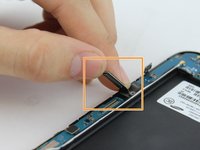
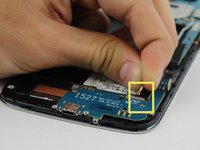
    • Lift up on the clamp with your finger to disconnect the connector.

    • Lift up on the clamp with your finger to disconnect the connection to the mother board.

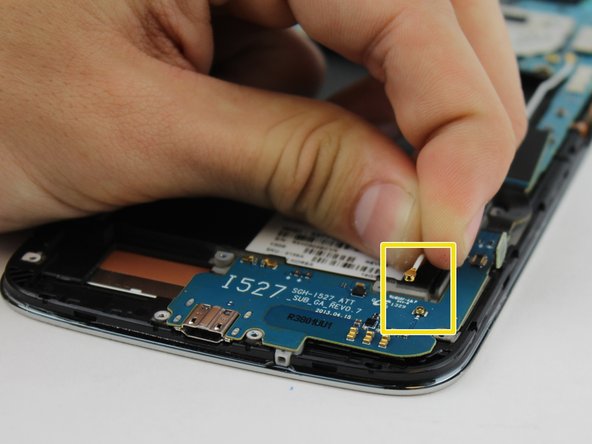
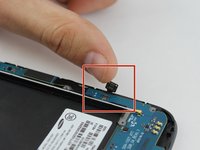
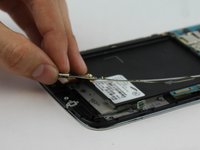
    • Grasp cable head and lift up to disconnect the cable head.

    FixBot'a Sor

    Yorum Ekle

  7. Samsung Galaxy Mega USB Board Replacement: adım 7, 2 resimden 1. Samsung Galaxy Mega USB Board Replacement: adım 7, 2 resimden 2.
    • Use your fingers to gently remove charging port.

    FixBot'a Sor

    Yorum Ekle

Sonuç

To reassemble your device, follow these instructions in reverse order.

İptal et: Bu kılavuzu tamamlamadım.

10 farklı kişi bu kılavuzu tamamladı.

Aaron Fulton

Üyelik tarihi: 02/04/16

1.246 İtibar

3 adet Kılavuz yazıldı

Ekip

USF Tampa, Team 17-2, Blackwell Winter 2016 USF Tampa, Team 17-2, Blackwell Winter 2016 üyesi

USFT-BLACKWELL-W16S17G2

4 Üyeler

8 adet Kılavuz yazıldı

0Kılavuz Yorumları

Yorum Ekle

İstatistikleri Görüntüle:

Son 24 Saat: 2

Son 7 gün: 5

Son 30 gün: 36

Her zaman: 9,121