Bu çeviri bir makine tarafından oluşturulmuştur ve henüz bir kişi tarafından incelenmemiştir. Bu dili konuşuyor musunuz? İnceleme için.
Giriş
Bu rehber, anakartın arkasındaki bileşenlere nasıl ulaşılacağını açıklar.
Neye ihtiyacın var
-
-
-
Arka kasa ile telefonun tabanı arasındaki boşluğa tırnağınızı veya plastik bir açma aleti yerleştirin.
 FixBot'a Sor
-
-
-
Tırnağınızı veya plastik açma aletini arka kasanın kenarı boyunca kaydırın.
-
Kasayı tabandan nazikçe kaldırın.
-
-
-
-
-
Tırnağınızı veya bir plastik açma aletini, taban bataryası ile telefon gövdesi arasındaki küçük boşluğa sokun.
-
Bataryayı yuvasından kaldırarak çıkarın.
-
-
-
-
-
-
Tırnağınızı stylus kaleminin üzerindeki yuvaya yerleştirin.
-
Stylus kalemini telefondan dışarı doğru çekin.
-
-
-
-
-
Arka kasadaki on iki adet 4 mm'lik Yıldız #00 vidayı sökün.
-
-
-
Plastik açma aletini Stylus Kalem yuvasına yerleştirin.
-
Orta çerçeveyi tabandan ayırmak için plastik açma aletini yukarı doğru kaldırın.
-
-
-
-
Bu adımda kullanılan alet:Tweezers$4.99
-
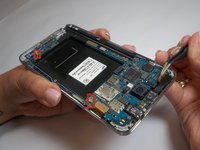
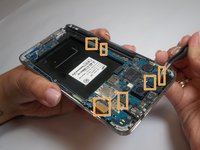
Her iki anten klipsini çıkarmak için cımbız kullanın.
-
Altı kablo konnektörünü ayırmak için bir plastik kanırtma aparatı kullanın.
-


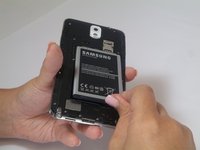
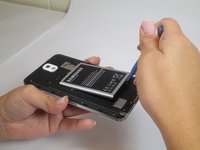


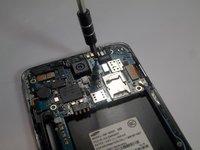
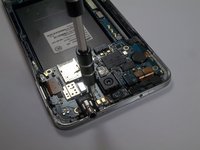



Cihazınızı tekrar toplamak için bu talimatları ters sırayla uygulayın.
İptal et: Bu kılavuzu tamamlamadım.
75 farklı kişi bu kılavuzu tamamladı.

Ekip

USF Tampa, Team 2-2, Blackwell Fall 2014 USF Tampa, Team 2-2, Blackwell Fall 2014 üyesi
USFT-BLACKWELL-F14S2G2
4 Üyeler
84 adet Kılavuz yazıldı
4Kılavuz Yorumları
I'm looking for the screws for this phone, but all the search hits I've come across are for the screwdriver. Any leads on where I can find the screws?
I want to replace motherboard of galaxy note 3 SM-N900 with SM-N9005. Is it possible and can it convert 3g to 4G. Because my phone doesn't support 4G .it is 3g and I want to make it 4G .what should I do help me
I am also looking for the same question
