Ana içeriğe geç
Onarım Topluluğuna Katılın - Hesap Oluşturun

Samsung Galaxy Note Pro 12.2 Speakers Replacement

Neye ihtiyacın var

    1. Samsung Galaxy Note Pro 12.2 Speakers Replacement, Speakers: adım 1, 1 resimden 1.
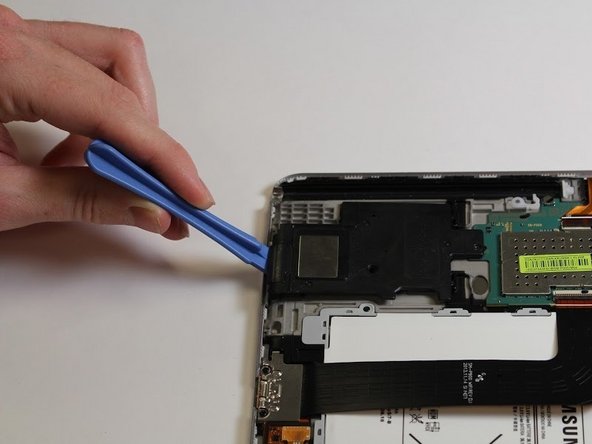
      • Make sure the device is powered off before starting repair.

      • Carefully remove the back cover with the blue opening tool.

      • It is best to start with one corner and work your way around the device slowly.

      FixBot'a Sor

      Yorum Ekle

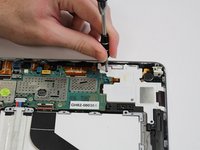
    2. Samsung Galaxy Note Pro 12.2 Speakers Replacement: adım 2, 2 resimden 1. Samsung Galaxy Note Pro 12.2 Speakers Replacement: adım 2, 2 resimden 2.
      • Remove the one 3mm Phillips #00 screw securing the black speaker.

      FixBot'a Sor

      Yorum Ekle

    3. Samsung Galaxy Note Pro 12.2 Speakers Replacement: adım 3, 1 resimden 1.
      • Using the plastic opening tool, pop the black speaker up and away from the device.

      FixBot'a Sor

      Yorum Ekle

    4. Samsung Galaxy Note Pro 12.2 Speakers Replacement: adım 4, 2 resimden 1. Samsung Galaxy Note Pro 12.2 Speakers Replacement: adım 4, 2 resimden 2.
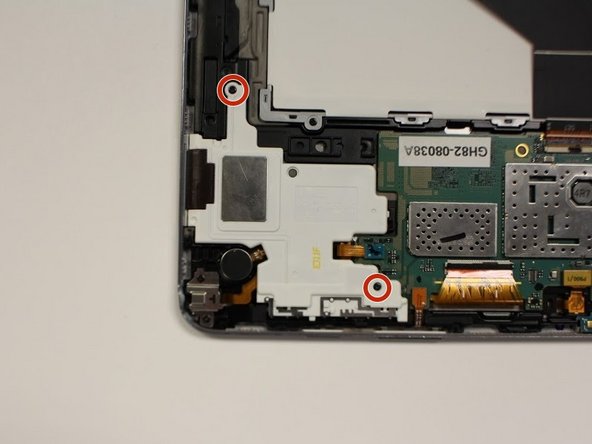
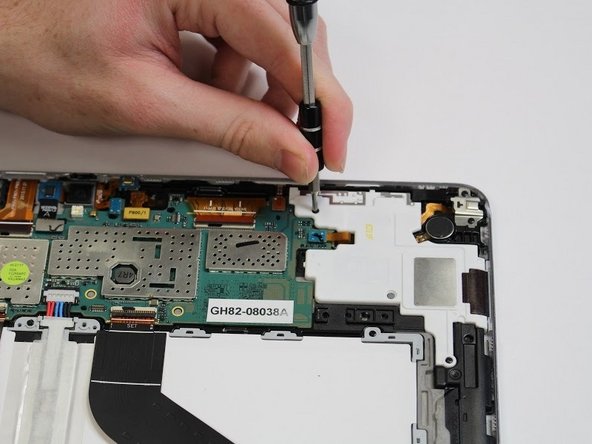
      • Remove the two 3mm screws securing the white speaker with the Phillips #00 screwdriver.

      FixBot'a Sor

      Yorum Ekle

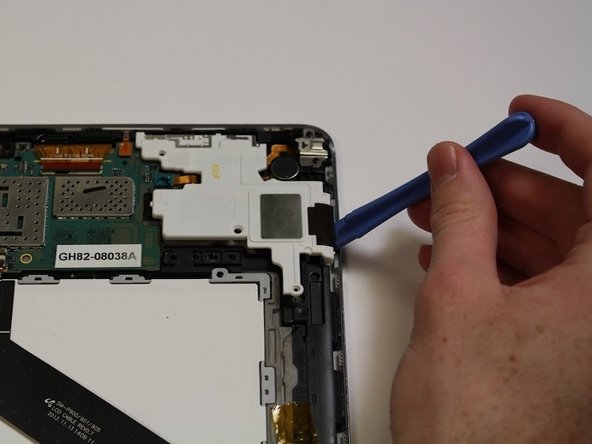
    5. Samsung Galaxy Note Pro 12.2 Speakers Replacement: adım 5, 1 resimden 1.
      • Using the blue opening tool pop the white speaker up and away from the device.

      FixBot'a Sor

      Yorum Ekle

Sonuç

To reassemble your device, follow these instructions in reverse order.

İptal et: Bu kılavuzu tamamlamadım.

2 farklı kişi bu kılavuzu tamamladı.

0Kılavuz Yorumları

Yorum Ekle

İstatistikleri Görüntüle:

Son 24 Saat: 2

Son 7 gün: 8

Son 30 gün: 39

Her zaman: 803