Ana içeriğe geç
Onarım Topluluğuna Katılın - Hesap Oluşturun

Samsung Galaxy Note Rear Facing Camera Replacement

Görüntüleme: 11 B

İstatistikleri görüntüle:

Son 24 Saat:
4
Son 7 Gün:
23
Son 30 Gün:
95
Her zaman:
11.014
Yorumlar: 4

4 comments on steps.

Tamamlandı: 5

5 kişi bu kılavuzu "tamamlandı" olarak işaretledi. Sıradaki sen olacak mısın?

Sık Kullanılanlar: 2

2 kişi bu kılavuzu favorilerine ekledi (ve abone oldu). Sıradaki sen olacak mısın?

Gerekli Süre: Tahmin yok
Zorluk: Orta
Samsung Galaxy Note Rear Facing Camera Replacement

Use this guide to install a new rear facing camera.

Neye ihtiyacın var

Aletler

    1. Samsung Galaxy Note Rear Facing Camera Replacement, Stylus: adım 1, 2 resimden 1. Samsung Galaxy Note Rear Facing Camera Replacement, Stylus: adım 1, 2 resimden 2.
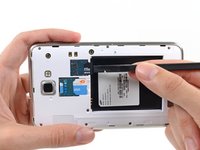
      • Grasp the cap of the stylus and remove it from its slot in the midframe.

      FixBot'a Sor

      Yorum Ekle

    1. Samsung Galaxy Note Rear Facing Camera Replacement, Rear Case: adım 2, 2 resimden 1. Samsung Galaxy Note Rear Facing Camera Replacement, Rear Case: adım 2, 2 resimden 2.
      • Pry with a plastic opening tool, or your fingernail, in the divot to the right of the rear-facing camera, near the volume rocker.

      FixBot'a Sor

      Yorum Ekle

    2. Samsung Galaxy Note Rear Facing Camera Replacement: adım 3, 2 resimden 1. Samsung Galaxy Note Rear Facing Camera Replacement: adım 3, 2 resimden 2.
      • Lift and remove the rear case from the phone.

      FixBot'a Sor

      Yorum Ekle

    1. Samsung Galaxy Note Rear Facing Camera Replacement, Battery: adım 4, 2 resimden 1. Samsung Galaxy Note Rear Facing Camera Replacement, Battery: adım 4, 2 resimden 2.
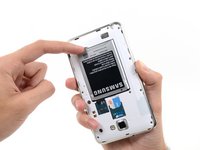
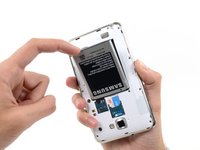
      • Insert your finger in the notch of the battery compartment.

      • Press the battery toward the rear facing camera while pulling outward.

      FixBot'a Sor

      Yorum Ekle

    1. Samsung Galaxy Note Rear Facing Camera Replacement, MicroSD Card: adım 5, 3 resimden 1. Samsung Galaxy Note Rear Facing Camera Replacement, MicroSD Card: adım 5, 3 resimden 2. Samsung Galaxy Note Rear Facing Camera Replacement, MicroSD Card: adım 5, 3 resimden 3.
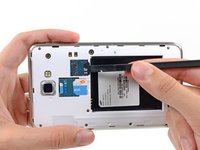
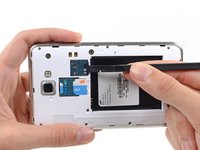
      • Use the flat end of a spudger, or your fingernail, to press the microSD card slightly deeper into its slot until you hear a click.

      • After the click, release the card and it will pop out of its slot.

      • For reassembly, push the microSD card into the slot until it clicks in place.

      FixBot'a Sor

      Yorum Ekle

    2. Samsung Galaxy Note Rear Facing Camera Replacement: adım 6, 1 resimden 1.
      • Remove the microSD card from its slot in the midframe.

      FixBot'a Sor

      Yorum Ekle

    1. Samsung Galaxy Note Rear Facing Camera Replacement, SIM Card: adım 7, 2 resimden 1. Samsung Galaxy Note Rear Facing Camera Replacement, SIM Card: adım 7, 2 resimden 2.
      • Use a plastic opening tool, or your fingernail, to push the SIM card out of its compartment.

      FixBot'a Sor

      Yorum Ekle

    2. Samsung Galaxy Note Rear Facing Camera Replacement: adım 8, 2 resimden 1. Samsung Galaxy Note Rear Facing Camera Replacement: adım 8, 2 resimden 2.
      • Slide the SIM card out the rest of the way with your thumb and remove it from the device.

      FixBot'a Sor

      Yorum Ekle

    1. Samsung Galaxy Note Rear Facing Camera Replacement, Midframe: adım 9, 1 resimden 1.
      • Remove the nine 3.4 mm Phillips #00 screws securing the midframe to the display assembly.

      FixBot'a Sor

      Yorum Ekle

    2. Samsung Galaxy Note Rear Facing Camera Replacement: adım 10, 2 resimden 1. Samsung Galaxy Note Rear Facing Camera Replacement: adım 10, 2 resimden 2.
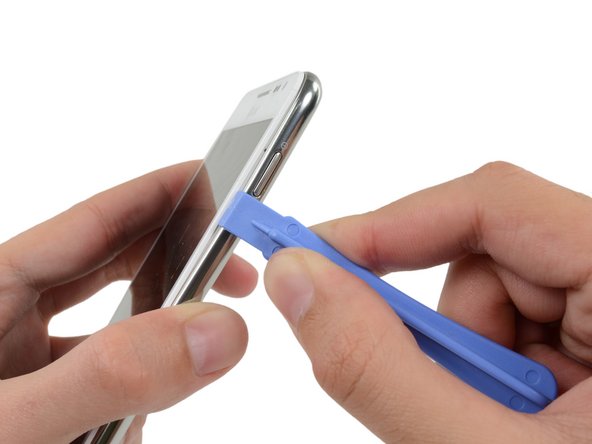
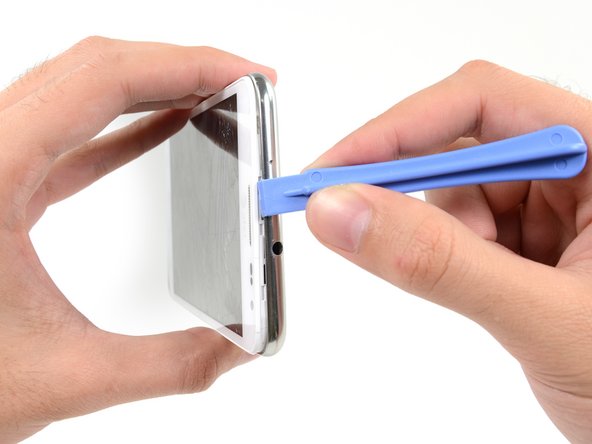
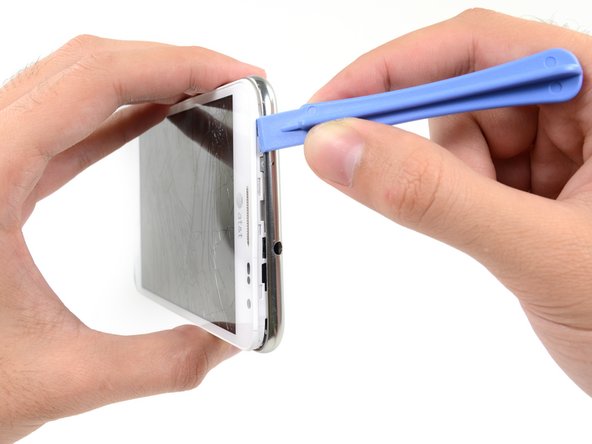
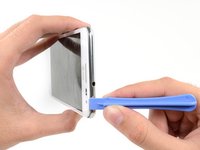
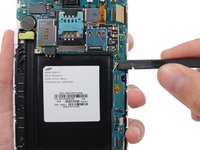
      • Insert your plastic opening tool to the left of the power button between the midframe and the front panel assembly and pry.

      FixBot'a Sor

      Yorum Ekle

    3. Samsung Galaxy Note Rear Facing Camera Replacement: adım 11, 3 resimden 1. Samsung Galaxy Note Rear Facing Camera Replacement: adım 11, 3 resimden 2. Samsung Galaxy Note Rear Facing Camera Replacement: adım 11, 3 resimden 3.
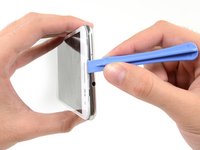
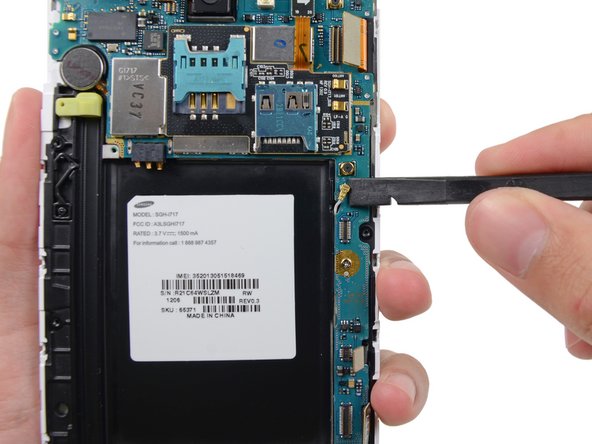
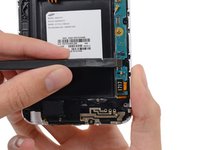
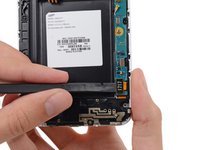
      • Slide the plastic opening tool down the seam.

      FixBot'a Sor

      Yorum Ekle

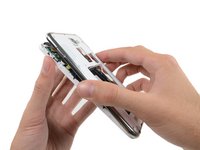
    4. Samsung Galaxy Note Rear Facing Camera Replacement: adım 12, 3 resimden 1. Samsung Galaxy Note Rear Facing Camera Replacement: adım 12, 3 resimden 2. Samsung Galaxy Note Rear Facing Camera Replacement: adım 12, 3 resimden 3.
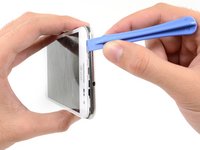
      • Insert your plastic opening tool to the left of the headphone jack between the midframe and the display assembly.

      • Slide the opening tool along the top edge of the phone.

      • Continue to run the plastic opening tool around the perimeter of the phone until the midframe is separated.

      FixBot'a Sor

      Yorum Ekle

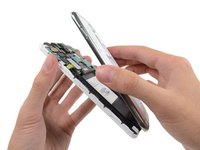
    5. Samsung Galaxy Note Rear Facing Camera Replacement: adım 13, 2 resimden 1. Samsung Galaxy Note Rear Facing Camera Replacement: adım 13, 2 resimden 2.
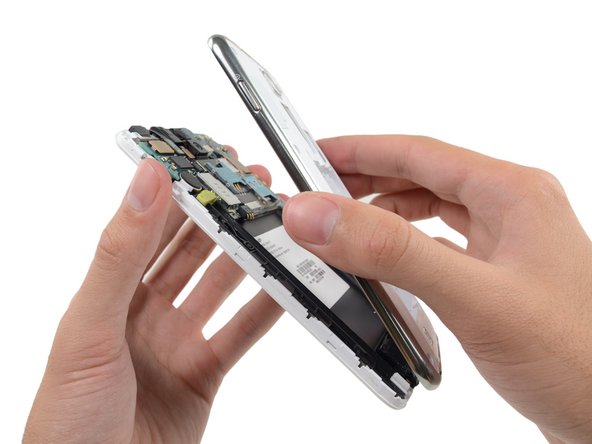
      • Remove the midframe from the display assembly.

      FixBot'a Sor

      Yorum Ekle

    1. Samsung Galaxy Note Rear Facing Camera Replacement, Motherboard Assembly: adım 14, 2 resimden 1. Samsung Galaxy Note Rear Facing Camera Replacement, Motherboard Assembly: adım 14, 2 resimden 2.
      • Use the flat end of a spudger to carefully disconnect the display cable connector.

      FixBot'a Sor

      Yorum Ekle

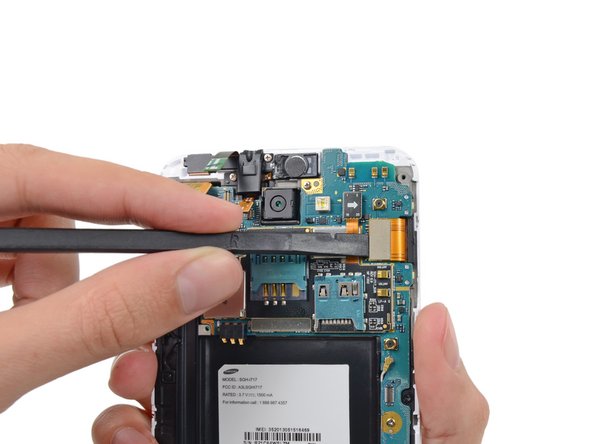
    2. Samsung Galaxy Note Rear Facing Camera Replacement: adım 15, 3 resimden 1. Samsung Galaxy Note Rear Facing Camera Replacement: adım 15, 3 resimden 2. Samsung Galaxy Note Rear Facing Camera Replacement: adım 15, 3 resimden 3.
      • Use a spudger to disconnect the front-facing camera assembly cable connector.

      • Disconnect the headphone jack/earpiece speaker assembly cable connector.

      • Disconnect the digitizer cable connector.

      FixBot'a Sor

      Yorum Ekle

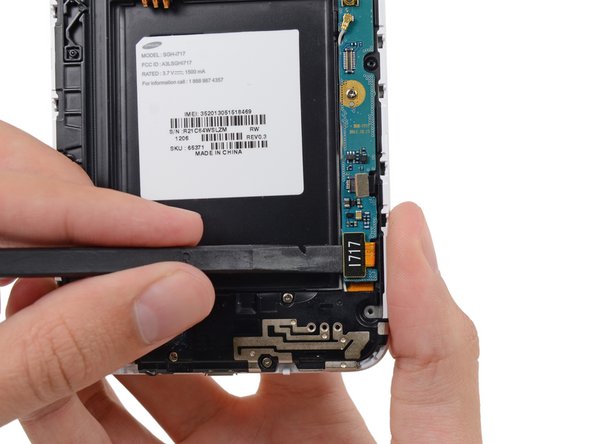
    3. Samsung Galaxy Note Rear Facing Camera Replacement: adım 16, 3 resimden 1. Samsung Galaxy Note Rear Facing Camera Replacement: adım 16, 3 resimden 2. Samsung Galaxy Note Rear Facing Camera Replacement: adım 16, 3 resimden 3.
      • Disconnect the soft button cable connector with the flat end of a spudger.

      • Use a spudger to disconnect the USB board cable connector.

      • Disconnect the antenna cable connector.

      FixBot'a Sor

      Yorum Ekle

    4. Samsung Galaxy Note Rear Facing Camera Replacement: adım 17, 1 resimden 1.
      • Remove the two 3.4 mm Phillips #00 screws securing the motherboard to the display assembly.

      FixBot'a Sor

      Yorum Ekle

    5. Samsung Galaxy Note Rear Facing Camera Replacement: adım 18, 2 resimden 1. Samsung Galaxy Note Rear Facing Camera Replacement: adım 18, 2 resimden 2.
      • Remove the motherboard assembly from the display assembly.

      FixBot'a Sor

      Yorum Ekle

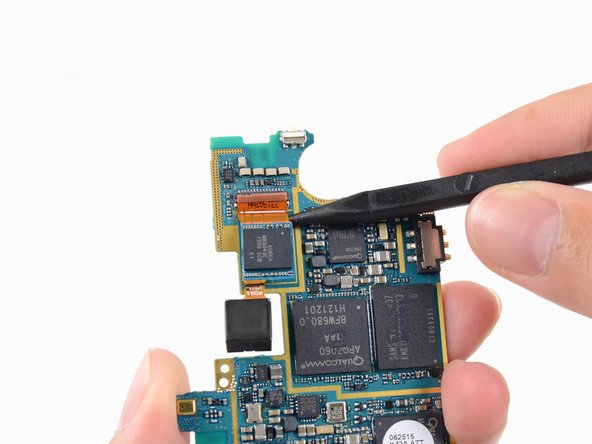
    1. Samsung Galaxy Note Rear Facing Camera Replacement, Rear Facing Camera: adım 19, 2 resimden 1. Samsung Galaxy Note Rear Facing Camera Replacement, Rear Facing Camera: adım 19, 2 resimden 2.
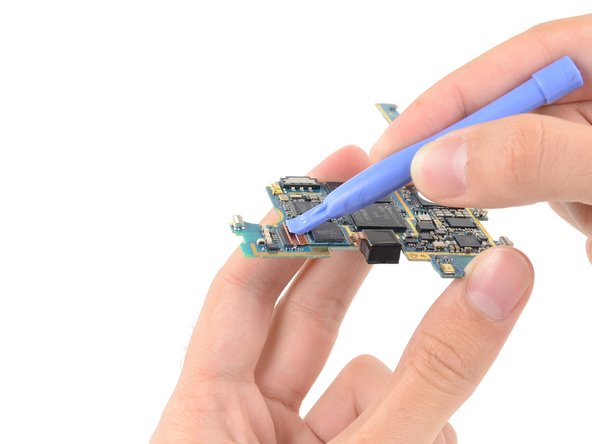
      • Use a plastic opening tool to flip the release tab on the rear-facing camera cable ZIF connector.

      • Only pry on the tab, not the connector itself.

      FixBot'a Sor

      Yorum Ekle

    2. Samsung Galaxy Note Rear Facing Camera Replacement: adım 20, 2 resimden 1. Samsung Galaxy Note Rear Facing Camera Replacement: adım 20, 2 resimden 2.
      • Slide the tip of a spudger under the rear-facing camera cable to slide it out of the ZIF connector and free it from the light adhesive.

      FixBot'a Sor

      Yorum Ekle

    3. Samsung Galaxy Note Rear Facing Camera Replacement: adım 21, 1 resimden 1.
      • Remove the rear-facing camera.

      FixBot'a Sor

      Yorum Ekle

Sonuç

To reassemble your device, follow these instructions in reverse order.

İptal et: Bu kılavuzu tamamlamadım.

5 farklı kişi bu kılavuzu tamamladı.

Sam Goldheart

Üyelik tarihi: 10/18/12

478.567 İtibar

538 adet Kılavuz yazıldı

Ekip

iFixit iFixit üyesi

Staff

121 Üyeler

72.885 adet Kılavuz yazıldı

0Kılavuz Yorumları

Yorum Ekle

İstatistikleri Görüntüle:

Son 24 Saat: 4

Son 7 gün: 23

Son 30 gün: 95

Her zaman: 11,014