Ana içeriğe geç
Onarım Topluluğuna Katılın - Hesap Oluşturun

Samsung Galaxy Note SIM Card Replacement

Neye ihtiyacın var

  1. Samsung Galaxy Note SIM Card Replacement, Rear Case: adım 1, 2 resimden 1. Samsung Galaxy Note SIM Card Replacement, Rear Case: adım 1, 2 resimden 2.
    • Pry with a plastic opening tool, or your fingernail, in the divot to the right of the rear-facing camera, near the volume rocker.

    FixBot'a Sor
  2. Samsung Galaxy Note SIM Card Replacement: adım 2, 2 resimden 1. Samsung Galaxy Note SIM Card Replacement: adım 2, 2 resimden 2.
    • Lift and remove the rear case from the phone.

    FixBot'a Sor
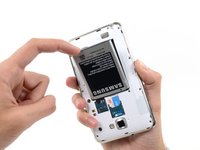
  3. Samsung Galaxy Note SIM Card Replacement, Battery: adım 3, 2 resimden 1. Samsung Galaxy Note SIM Card Replacement, Battery: adım 3, 2 resimden 2.
    • Insert your finger in the notch of the battery compartment.

    • Press the battery toward the rear facing camera while pulling outward.

    FixBot'a Sor
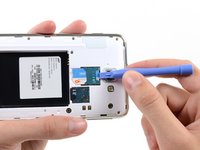
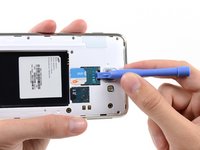
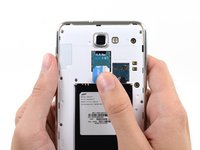
  4. Samsung Galaxy Note SIM Card Replacement, SIM Card: adım 4, 2 resimden 1. Samsung Galaxy Note SIM Card Replacement, SIM Card: adım 4, 2 resimden 2.
    • Use a plastic opening tool, or your fingernail, to push the SIM card out of its compartment.

    FixBot'a Sor
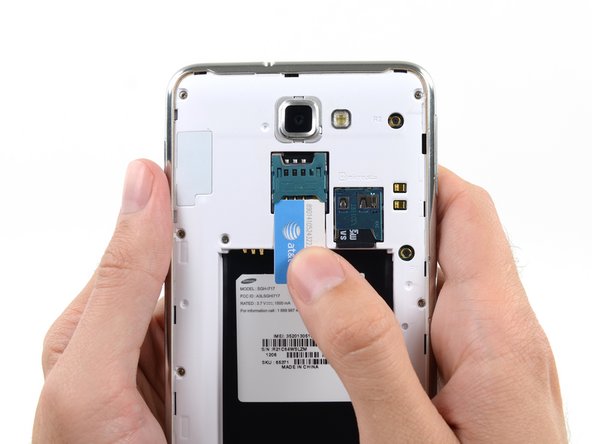
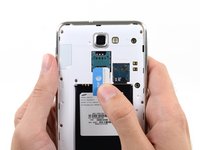
  5. Samsung Galaxy Note SIM Card Replacement: adım 5, 2 resimden 1. Samsung Galaxy Note SIM Card Replacement: adım 5, 2 resimden 2.
    • Slide the SIM card out the rest of the way with your thumb and remove it from the device.

    FixBot'a Sor
Sonuç

To reassemble your device, follow these instructions in reverse order.

6 farklı kişi bu kılavuzu tamamladı.

Sam Goldheart

Üyelik tarihi: 10/18/12

477.269 İtibar

538 adet Kılavuz yazıldı

Ekip

iFixit iFixit üyesi

Staff

123 Üyeler

25.713 adet Kılavuz yazıldı

1Rehber Yorum

What if I need to replace the card of SIM card?

Roaa - Yanıt Paylaş

Yorum Ekle

İstatistikleri Görüntüle:

Son 24 Saat: 5

Son 7 gün: 12

Son 30 gün: 76

Her zaman: 16,921