Ana içeriğe geç
Onarım Topluluğuna Katılın - Hesap Oluşturun

Samsung Galaxy Note5 Display Replacement

Neye ihtiyacın var

    1. Samsung Galaxy Note5 Display Replacement, SIM Card Tray: adım 1, 1 resimden 1.
      • Insert a SIM Ejector Tool into the small hole on the left side of the top edge of the device.

      • Press down until the SIM Card Tray begins to protrude out of the device.

      FixBot'a Sor

      Yorum Ekle

    2. Samsung Galaxy Note5 Display Replacement: adım 2, 1 resimden 1.
      • Remove the SIM Card Tray from the slot.

      FixBot'a Sor

      Yorum Ekle

    1. Samsung Galaxy Note5 Display Replacement, Display: adım 3, 1 resimden 1.
      • Heat the back of the device with a heat gun for two minutes.

      FixBot'a Sor

      Yorum Ekle

    2. Samsung Galaxy Note5 Display Replacement: adım 4, 1 resimden 1.
      • Once the device is very warm to the touch, place a suction cup near the bottom of the back of the device.

      • Make sure to place the suction cup on the flat part of the glass.

      • Gently pull upwards on the suction cup to separate the rear glass from the body of the phone.

      • While pulling upwards, insert a pick under the rear glass

      FixBot'a Sor

      Yorum Ekle

    3. Samsung Galaxy Note5 Display Replacement: adım 5, 1 resimden 1.
      • Keeping the pick under the rear glass, move the pick along the bottom edge of the device to cut the adhesive.

      FixBot'a Sor

      Yorum Ekle

    4. Samsung Galaxy Note5 Display Replacement: adım 6, 1 resimden 1.
      • Repeat the previous heating and cutting procedure for the remaining three sides of the phone.

      • Leave a pick on each side as you continue to the next to prevent the adhesive from resealing.

      FixBot'a Sor

      Yorum Ekle

    5. Samsung Galaxy Note5 Display Replacement: adım 7, 1 resimden 1.
      • Once all adhesive has been cut, gently lift up the rear glass to remove it.

      FixBot'a Sor

      Yorum Ekle

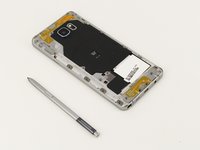
    6. Samsung Galaxy Note5 Display Replacement: adım 8, 1 resimden 1.
      • Remove the S-Pen from the bottom of the device.

      FixBot'a Sor

      Yorum Ekle

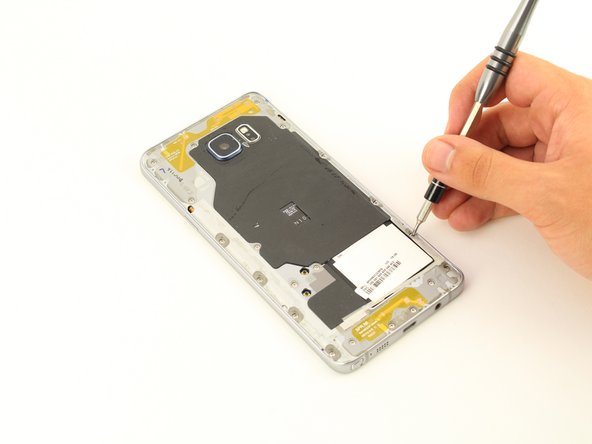
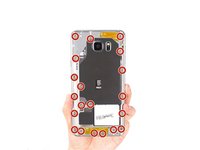
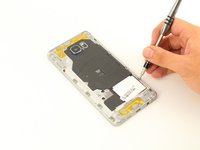
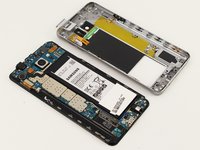
    7. Samsung Galaxy Note5 Display Replacement: adım 9, 2 resimden 1. Samsung Galaxy Note5 Display Replacement: adım 9, 2 resimden 2.
      • Remove 20 5mm screws with a Phillips #1 Screwdriver.

      FixBot'a Sor

      Yorum Ekle

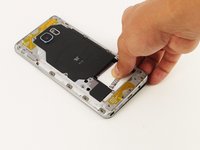
    8. Samsung Galaxy Note5 Display Replacement: adım 10, 3 resimden 1. Samsung Galaxy Note5 Display Replacement: adım 10, 3 resimden 2. Samsung Galaxy Note5 Display Replacement: adım 10, 3 resimden 3.
      • Grip the back of the device and press down on the white square to remove the middle housing.

      FixBot'a Sor

      Yorum Ekle

    9. Samsung Galaxy Note5 Display Replacement: adım 11, 1 resimden 1.
      • Loosen the two signal cable connectors.

      FixBot'a Sor

      Yorum Ekle

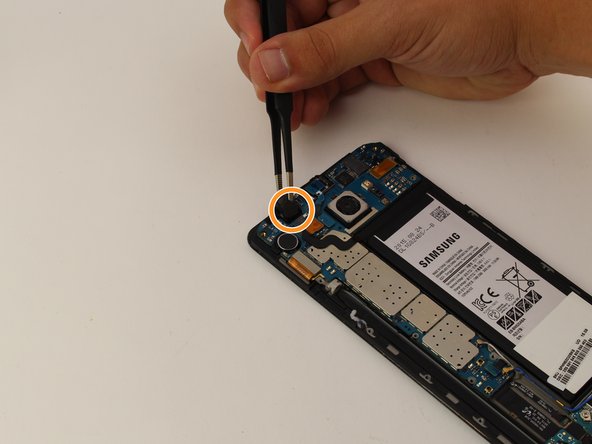
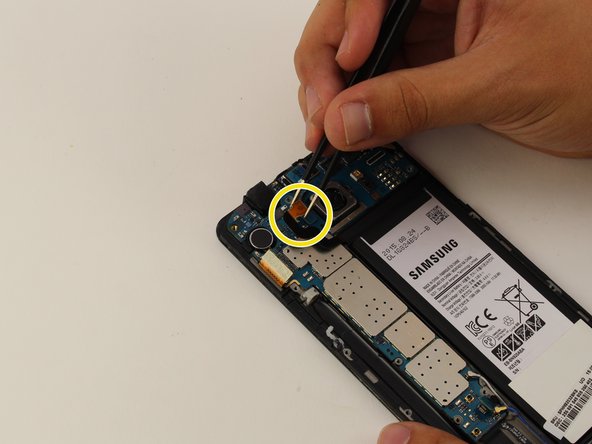
    10. Samsung Galaxy Note5 Display Replacement: adım 12, 3 resimden 1. Samsung Galaxy Note5 Display Replacement: adım 12, 3 resimden 2. Samsung Galaxy Note5 Display Replacement: adım 12, 3 resimden 3.
      Bu adımda kullanılan alet:
      Tweezers
      $4.99
      • To disconnect flexes, carefully pull up on the exposed tab with tweezers.

      • Disconnect the battery flex.

      • Disconnect the earpiece flex.

      • Disconnect the battery flex.

      FixBot'a Sor

      Yorum Ekle

    11. Samsung Galaxy Note5 Display Replacement: adım 13, 1 resimden 1.
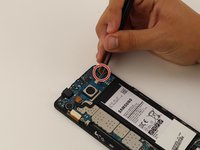
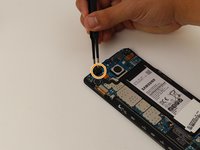
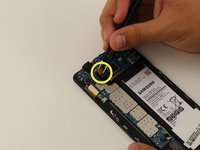
      • Remove the teal navigation button flex.

      FixBot'a Sor

      Yorum Ekle

    12. Samsung Galaxy Note5 Display Replacement: adım 14, 1 resimden 1.
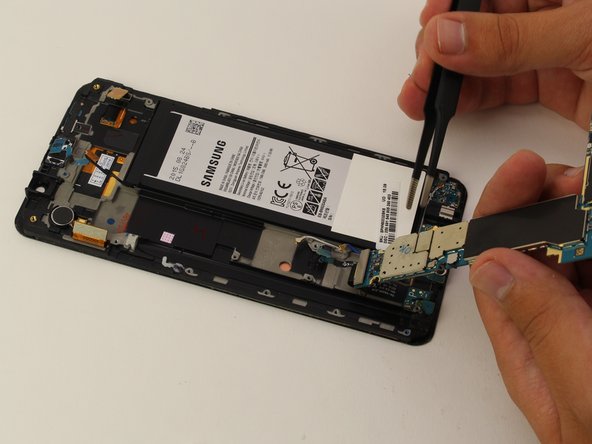
      • Gently lift up the motherboard from the top end to remove.

      • Make sure all flexes are disconnected before removing the motherboard. If the motherboard does not easily detach, remove any connected flexes.

      FixBot'a Sor

      Yorum Ekle

    13. Samsung Galaxy Note5 Display Replacement: adım 15, 3 resimden 1. Samsung Galaxy Note5 Display Replacement: adım 15, 3 resimden 2. Samsung Galaxy Note5 Display Replacement: adım 15, 3 resimden 3.
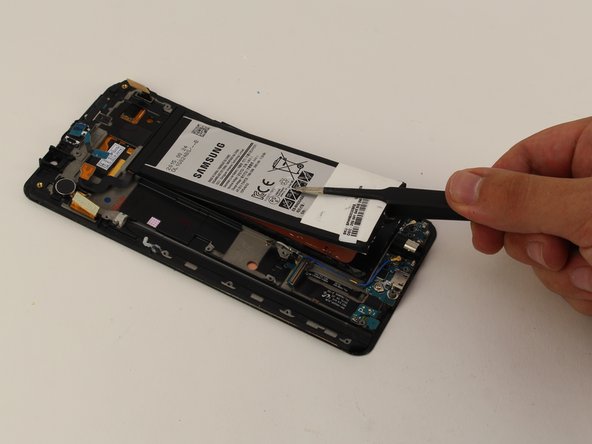
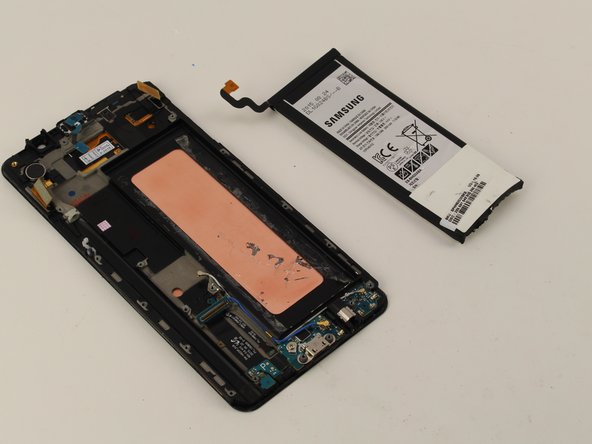
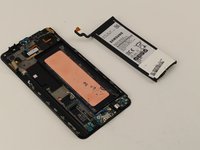
      • With the motherboard removed, slowly pry off the battery with tweezers, starting at the bottom.

      • Be careful not to puncture the battery as this could cause permanent damage.

      FixBot'a Sor

      Yorum Ekle

    14. Samsung Galaxy Note5 Display Replacement: adım 16, 1 resimden 1.
      • Heat the display for two minutes with a heat gun.

      FixBot'a Sor

      Yorum Ekle

    15. Samsung Galaxy Note5 Display Replacement: adım 17, 1 resimden 1.
      • Once the display is very warm to the touch, slide a pick between the LCD and the LCD shield on the bottom edge of the device.

      • Slide the pick across the bottom to cut through the adhesive.

      FixBot'a Sor

      Yorum Ekle

    16. Samsung Galaxy Note5 Display Replacement: adım 18, 1 resimden 1.
      • The display is now removed.

      FixBot'a Sor

      Yorum Ekle

Sonuç

To reassemble your device, follow these instructions in reverse order.

İptal et: Bu kılavuzu tamamlamadım.

41 farklı kişi bu kılavuzu tamamladı.

Alexander Laucius

Üyelik tarihi: 04/19/18

1.662 İtibar

2 adet Kılavuz yazıldı

Ekip

Cal Poly, Team S25-G17, Maness Spring 2018 Cal Poly, Team S25-G17, Maness Spring 2018 üyesi

CPSU-MANESS-S18S25G17

4 Üyeler

34 adet Kılavuz yazıldı

6Kılavuz Yorumları

Worked like a charm

Ronald Sapp - Yanıt Paylaş

How does one bond everything back together?

lcplthomasc - Yanıt Paylaş

I am working in fixing my own Note 5. I have heard that double-sided tape made specifically for this task are best. You can find different options here: https://www.magazingsm.ro/adeziv-geam-si...

Cristina - Yanıt Paylaş

I have now replaced the display on my Note 5 and actually I didn’t even use the glue I bought. The original glue is quite a lot and the new display comes with glue on the back of it. Thanks again, Alexander, for your helpful instructions!

Cristina - Yanıt Paylaş

This was very helpful. Many thanks to the author. may God add many years to his life.

Peterson - Yanıt Paylaş

Yorum Ekle

İstatistikleri Görüntüle:

Son 24 Saat: 5

Son 7 gün: 27

Son 30 gün: 97

Her zaman: 27,101