Ana içeriğe geç
Onarım Topluluğuna Katılın - Hesap Oluşturun

Samsung HMX-W300 Battery Replacement

Neye ihtiyacın var

  1. Samsung HMX-W300 Battery Replacement, Disassembling Samsung HMX-W300: adım 1, 3 resimden 1. Samsung HMX-W300 Battery Replacement, Disassembling Samsung HMX-W300: adım 1, 3 resimden 2. Samsung HMX-W300 Battery Replacement, Disassembling Samsung HMX-W300: adım 1, 3 resimden 3.
    • To remove the wristband of the device, grab the middle loop and pull the band through.

    FixBot'a Sor

    Yorum Ekle

  2. Samsung HMX-W300 Battery Replacement: adım 2, 2 resimden 1. Samsung HMX-W300 Battery Replacement: adım 2, 2 resimden 2.
    • Remove four screws with a Hex 1.5 mm screwdriver.

    FixBot'a Sor

    Yorum Ekle

  3. Samsung HMX-W300 Battery Replacement: adım 3, 3 resimden 1. Samsung HMX-W300 Battery Replacement: adım 3, 3 resimden 2. Samsung HMX-W300 Battery Replacement: adım 3, 3 resimden 3.
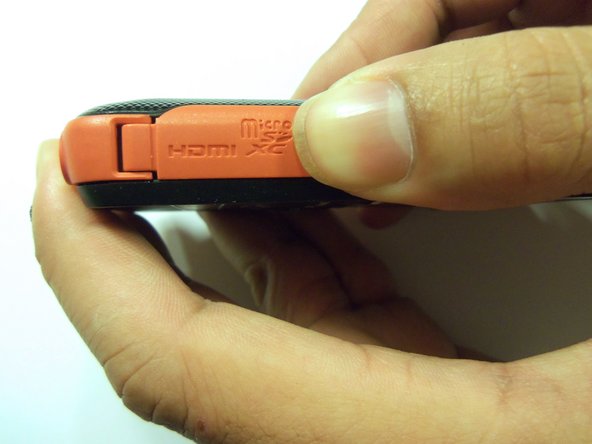
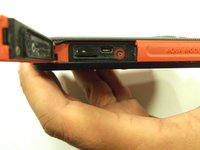
    • Open the HDMI door on the side of the camera.

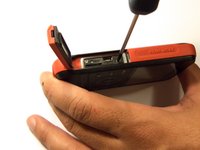
    • Remove the single screw using a Phillips #00 screwdriver.

    FixBot'a Sor

    Yorum Ekle

  4. Samsung HMX-W300 Battery Replacement: adım 4, 3 resimden 1. Samsung HMX-W300 Battery Replacement: adım 4, 3 resimden 2. Samsung HMX-W300 Battery Replacement: adım 4, 3 resimden 3.
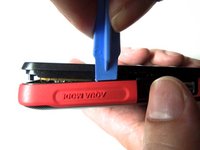
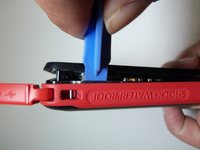
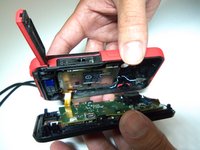
    • Use the iFixit opening tool on both sides on the device. Pry apart both sections with light force.

    • Do not apply too much force. There is a wire that attaches the front case with the rear case that can be damaged.

    FixBot'a Sor

    Yorum Ekle

  5. Samsung HMX-W300 Battery Replacement: adım 5, 3 resimden 1. Samsung HMX-W300 Battery Replacement: adım 5, 3 resimden 2. Samsung HMX-W300 Battery Replacement: adım 5, 3 resimden 3.
    Bu adımda kullanılan alet:
    Tweezers
    $4.99
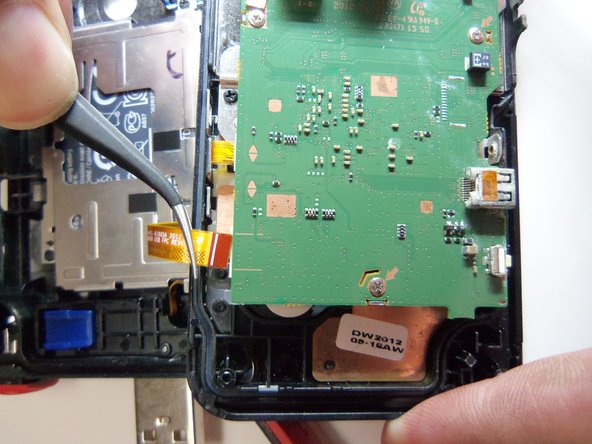
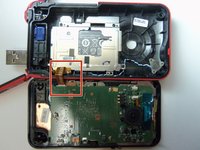
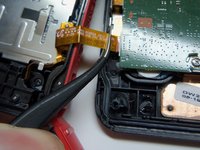
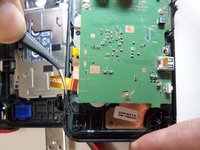
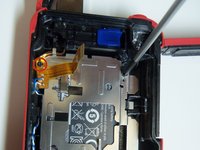
    • Pull the wire ribbon out with a pair of tweezers.

    FixBot'a Sor

    Yorum Ekle

  6. Samsung HMX-W300 Battery Replacement, Battery: adım 6, 2 resimden 1. Samsung HMX-W300 Battery Replacement, Battery: adım 6, 2 resimden 2.
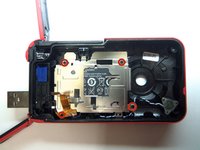
    • Remove the four screws from the battery housing using a Phillips #00 screwdriver.

    FixBot'a Sor

    Yorum Ekle

  7. Samsung HMX-W300 Battery Replacement: adım 7, 1 resimden 1.
    • Use the iFixit opening tool to pry the battery housing open.

    FixBot'a Sor

    Yorum Ekle

  8. Samsung HMX-W300 Battery Replacement: adım 8, 3 resimden 1. Samsung HMX-W300 Battery Replacement: adım 8, 3 resimden 2. Samsung HMX-W300 Battery Replacement: adım 8, 3 resimden 3.
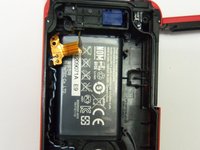
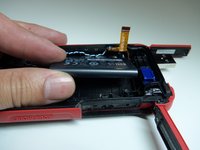
    • After removing the battery housing, take the battery out.

    FixBot'a Sor

    Yorum Ekle

Sonuç

To reassemble your device, follow these instructions in reverse order.

İptal et: Bu kılavuzu tamamlamadım.

6 farklı kişi bu kılavuzu tamamladı.

Robert

Üyelik tarihi: 01/21/15

966 İtibar

8 adet Kılavuz yazıldı

Ekip

USF Tampa, Team 9-2, Blackwell Winter 2015 USF Tampa, Team 9-2, Blackwell Winter 2015 üyesi

USFT-BLACKWELL-W15S9G2

4 Üyeler

16 adet Kılavuz yazıldı

2Kılavuz Yorumları

What type of battery is this? What part number should we use to order a replacement?

VanDemark - Yanıt Paylaş
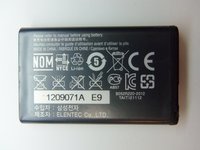
The type of battery should be printed on the case of the battery. Most likely it’s some type of lithium battery. The part number for the battery should be on the case as well. If you can’t find either of these on the battery case you can take the battery to a place that sales batteries and the personnel there should be able to tell you the type and part number for your battery.

Jarretti Reaves - Yanıt Paylaş
Yorum Ekle

İstatistikleri Görüntüle:

Son 24 Saat: 1

Son 7 gün: 9

Son 30 gün: 36

Her zaman: 2,757