Giriş
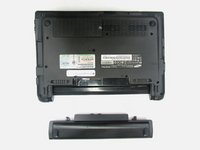
We are going to teach someone how to remove the battery in four easy steps. This is the first necessary step that will allow you to remove the back panel to replace other internal components.
-
-
Turn off the computer.
-
Disconnect the charging cable from the laptop.
-
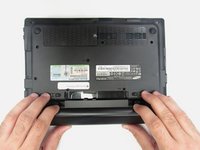
Flip the laptop upside down with the front face down on a flat surface.
-
-


Sonuç
To reassemble your device, follow these instructions in reverse order.


Ekip

Eastern Washington University, Team 2-3, Andersen Spring 2016 Eastern Washington University, Team 2-3, Andersen Spring 2016 üyesi
EWU-ANDERSEN-S16S2G3
5 Üyeler
6 adet Kılavuz yazıldı
