Ana içeriğe geç
Onarım Topluluğuna Katılın - Hesap Oluşturun

Samsung Portable Dualband Tri-Mode Keypad Replacement

Neye ihtiyacın var

    1. Samsung Portable Dualband Tri-Mode Keypad Replacement, Battery: adım 1, 2 resimden 1. Samsung Portable Dualband Tri-Mode Keypad Replacement, Battery: adım 1, 2 resimden 2.
      • Slide the battery out from the battery compartment on the back of the phone.

      FixBot'a Sor

      Yorum Ekle

    1. Samsung Portable Dualband Tri-Mode Keypad Replacement, Antenna: adım 2, 2 resimden 1. Samsung Portable Dualband Tri-Mode Keypad Replacement, Antenna: adım 2, 2 resimden 2.
      • Unscrew the antenna top.

      FixBot'a Sor

      Yorum Ekle

    2. Samsung Portable Dualband Tri-Mode Keypad Replacement: adım 3, 3 resimden 1. Samsung Portable Dualband Tri-Mode Keypad Replacement: adım 3, 3 resimden 2. Samsung Portable Dualband Tri-Mode Keypad Replacement: adım 3, 3 resimden 3.
      Bu adımda kullanılan alet:
      Tweezers
      $4.99
      • Clasp the antenna with tweezers and push toward the top.

      • Remove the antenna.

      FixBot'a Sor

      Yorum Ekle

    1. Samsung Portable Dualband Tri-Mode Keypad Replacement, Backplate: adım 4, 3 resimden 1. Samsung Portable Dualband Tri-Mode Keypad Replacement, Backplate: adım 4, 3 resimden 2. Samsung Portable Dualband Tri-Mode Keypad Replacement, Backplate: adım 4, 3 resimden 3.
      • Remove the four screws (3 mm) from the battery compartment.

      • Press the release buttons located on the side of the phone while gently prying the back plate off.

      FixBot'a Sor

      Yorum Ekle

    1. Samsung Portable Dualband Tri-Mode Keypad Replacement, Motherboard: adım 5, 3 resimden 1. Samsung Portable Dualband Tri-Mode Keypad Replacement, Motherboard: adım 5, 3 resimden 2. Samsung Portable Dualband Tri-Mode Keypad Replacement, Motherboard: adım 5, 3 resimden 3.
      • Press the release tabs on the sides of the back casing.

      • Gently pry the motherboard loose and remove it.

      FixBot'a Sor

      Yorum Ekle

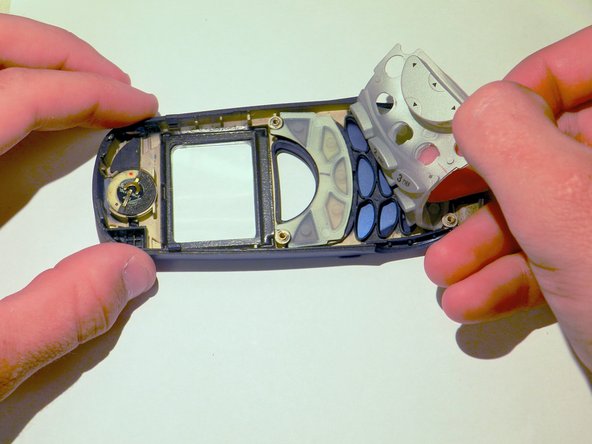
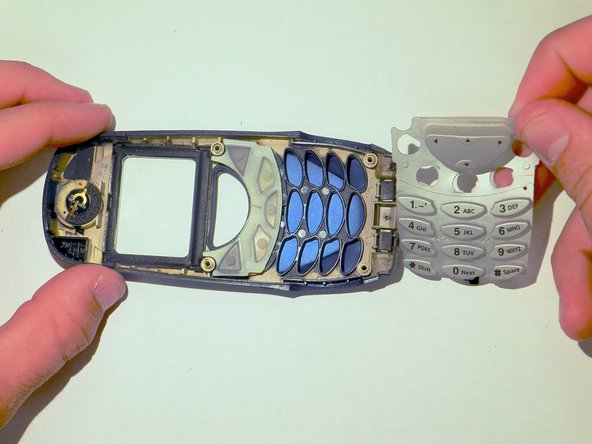
    1. Samsung Portable Dualband Tri-Mode Keypad Replacement, Keypad: adım 6, 3 resimden 1. Samsung Portable Dualband Tri-Mode Keypad Replacement, Keypad: adım 6, 3 resimden 2. Samsung Portable Dualband Tri-Mode Keypad Replacement, Keypad: adım 6, 3 resimden 3.
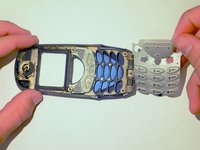
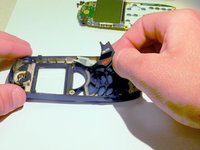
      • Remove the gray keypad from the phone by peeling it back.

      FixBot'a Sor

      Yorum Ekle

    2. Samsung Portable Dualband Tri-Mode Keypad Replacement: adım 7, 2 resimden 1. Samsung Portable Dualband Tri-Mode Keypad Replacement: adım 7, 2 resimden 2.
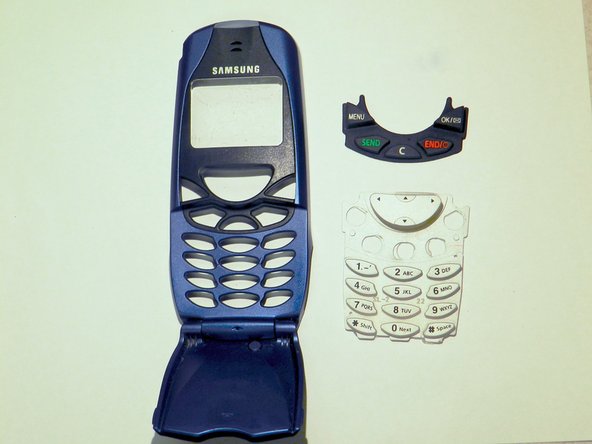
      • Remove the black keypad from the phone casing.

      • Clean the keypad and check for any damage. If the keypad is damaged, then replace it with a new one.

      FixBot'a Sor

      Yorum Ekle

Sonuç

To reassemble your device, follow these instructions in reverse order.

İptal et: Bu kılavuzu tamamlamadım.

Barbara

Üyelik tarihi: 03/26/14

413 İtibar

4 adet Kılavuz yazıldı

Ekip

Clemson, Team 6-2, Benson Spring 2014 Clemson, Team 6-2, Benson Spring 2014 üyesi

CLEM-BENSON-S14S6G2

4 Üyeler

49 adet Kılavuz yazıldı

0Kılavuz Yorumları

Yorum Ekle

İstatistikleri Görüntüle:

Son 24 Saat: 2

Son 7 gün: 10

Son 30 gün: 43

Her zaman: 578