Ana içeriğe geç
Onarım Topluluğuna Katılın - Hesap Oluşturun

Sanyo VPC S1275 Function Set Replacement

Neye ihtiyacın var

  1. Sanyo VPC S1275 Function Set Replacement, Battery: adım 1, 1 resimden 1.
    • Place your thumb on the right side of the camera over the battery door.

    • Slide the battery door to the right until the door lifts up.

    FixBot'a Sor

    Yorum Ekle

  2. Sanyo VPC S1275 Function Set Replacement: adım 2, 1 resimden 1.
    • Remove and recycle old batteries.

    FixBot'a Sor

    Yorum Ekle

  3. Sanyo VPC S1275 Function Set Replacement, Case: adım 3, 3 resimden 1. Sanyo VPC S1275 Function Set Replacement, Case: adım 3, 3 resimden 2. Sanyo VPC S1275 Function Set Replacement, Case: adım 3, 3 resimden 3.
    • Remove the following six screws using the Phillips #00 screwdriver:

    • Two screws on the left side of the camera.

    • Two screws on the right side of the camera.

    • Two screws on the bottom of the camera.

    FixBot'a Sor

    Yorum Ekle

  4. Sanyo VPC S1275 Function Set Replacement: adım 4, 2 resimden 1. Sanyo VPC S1275 Function Set Replacement: adım 4, 2 resimden 2.
    • Open the battery slot on the bottom of the camera by sliding the door to the right.

    • Remove the single 4 mm screw on the bottom right using the Phillips #00 screwdriver.

    FixBot'a Sor

    Yorum Ekle

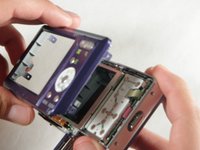
  5. Sanyo VPC S1275 Function Set Replacement: adım 5, 3 resimden 1. Sanyo VPC S1275 Function Set Replacement: adım 5, 3 resimden 2. Sanyo VPC S1275 Function Set Replacement: adım 5, 3 resimden 3.
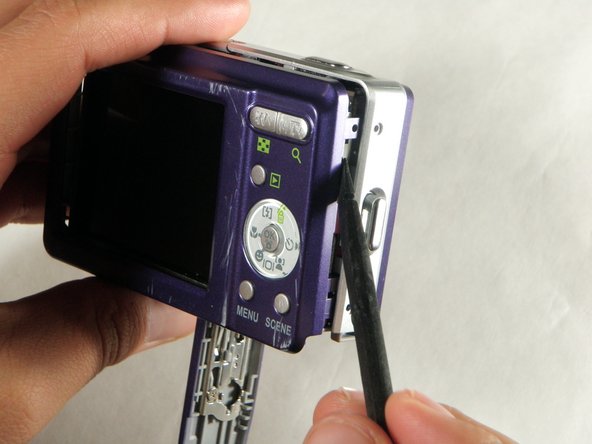
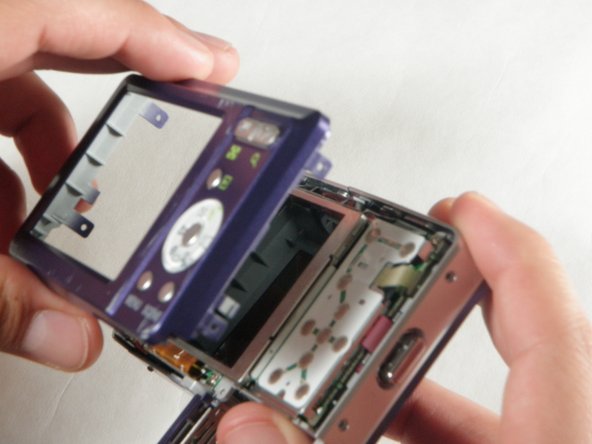
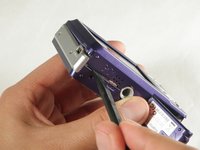
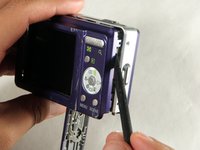
    • Insert a spudger in the seam at the bottom of the camera.

    • Gently separate the rear case from the front of the camera.

    FixBot'a Sor

    Yorum Ekle

  6. Sanyo VPC S1275 Function Set Replacement: adım 6, 1 resimden 1.
    • This step is only needed for the case and logic board replacement

    • Using the Phillips #00 screwdriver, remove the single screw attached to the front casing in the top left corner. The front case should easily separate.

    FixBot'a Sor

    Yorum Ekle

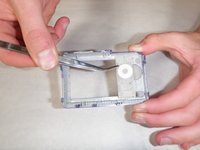
  7. Sanyo VPC S1275 Function Set Replacement: adım 7, 1 resimden 1.
    • This step is only needed for the case replacement.

    • Using the Phillips #00 screwdriver, remove the screw on the inside of the battery door.

    • Slide the battery door off of the hinge.

    FixBot'a Sor

    Yorum Ekle

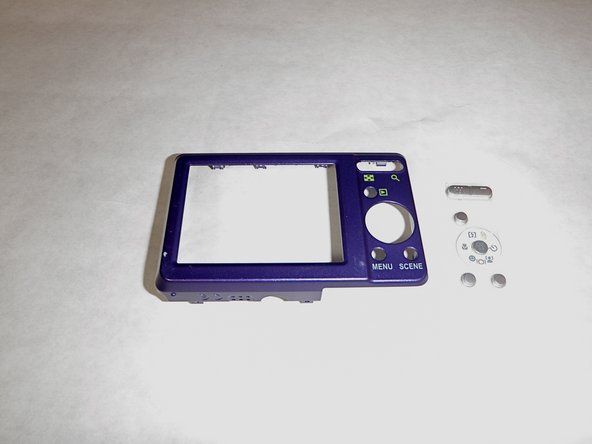
  8. Sanyo VPC S1275 Function Set Replacement, Function Set: adım 8, 2 resimden 1. Sanyo VPC S1275 Function Set Replacement, Function Set: adım 8, 2 resimden 2.
    • Remove the function set strip by lifting it from the inside of the rear case.

    • The function strip is now free from the camera.

    FixBot'a Sor

    Yorum Ekle

Sonuç

To reassemble your device, follow these instructions in reverse order.

İptal et: Bu kılavuzu tamamlamadım.

Ariana Martinez

Üyelik tarihi: 04/15/10

50 İtibar

4 adet Kılavuz yazıldı

Ekip

Cal Poly, Team 24-24, Regan Spring 2010 Cal Poly, Team 24-24, Regan Spring 2010 üyesi

CPSU-REGAN-S10S24G24

4 Üyeler

12 adet Kılavuz yazıldı

0Kılavuz Yorumları

Yorum Ekle

İstatistikleri Görüntüle:

Son 24 Saat: 2

Son 7 gün: 9

Son 30 gün: 48

Her zaman: 3,165