Ana içeriğe geç
Onarım Topluluğuna Katılın - Hesap Oluşturun

Shop-Vac MC150A Motor Replacement

Neye ihtiyacın var

    1. Shop-Vac MC150A Motor Replacement, Unlatch the power unit assembly: adım 1, 1 resimden 1.
      • Before you begin, make sure to switch off the device and unplug it from the outlet.

      • Unlatch the two side clips securing the power unit assembly to the tank.

      • Remove the power unit assembly from the tank assembly.

      FixBot'a Sor

      Yorum Ekle

    2. Shop-Vac MC150A Motor Replacement, Remove the top cover: adım 2, 2 resimden 1. Shop-Vac MC150A Motor Replacement, Remove the top cover: adım 2, 2 resimden 2.
      • Use a 3.5 mm hex key to remove the three screws securing the top cover.

      • Remove the top cover.

      FixBot'a Sor

      Yorum Ekle

    3. Shop-Vac MC150A Motor Replacement: adım 3, 1 resimden 1.
      • Use a 3.5 mm hex key to remove the four screws securing the power unit assembly.

      FixBot'a Sor

      Yorum Ekle

    4. Shop-Vac MC150A Motor Replacement: adım 4, 1 resimden 1.
      • Separate the power unit assembly from the cover.

      FixBot'a Sor

      Yorum Ekle

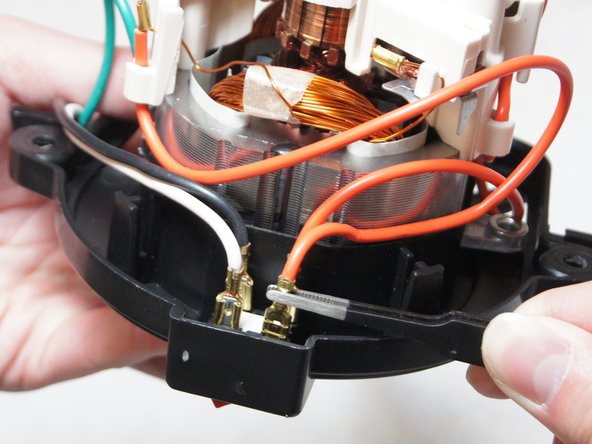
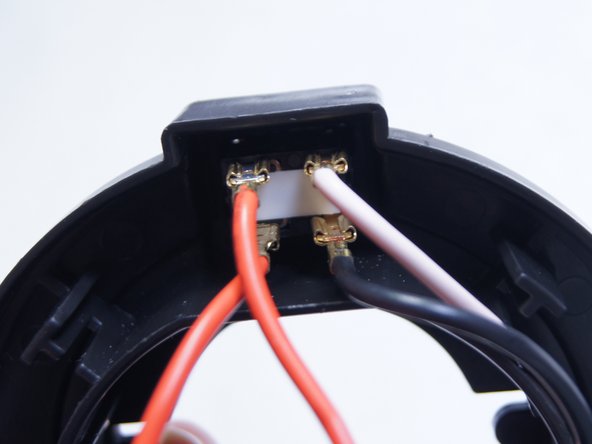
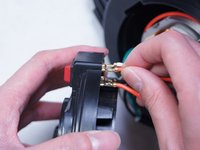
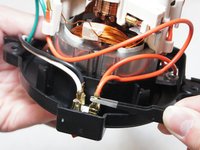
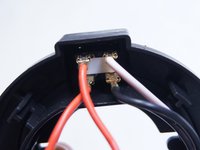
    1. Shop-Vac MC150A Motor Replacement, Disconnect the switch: adım 5, 3 resimden 1. Shop-Vac MC150A Motor Replacement, Disconnect the switch: adım 5, 3 resimden 2. Shop-Vac MC150A Motor Replacement, Disconnect the switch: adım 5, 3 resimden 3.
      • Pull out and disconnect the four spade connectors from the switch module.

      • During reassembly, use the last image as a reference for how to connect the wires.

      FixBot'a Sor

      Yorum Ekle

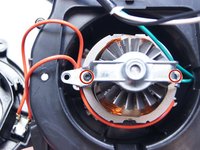
    2. Shop-Vac MC150A Motor Replacement, Unscrew the motor bracket: adım 6, 2 resimden 1. Shop-Vac MC150A Motor Replacement, Unscrew the motor bracket: adım 6, 2 resimden 2.
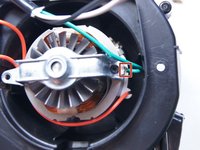
      • Use a Torx T15 driver to unscrew the two screws securing the metal motor bracket.

      FixBot'a Sor

      Yorum Ekle

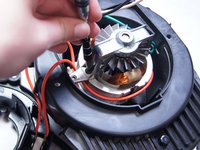
    3. Shop-Vac MC150A Motor Replacement: adım 7, 2 resimden 1. Shop-Vac MC150A Motor Replacement: adım 7, 2 resimden 2.
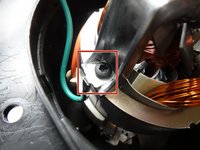
      • During reassembly, be sure to reattach the green ground wire clip to the bracket.

      FixBot'a Sor

      Yorum Ekle

    4. Shop-Vac MC150A Motor Replacement: adım 8, 1 resimden 1.
      • Separate the clip from the green wire and transfer it to the replacement motor.

      FixBot'a Sor

      Yorum Ekle

    1. Shop-Vac MC150A Motor Replacement, Motor: adım 9, 2 resimden 1. Shop-Vac MC150A Motor Replacement, Motor: adım 9, 2 resimden 2.
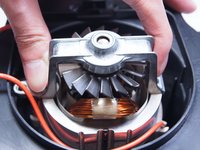
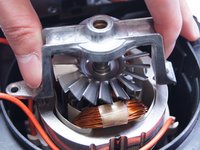
      • Remove the motor bracket.

      FixBot'a Sor

      Yorum Ekle

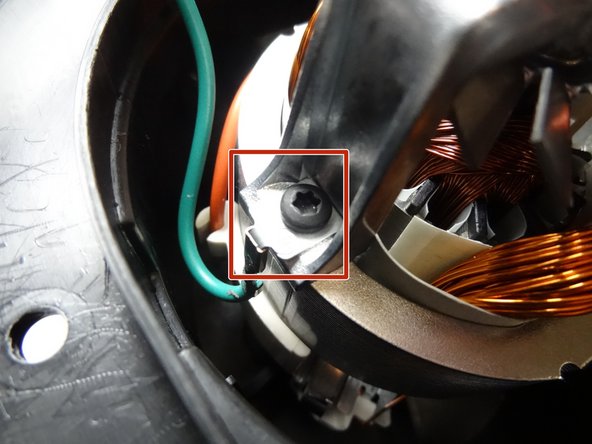
    2. Shop-Vac MC150A Motor Replacement: adım 10, 1 resimden 1.
      • Turn the part over to the other side.

      • Use the socket wrench remove the bolt securing the aluminum plate.

      FixBot'a Sor

      Yorum Ekle

    3. Shop-Vac MC150A Motor Replacement: adım 11, 1 resimden 1.
      • Unscrew the two Phillips head screws holding the cover to the motor.

      • After removing the cover to the motor, you can replace the motor.

      FixBot'a Sor

      Yorum Ekle

Sonuç

To reassemble your device, follow these instructions in reverse order.

İptal et: Bu kılavuzu tamamlamadım.

8 farklı kişi bu kılavuzu tamamladı.

Ngunlian

Üyelik tarihi: 02/08/16

756 İtibar

5 adet Kılavuz yazıldı

Ekip

IUPUI, Team 1-2, Baechle Spring 2016 IUPUI, Team 1-2, Baechle Spring 2016 üyesi

IUPUI-BAECHLE-S16S1G2

5 Üyeler

30 adet Kılavuz yazıldı

2Kılavuz Yorumları

Where do I buy a new motor?????

Gerald Mikel - Yanıt Paylaş

Yeah that's what we all would like to know, removing is the easy part

Junkyard_Boxer - Yanıt Paylaş

Yorum Ekle

İstatistikleri Görüntüle:

Son 24 Saat: 11

Son 7 gün: 41

Son 30 gün: 205

Her zaman: 32,474