Ana içeriğe geç
Onarım Topluluğuna Katılın - Hesap Oluşturun

Shop-Vac MC150A Power Cable Replacement

Salt Önkoşul
Bu sadece bir ön koşul kılavuzudur! Bu kılavuz başka bir prosedürün parçasıdır ve tek başına kullanılması amaçlanmamıştır.

Neye ihtiyacın var

  1. Shop-Vac MC150A Power Cable Replacement, Unlatch the power unit assembly: adım 1, 1 resimden 1.
    • Before you begin, make sure to switch off the device and unplug it from the outlet.

    • Unlatch the two side clips securing the power unit assembly to the tank.

    • Remove the power unit assembly from the tank assembly.

    FixBot'a Sor

    Yorum Ekle

  2. Shop-Vac MC150A Power Cable Replacement, Remove the top cover: adım 2, 2 resimden 1. Shop-Vac MC150A Power Cable Replacement, Remove the top cover: adım 2, 2 resimden 2.
    • Use a 3.5 mm hex key to remove the three screws securing the top cover.

    • Remove the top cover.

    FixBot'a Sor

    Yorum Ekle

  3. Shop-Vac MC150A Power Cable Replacement: adım 3, 1 resimden 1.
    • Use a 3.5 mm hex key to remove the four screws securing the power unit assembly.

    FixBot'a Sor

    Yorum Ekle

  4. Shop-Vac MC150A Power Cable Replacement: adım 4, 1 resimden 1.
    • Separate the power unit assembly from the cover.

    FixBot'a Sor

    Yorum Ekle

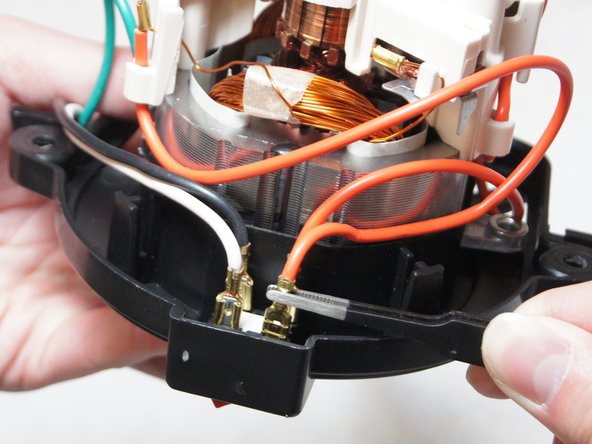
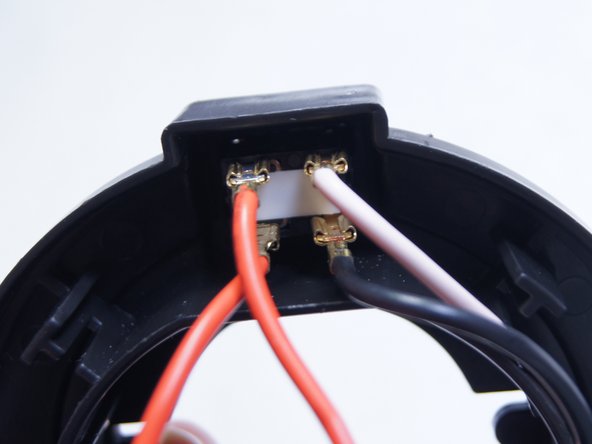
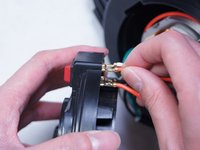
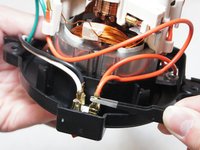
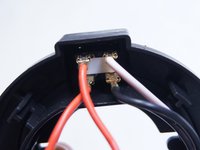
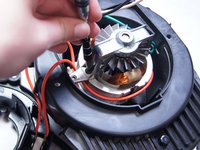
  5. Shop-Vac MC150A Power Cable Replacement, Disconnect the switch: adım 5, 3 resimden 1. Shop-Vac MC150A Power Cable Replacement, Disconnect the switch: adım 5, 3 resimden 2. Shop-Vac MC150A Power Cable Replacement, Disconnect the switch: adım 5, 3 resimden 3.
    • Pull out and disconnect the four spade connectors from the switch module.

    • During reassembly, use the last image as a reference for how to connect the wires.

    FixBot'a Sor

    Yorum Ekle

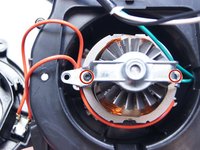
  6. Shop-Vac MC150A Power Cable Replacement, Unscrew the motor bracket: adım 6, 2 resimden 1. Shop-Vac MC150A Power Cable Replacement, Unscrew the motor bracket: adım 6, 2 resimden 2.
    • Use a Torx T15 driver to unscrew the two screws securing the metal motor bracket.

    FixBot'a Sor

    Yorum Ekle

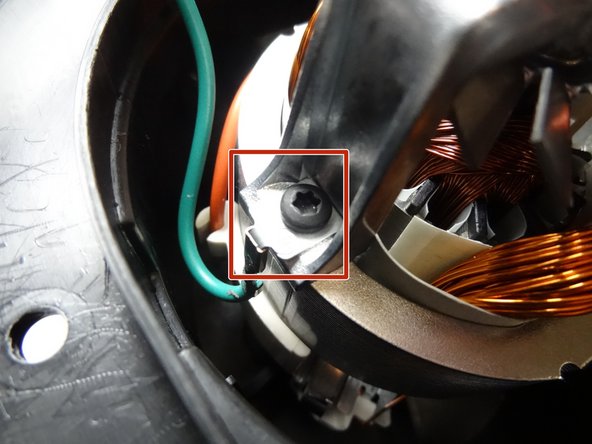
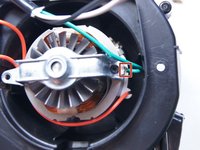
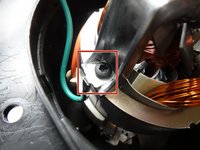
  7. Shop-Vac MC150A Power Cable Replacement: adım 7, 2 resimden 1. Shop-Vac MC150A Power Cable Replacement: adım 7, 2 resimden 2.
    • During reassembly, be sure to reattach the green ground wire clip to the bracket.

    FixBot'a Sor

    Yorum Ekle

  8. Shop-Vac MC150A Power Cable Replacement: adım 8, 1 resimden 1.
    • Separate the clip from the green wire and transfer it to the replacement motor.

    FixBot'a Sor

    Yorum Ekle

Sonuç

To reassemble your device, follow these instructions in reverse order.

İptal et: Bu kılavuzu tamamlamadım.

3 farklı kişi bu kılavuzu tamamladı.

Ngunlian

Üyelik tarihi: 02/08/16

756 İtibar

5 adet Kılavuz yazıldı

Ekip

IUPUI, Team 1-2, Baechle Spring 2016 IUPUI, Team 1-2, Baechle Spring 2016 üyesi

IUPUI-BAECHLE-S16S1G2

5 Üyeler

13 adet Kılavuz yazıldı

1Rehber Yorum

How and where do I order a power cord? Just any power? Or a specific for shop vac.

Jenny Sellman - Yanıt Paylaş

Yorum Ekle

İstatistikleri Görüntüle:

Son 24 Saat: 0

Son 7 gün: 3

Son 30 gün: 32

Her zaman: 5,226