Ana içeriğe geç
Onarım Topluluğuna Katılın - Hesap Oluşturun

Sony Cyber-shot DSC-TX7 Back Cover Replacement

Neye ihtiyacın var

    1. Sony Cyber-shot DSC-TX7 Back Cover Replacement, Battery: adım 1, 2 resimden 1. Sony Cyber-shot DSC-TX7 Back Cover Replacement, Battery: adım 1, 2 resimden 2.
      • The battery compartment is located on the bottom of camera.

      • Move the slider from the 'lock' position to the 'open' position.

      FixBot'a Sor

      Yorum Ekle

    2. Sony Cyber-shot DSC-TX7 Back Cover Replacement: adım 2, 3 resimden 1. Sony Cyber-shot DSC-TX7 Back Cover Replacement: adım 2, 3 resimden 2. Sony Cyber-shot DSC-TX7 Back Cover Replacement: adım 2, 3 resimden 3.
      • Battery not shown.

      • Pull battery from compartment.

      • Insert newly charged battery into compartment, as shown in diagram (located in compartment).

      • Shut compartment door.

      • Move the slider back to the 'lock' position.

      FixBot'a Sor

      Yorum Ekle

    1. Sony Cyber-shot DSC-TX7 Back Cover Replacement, Front Cover: adım 3, 1 resimden 1.
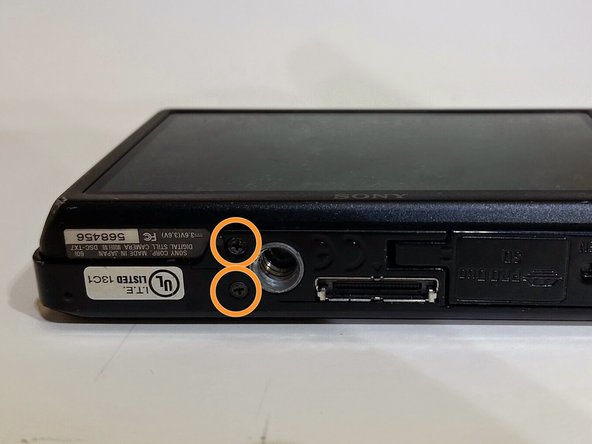
      • Use the Phillips #00 screwdriver to remove the 4mm length screws. There are 6 screws total.

      FixBot'a Sor

      Yorum Ekle

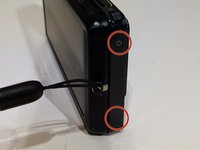
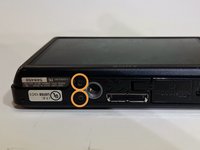
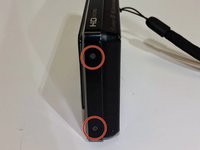
    2. Sony Cyber-shot DSC-TX7 Back Cover Replacement: adım 4, 3 resimden 1. Sony Cyber-shot DSC-TX7 Back Cover Replacement: adım 4, 3 resimden 2. Sony Cyber-shot DSC-TX7 Back Cover Replacement: adım 4, 3 resimden 3.
      • The 4 mm length screws are located on each side and on the bottom of the camera.

      • 2 screws on each side (4 total).

      • 2 screws on bottom.

      FixBot'a Sor

      Yorum Ekle

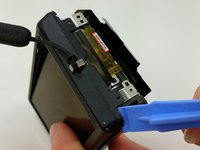
    3. Sony Cyber-shot DSC-TX7 Back Cover Replacement: adım 5, 1 resimden 1.
      • Gently pry around the front cover using the plastic opening tool.

      • Carefully separate front cover from body of camera.

      FixBot'a Sor

      Yorum Ekle

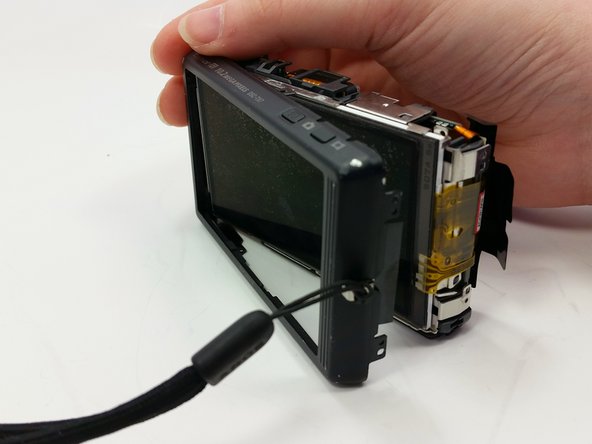
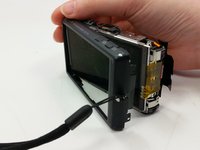
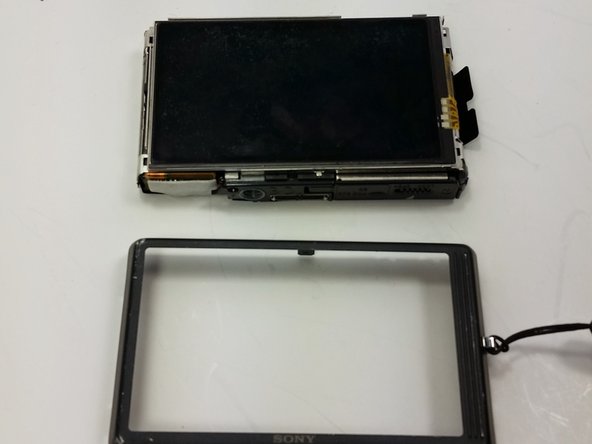
    4. Sony Cyber-shot DSC-TX7 Back Cover Replacement: adım 6, 1 resimden 1.
      • The front cover is now removed from the camera and the internal hardware is now visible.

      • They front cover will still be connected by a ribbon. Be careful not to break the ribbon.

      FixBot'a Sor

      Yorum Ekle

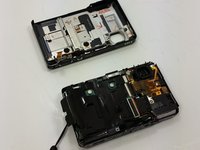
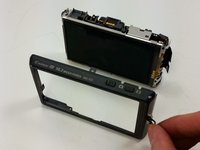
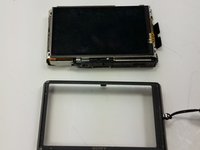
    1. Sony Cyber-shot DSC-TX7 Back Cover Replacement, Back Cover: adım 7, 1 resimden 1.
      • This is the camera with the front cover unscrewed and partially removed.

      FixBot'a Sor

      Yorum Ekle

    2. Sony Cyber-shot DSC-TX7 Back Cover Replacement: adım 8, 2 resimden 1. Sony Cyber-shot DSC-TX7 Back Cover Replacement: adım 8, 2 resimden 2.
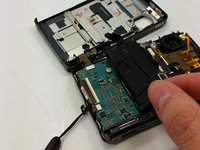
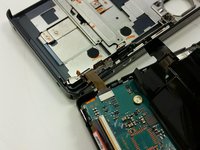
      • Peel the black sticker from the motherboard.

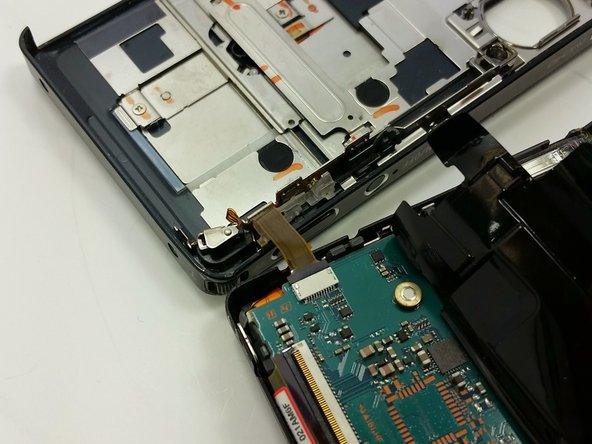
      • Locate the connection ribbon between the front cover and the body of the device.

      FixBot'a Sor

      Yorum Ekle

    3. Sony Cyber-shot DSC-TX7 Back Cover Replacement: adım 9, 2 resimden 1. Sony Cyber-shot DSC-TX7 Back Cover Replacement: adım 9, 2 resimden 2.
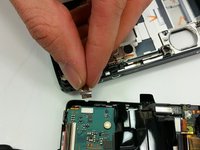
      • Pull the ribbon out of the connection port so that they are completely disconnected.

      FixBot'a Sor

      Yorum Ekle

    4. Sony Cyber-shot DSC-TX7 Back Cover Replacement: adım 10, 2 resimden 1. Sony Cyber-shot DSC-TX7 Back Cover Replacement: adım 10, 2 resimden 2.
      • Use the plastic opening tool to separate the back cover from the inner hardware.

      • Continue until back cover can be pulled away from inner hardware.

      FixBot'a Sor

      Yorum Ekle

    5. Sony Cyber-shot DSC-TX7 Back Cover Replacement: adım 11, 2 resimden 1. Sony Cyber-shot DSC-TX7 Back Cover Replacement: adım 11, 2 resimden 2.
      • Remove the back cover so that the back cover is now completely separate from the body of the device.

      FixBot'a Sor

      Yorum Ekle

Sonuç

To reassemble your device, follow these instructions in reverse order.

İptal et: Bu kılavuzu tamamlamadım.

Leslie Mundell

Üyelik tarihi: 03/18/15

414 İtibar

4 adet Kılavuz yazıldı

Ekip

Michigan Tech, Team 1-8, Lauer Spring 2015 Michigan Tech, Team 1-8, Lauer Spring 2015 üyesi

MTU-LAUER-S15S1G8

2 Üyeler

14 adet Kılavuz yazıldı

0Kılavuz Yorumları

Yorum Ekle

İstatistikleri Görüntüle:

Son 24 Saat: 1

Son 7 gün: 8

Son 30 gün: 41

Her zaman: 1,232