Ana içeriğe geç
Onarım Topluluğuna Katılın - Hesap Oluşturun

Sony Tablet S Charging Connector Replacement

Neye ihtiyacın var

  1. Sony Tablet S Charging Connector Replacement, Battery: adım 1, 2 resimden 1. Sony Tablet S Charging Connector Replacement, Battery: adım 1, 2 resimden 2.
    • Ensure that the device is completely turned off before attempting a repair. The battery may still have charge; use caution touching the components.

    • Use a plastic opening tool to remove the two rubber grips on the back of the tablet.

    FixBot'a Sor

    Yorum Ekle

  2. Sony Tablet S Charging Connector Replacement: adım 2, 1 resimden 1.
    • Remove the two 10mm Phillips #0 screws located under the grips.

    FixBot'a Sor

    Yorum Ekle

  3. Sony Tablet S Charging Connector Replacement: adım 3, 2 resimden 1. Sony Tablet S Charging Connector Replacement: adım 3, 2 resimden 2.
    • Flip the tablet over and use a plastic opening tool to pry the casing away from the top of the screen. Push the back cover off.

    • There is adhesive holding the case on located at the top of the screen. Push the casing toward the top of the screen while also wiggling it back and forth.

    FixBot'a Sor

    Yorum Ekle

  4. Sony Tablet S Charging Connector Replacement: adım 4, 1 resimden 1.
    • Once the casing is off, remove the nine 5mm Phillips #0 screws shown.

    FixBot'a Sor

    Yorum Ekle

  5. Sony Tablet S Charging Connector Replacement: adım 5, 1 resimden 1.
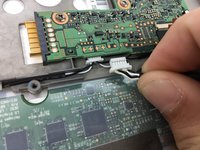
    • Remove the white ribbon cable by pulling the blue tab straight up out of the socket and then peeling up the tape securing it to the tablet.

    • Use caution when removing the cable, as the socket is very fragile.

    FixBot'a Sor

    Yorum Ekle

  6. Sony Tablet S Charging Connector Replacement: adım 6, 1 resimden 1.
    • Remove the copper ribbon cable by gently using a spudger to pry it up from its socket.

    • Use caution when removing the cable, as the socket is very fragile.

    FixBot'a Sor

    Yorum Ekle

  7. Sony Tablet S Charging Connector Replacement: adım 7, 1 resimden 1.
    • Slide the bottom grey cover piece away from the body and remove it.

    • If this piece gives resistance, use a spudger on the sides of the tablet to pry it loose.

    FixBot'a Sor

    Yorum Ekle

  8. Sony Tablet S Charging Connector Replacement: adım 8, 1 resimden 1.
    • Remove the five 4mm Phillips #000 screws.

    • Remove the two 5mm Phillips #000 screws holding the charger in place.

    FixBot'a Sor

    Yorum Ekle

  9. Sony Tablet S Charging Connector Replacement: adım 9, 3 resimden 1. Sony Tablet S Charging Connector Replacement: adım 9, 3 resimden 2. Sony Tablet S Charging Connector Replacement: adım 9, 3 resimden 3.
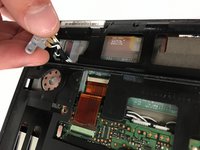
    • Position the charging port at an angle so you can thread it through the opening as you remove the black plastic cover from the back of the tablet.

    • If the cover is not coming off easily, use a plastic opening tool to pry it loose from the edges of the screen.

    FixBot'a Sor

    Yorum Ekle

  10. Sony Tablet S Charging Connector Replacement: adım 10, 2 resimden 1. Sony Tablet S Charging Connector Replacement: adım 10, 2 resimden 2.
    • Use a spudger to lift the zero insertion force connector latch for the long ribbon cable to the right of the battery, then pull the cable loose from its socket.

    • Use caution when removing the cable, as the socket is very fragile.

    FixBot'a Sor

    Yorum Ekle

  11. Sony Tablet S Charging Connector Replacement: adım 11, 1 resimden 1.
    • Remove the three 5mm Phillips #0 screws securing the original battery.

    FixBot'a Sor

    Yorum Ekle

  12. Sony Tablet S Charging Connector Replacement: adım 12, 2 resimden 1. Sony Tablet S Charging Connector Replacement: adım 12, 2 resimden 2.
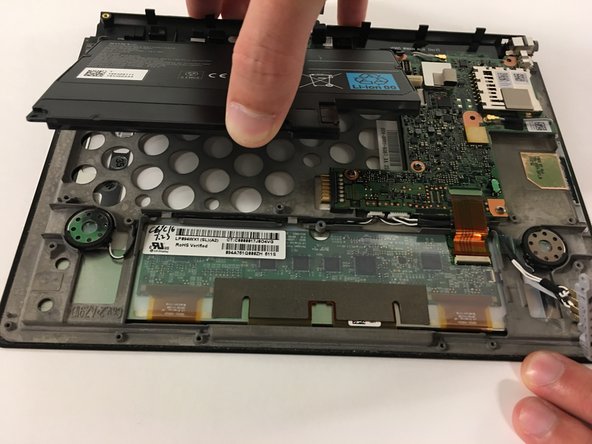
    • Use the spudger to pop the battery loose and remove the battery.

    FixBot'a Sor

    Yorum Ekle

  13. Sony Tablet S Charging Connector Replacement, Charging Connector: adım 13, 2 resimden 1. Sony Tablet S Charging Connector Replacement, Charging Connector: adım 13, 2 resimden 2.
    • Unscrew the single 5mm Phillips #000 screw.

    FixBot'a Sor

    Yorum Ekle

  14. Sony Tablet S Charging Connector Replacement: adım 14, 2 resimden 1. Sony Tablet S Charging Connector Replacement: adım 14, 2 resimden 2.
    • Peel up the tape securing the assembly.

    FixBot'a Sor

    Yorum Ekle

  15. Sony Tablet S Charging Connector Replacement: adım 15, 3 resimden 1. Sony Tablet S Charging Connector Replacement: adım 15, 3 resimden 2. Sony Tablet S Charging Connector Replacement: adım 15, 3 resimden 3.
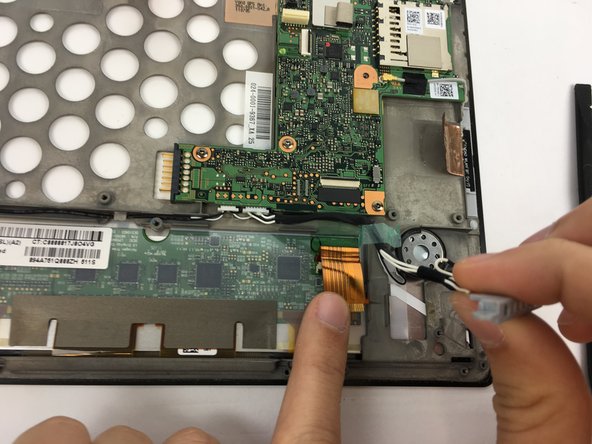
    • Use a spudger to disengage the zero insertion force latch securing the copper ribbon cable.

    • Pull away the ribbon cable.

    FixBot'a Sor

    Yorum Ekle

  16. Sony Tablet S Charging Connector Replacement: adım 16, 2 resimden 1. Sony Tablet S Charging Connector Replacement: adım 16, 2 resimden 2.
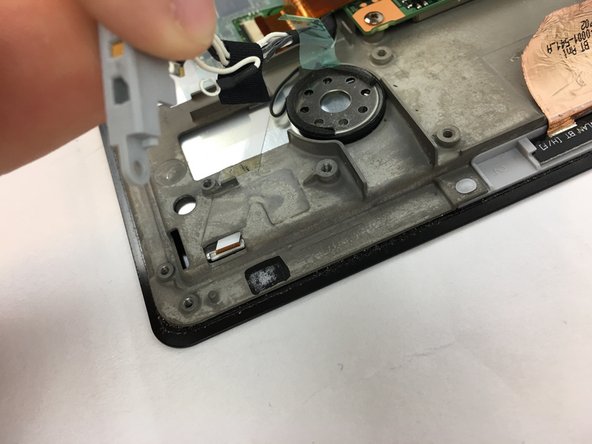
    • Disconnect the charging assembly from the pin connector.

    • Pull on it very gently; the socket is very fragile.

    FixBot'a Sor

    Yorum Ekle

  17. Sony Tablet S Charging Connector Replacement: adım 17, 1 resimden 1.
    • Remove the assembly.

    FixBot'a Sor

    Yorum Ekle

Sonuç

To reassemble your device, follow these instructions in reverse order.

İptal et: Bu kılavuzu tamamlamadım.

3 farklı kişi bu kılavuzu tamamladı.

Austin Mann

Üyelik tarihi: 09/28/16

287 İtibar

5 adet Kılavuz yazıldı

Ekip

USF Tampa, Team 3-5, Passmore Fall 2016 USF Tampa, Team 3-5, Passmore Fall 2016 üyesi

USFT-PASSMORE-F16S3G5

3 Üyeler

5 adet Kılavuz yazıldı

1Rehber Yorum

Thank you it helped me. :)

e_hlpr - Yanıt Paylaş

Yorum Ekle

İstatistikleri Görüntüle:

Son 24 Saat: 3

Son 7 gün: 14

Son 30 gün: 46

Her zaman: 3,635