Ana içeriğe geç
Onarım Topluluğuna Katılın - Hesap Oluşturun

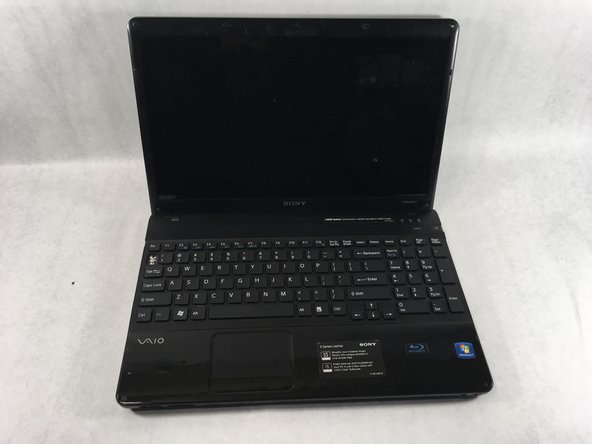
Sony VAIO VPCEE26FX Keyboard Replacement

Neye ihtiyacın var

  1. Sony VAIO VPCEE26FX Keyboard Replacement, Battery: adım 1, 2 resimden 1. Sony VAIO VPCEE26FX Keyboard Replacement, Battery: adım 1, 2 resimden 2.
    • Ensure that the laptop is powered off before disconnecting the battery.

    • Flip the laptop over so the underside of the laptop is facing up.

    FixBot'a Sor

    Yorum Ekle

  2. Sony VAIO VPCEE26FX Keyboard Replacement: adım 2, 2 resimden 1. Sony VAIO VPCEE26FX Keyboard Replacement: adım 2, 2 resimden 2.
    • Slide the two tabs towards each other until the battery disconnects slightly from its position.

    • Carefully lift the battery out of its position away from the laptop.

    • The battery is not pictured here, since it is missing from this particular device.

    FixBot'a Sor

    Yorum Ekle

  3. Sony VAIO VPCEE26FX Keyboard Replacement, Keyboard: adım 3, 2 resimden 1. Sony VAIO VPCEE26FX Keyboard Replacement, Keyboard: adım 3, 2 resimden 2.
    • Flip the laptop back over so it is face up.

    • Open up the laptop.

    FixBot'a Sor

    Yorum Ekle

  4. Sony VAIO VPCEE26FX Keyboard Replacement: adım 4, 1 resimden 1.
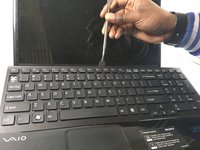
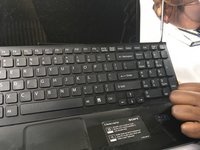
    • Using a plastic opening tool, pry along the seam between the keyboard and case to help in separating the two.

    • Continue to lift up gently using the plastic opening tool until the keyboard begins to separate from the case.

    FixBot'a Sor

    Yorum Ekle

  5. Sony VAIO VPCEE26FX Keyboard Replacement: adım 5, 2 resimden 1. Sony VAIO VPCEE26FX Keyboard Replacement: adım 5, 2 resimden 2.
    • Continue lifting up and moving down starting on the left side of the keyboard moving towards the right side of the computer.

    FixBot'a Sor

    Yorum Ekle

  6. Sony VAIO VPCEE26FX Keyboard Replacement: adım 6, 2 resimden 1. Sony VAIO VPCEE26FX Keyboard Replacement: adım 6, 2 resimden 2.
    Bu adımda kullanılan alet:
    Tweezers
    $4.99
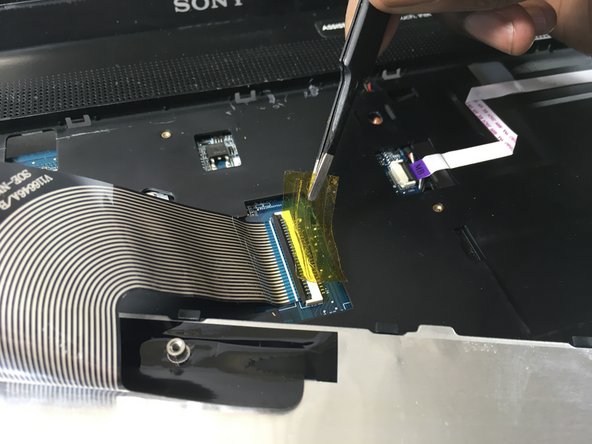
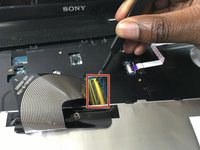
    • Carefully tilt the top of the keyboard towards you ensuring the ribbon cable is not under too much tension.

    • Use a pair of tweezers to help remove the plastic adhesive film covering the adapter/port for the ribbon cable.

    FixBot'a Sor

    Yorum Ekle

  7. Sony VAIO VPCEE26FX Keyboard Replacement: adım 7, 1 resimden 1.
    FixBot'a Sor

    Yorum Ekle

  8. Sony VAIO VPCEE26FX Keyboard Replacement: adım 8, 1 resimden 1.
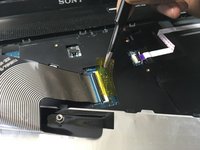
    • Lift the keyboard up and away from the computer.

    FixBot'a Sor

    Yorum Ekle

Sonuç

To reassemble your device, follow these instructions in reverse order.

İptal et: Bu kılavuzu tamamlamadım.

Christopher Hover

Üyelik tarihi: 03/21/19

679 İtibar

5 adet Kılavuz yazıldı

Ekip

UMass Dartmouth, Team S2-G3, Bailey Spring 2019 UMass Dartmouth, Team S2-G3, Bailey Spring 2019 üyesi

UMASSD-BAILEY-S19S2G3

3 Üyeler

10 adet Kılavuz yazıldı

0Kılavuz Yorumları

Yorum Ekle

İstatistikleri Görüntüle:

Son 24 Saat: 0

Son 7 gün: 5

Son 30 gün: 24

Her zaman: 1,573